WordPress SEO Mistakes: 7 We Found on 1,000 Sites (2026 Study)
We checked 1,000 popular WordPress homepages. 79% had images without alt text and a third had titles over 60 characters. Here are the 7 most common mistakes and how to fix them.
In this article
- Key findings
- Mistake 1: Images without alt text (79% of sites)
- Mistake 2: Titles that are too long (33% of sites)
- Mistake 3: No H1, or several (21% and 11% of sites)
- Mistake 4: No og:image for social sharing (32% of sites)
- Mistake 5: Meta descriptions that are too long or missing (20% and 10%)
- Mistake 6: No sitemap line in robots.txt (25% of sites)
- Mistake 7: No structured data (14% of sites)
- What most WordPress sites got right
- How to check your own site for these WordPress SEO mistakes
- How we ran this study
- Frequently asked questions
- What is the most common WordPress SEO mistake?
- Is having more than one H1 bad for SEO?
- How long should a WordPress SEO title be?
- Do I need an SEO plugin to avoid these mistakes?
We checked the homepages of 1,000 popular WordPress sites to find the WordPress SEO mistakes that show up most often. The results were surprising. Busy, well-known sites still skip basics like image alt text, short titles, a single H1 and a share image. Below are the seven most common mistakes, the share of sites that made each one, why it matters and how to fix it on any WordPress site.
Key findings
- 79.1% of the sites with images had at least one image without alt text. Across all 68,527 images we found, 35.3% had no alt attribute.
- 33.0% of homepages had a title longer than 60 characters.
- 21.3% had no H1 at all, and another 11.4% had more than one.
- 31.6% had no
og:image, so links shared on social media may show no picture. - 19.9% had a meta description longer than 160 characters, and 10.3% had none.
- 24.7% did not list a sitemap in robots.txt.
- 13.9% had no JSON-LD structured data on the homepage.
Mistake 1: Images without alt text (79% of sites)
Of the 984 sites that had images on the homepage, 79.1% had at least one image with no alt attribute. On 33.2% of those sites, half or more of the homepage images had no alt text. Across every image we saw, 24,201 of 68,527 (35.3%) were missing it.
Why it matters. Alt text tells screen reader users what an image shows, and it helps search engines understand it. Google's image SEO best practices say it uses alt text, together with computer vision and the page content, to understand images.
How to fix it in WordPress.
- Open Media → Library, click an image and fill in Alternative Text. Describe what the image shows in a short phrase.
- Rename photos before upload:
red-running-shoes.jpgbeatsIMG_2041.jpg. - Check images your theme outputs too, such as logos, sliders and icons.
How RankFlect SEO helps. The free Image SEO module turns the file name into readable alt text and an image title on upload, and it can fill missing alt text in bulk from file names, from the Media Library or with Fill all from file names on the Image SEO screen. It also lists every image still missing alt text, and with your own AI provider key it can describe an image by looking at it. The site audit flags "Images without alt text" as a warning.
Mistake 2: Titles that are too long (33% of sites)
One in three homepages (33.0%) had a title tag longer than 60 characters, and 20.6% of the sites with a title went past 70. The median title was 54 characters, so most sites are close to the limit and a long brand suffix pushes them over.
Why it matters. Google does not set a fixed character limit, but long titles get cut off in results, and the words that are cut are often the important ones. Google's title link guidelines ask for concise, descriptive titles and warn against long, keyword-stuffed ones.
How to fix it.
- Put the most important words first, then a short brand suffix such as "| Acme".
- Check how the title looks in a search preview, not only how many characters it has. Google cuts by pixel width.
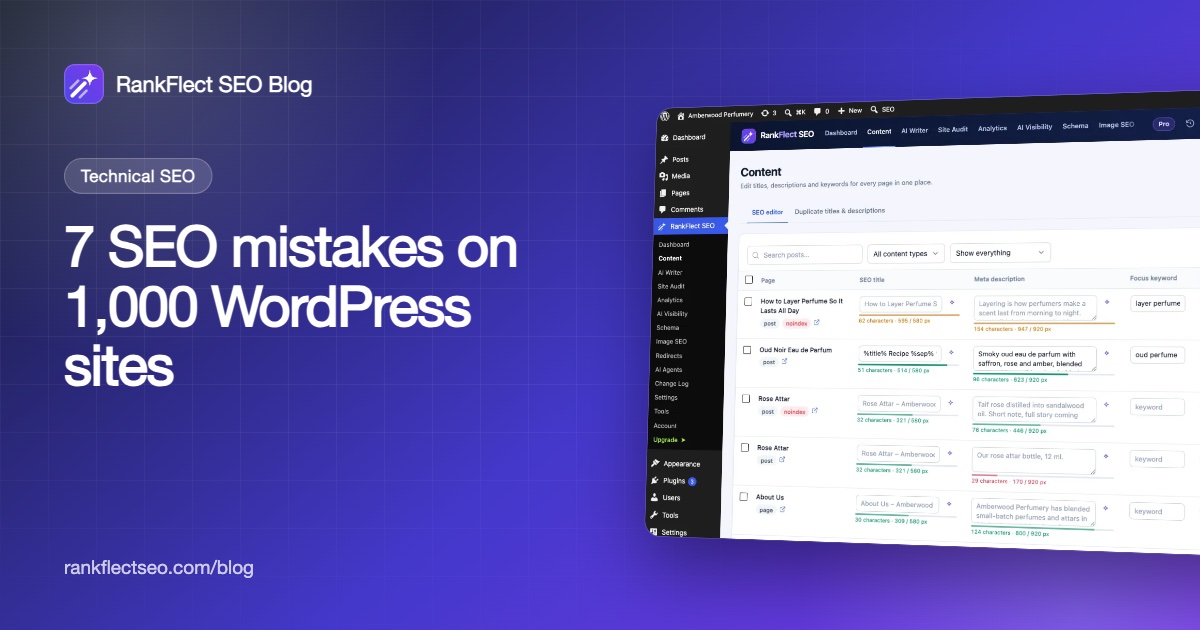
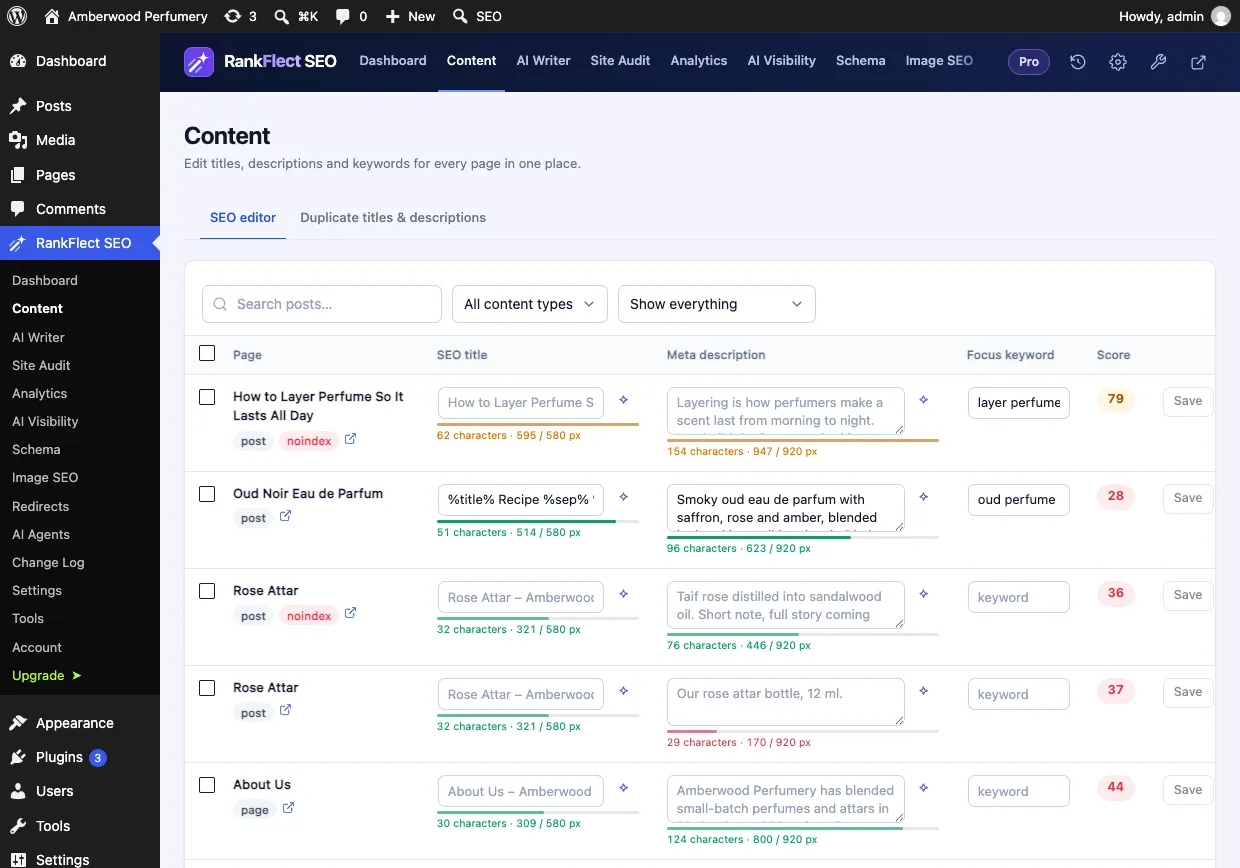
How RankFlect SEO helps. The bulk SEO editor shows every SEO title with a pixel-width bar, so you can find and shorten long titles across the site in one table. The free headline analyzer scores the post title as you type, including where Google cuts it. The site audit flags "SEO titles longer than 60 characters". Writing several titles at once with AI is in RankFlect SEO Pro.
Mistake 3: No H1, or several (21% and 11% of sites)
21.3% of homepages had no H1 heading at all, and 11.4% had two or more. Only 67.3% had exactly one.
Why it matters. Headings give a page structure for readers, screen readers and search engines. Google's SEO starter guide says there is "no magical, ideal amount of headings" and that heading order doesn't matter for Google Search, so a second H1 is not a penalty. But it does tell you to provide headings to help people navigate, and it lists headings among the sources Google may use for title links. A homepage with no main heading gives visitors and crawlers no clear statement of what the site is about.
How to fix it.
- View your homepage source and search for
<h1. Count how many there are. - If there is none, add one main heading that says what the site offers. In block themes you can change a Heading block's level in the editor or Site Editor.
- If several elements are H1, keep the one that best describes the page and make the others H2.
How RankFlect SEO helps. The free content analysis checks subheadings while you write, and the free competitor analysis compares your page's H1 and headings with a page that ranks above you, and lists a missing H1 as a gap.
Mistake 4: No og:image for social sharing (32% of sites)
31.6% of homepages had no og:image tag. On 21.8% of all sites, the page had an og:title but still no image. 19.7% had no Twitter (X) card tag.
Why it matters. Open Graph tags control how a link looks when it is shared on Facebook, LinkedIn, Slack, WhatsApp and many other apps. The Open Graph protocol lists og:image as one of the four required properties. Without it, platforms guess an image or show none.
How to fix it.
- Set a featured image on every post and page you want shared.
- Set a site-wide default share image for pages without one, ideally 1200 × 630 px.
- Re-test the URL in Facebook's Sharing Debugger after changes.
How RankFlect SEO helps. Social sharing settings output Open Graph and X card tags, use the featured image by default and let you choose a Default share image. The site audit flags "No default social image" and lists pages with no featured or social image.
Mistake 5: Meta descriptions that are too long or missing (20% and 10%)
19.9% of all homepages had a meta description longer than 160 characters. Among the 897 sites that had a description, that is 22.2%. Another 10.3% of sites had no meta description at all, and 6.7% had one shorter than 70 characters.
Why it matters. The meta description is not a ranking factor, but Google often uses it for the snippet under your title. Google's snippet documentation says a good description is unique to the page and summarizes it. A long one gets cut off; a missing one leaves Google to pick text from the page.
How to fix it.
- Write one or two sentences, roughly 120 to 155 characters, that say what the page offers and why to click.
Our guide on how to add a meta description in WordPress covers every method step by step.
How RankFlect SEO helps. The bulk SEO editor shows every description with a length bar, so you can fix long and missing ones in one place. The audit flags pages without a written description, descriptions longer than 160 and shorter than 70 characters, and duplicates. See titles and meta descriptions for templates.
Mistake 6: No sitemap line in robots.txt (25% of sites)
24.7% of sites did not list a sitemap in robots.txt. 3.2% had no robots.txt file we could read, and among the 968 sites that did, 22.2% had no Sitemap: line.
Why it matters. A sitemap helps search engines find your pages, especially new ones. Google's sitemap documentation lists two ways to tell it about a sitemap: submit it in Search Console, or add a Sitemap: line to robots.txt. The robots.txt line also helps crawlers you never submit to directly.
How to fix it.
- Open
yoursite.com/robots.txtand look for a line starting withSitemap:. - WordPress adds one for its core sitemap to the virtual robots.txt. If it is missing, a physical robots.txt file in your site root is probably replacing the virtual one.
- Add
Sitemap: https://example.com/your-sitemap.xmlwith your real sitemap URL, then submit the same URL in Search Console.
How RankFlect SEO helps. RankFlect SEO adds your XML sitemap to the virtual robots.txt automatically. If a physical file is in the way, the robots.txt settings and the file editor in Tools let you edit it or move it aside. Both are free.
Mistake 7: No structured data (14% of sites)
13.9% of homepages had no JSON-LD structured data. This is where an SEO plugin made the clearest difference in our data. Among sites where we detected no SEO plugin, 28.2% had no JSON-LD. Among sites where we detected Yoast SEO, it was 1.3%, and among Rank Math sites, 2.3%. Plugin detection is a lower bound (see the methodology), but SEO plugins clearly add basic schema by default.
Why it matters. Structured data tells Google what the page is about in a machine-readable way: the organization, its logo, the website, articles and products. Google's introduction to structured data explains that it uses it to understand pages and to show rich results.
How to fix it.
- Use an SEO plugin that outputs Organization (or Person), WebSite and WebPage schema on every page.
- Test your homepage in Google's Rich Results Test or the Schema Markup Validator.
How RankFlect SEO helps. RankFlect SEO builds one connected JSON-LD graph for every page automatically: Organization or Person, WebSite, WebPage and BreadcrumbList, plus Article for posts. See the schema overview, or our guide to schema markup in WordPress.
What most WordPress sites got right
Not everything was bad news. 99.9% of the sites ended on HTTPS. Only 0.4% had no viewport tag, 2.2% had no lang attribute, 0.9% had no title, and 5.9% had no canonical tag. Only 1.4% had a noindexed homepage. The basics that WordPress core and modern themes handle are in good shape; the mistakes above need a person, or a plugin, to act.
How to check your own site for these WordPress SEO mistakes
You can check your homepage by hand: view the source, search for <h1, og:image, application/ld+json and the description tag, then open /robots.txt. But titles, descriptions and alt text need checking on every post, not just the homepage.
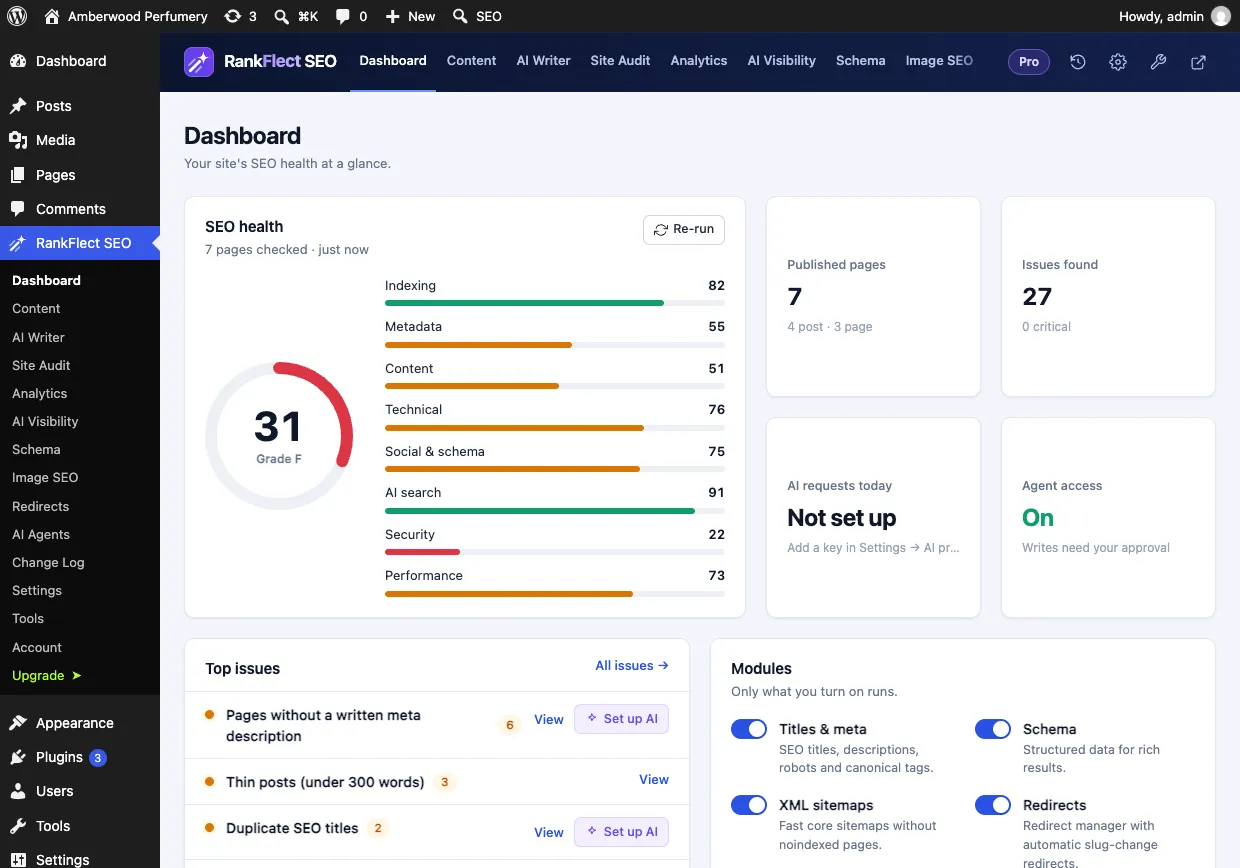
That is what a site audit is for. The RankFlect SEO site audit runs automatically every 7 days on every plan, including Free, and scores your site from 0 to 100 across indexing, metadata, content, technical, social, AI search, security and performance. Running it on demand is in RankFlect SEO Pro. The full list of checks is in every site audit check explained. For a broader to-do list, see our WordPress SEO checklist.
How we ran this study
On November 5, 2026, we took the Tranco top-sites list (list ID JZPGY, generated November 4, 2026, from tranco-list.eu). We went down the list from the top, about 12,000 domains, and requested each homepage once over HTTPS. A site counted as WordPress when its homepage HTML had a WordPress generator tag or /wp-content/ or /wp-includes/ paths. We kept the first 1,000 WordPress sites that returned HTTP 200.
For each site we checked the homepage HTML, /robots.txt and /llms.txt. Our crawler identified itself as RankFlectSEO-Research/1.0. Percentages are of all 1,000 sites unless we say otherwise.
The limits matter:
- We checked homepages only, not inner pages.
- These are popular sites from the top of the Tranco list, so they don't represent all WordPress sites. Smaller sites may do better or worse.
- We read the HTML as served, without running JavaScript.
- We detected SEO plugins from the comments and markers they print. Many sites remove these, so plugin shares are lower bounds. At least 39.3% of sites showed Yoast SEO markers, 8.8% Rank Math and 2.4% All in One SEO; we found no plugin markers on 46.5%.
If you want to fix these issues on your own site, you can download RankFlect SEO for free and let the weekly audit show you where to start.
Frequently asked questions
What is the most common WordPress SEO mistake?
In our study of 1,000 WordPress homepages, missing image alt text was the most common. 79.1% of sites with images had at least one image without alt text, and 35.3% of all images we found had none.
Is having more than one H1 bad for SEO?
Not by itself. Google's SEO starter guide says there is no ideal number of headings and that heading order doesn't matter for Google Search. Having no H1 at all is the bigger problem, because the page has no clear main heading. In our data, 21.3% of homepages had no H1.
How long should a WordPress SEO title be?
Aim for about 50 to 60 characters, with the most important words first. Google cuts titles by pixel width, not a fixed character count, so check a preview. A third of the homepages we checked went past 60 characters.
Do I need an SEO plugin to avoid these mistakes?
You can fix all seven by hand, but a plugin makes it easier to keep them fixed across hundreds of pages. In our data, sites where we detected no SEO plugin were far more likely to have no structured data (28.2%) than Yoast or Rank Math sites (1.3% and 2.3%).
- #wordpress seo
- #seo mistakes
- #seo audit
- #alt text
- #meta description
- #seo study
Written by
RankFlect SEO TeamThe people who build RankFlect SEO, the WordPress SEO plugin with a built-in MCP server. We write about what we learn shipping SEO tools for AI search.
All articles →Let AI agents fix your SEO. You keep the undo button.
RankFlect SEO is free for unlimited sites, with a built-in MCP server, approval for every change and no AI credits.