WordPress SEO Checklist for 2026: Every Step, Ordered by Impact
A complete WordPress SEO checklist in order of impact, from indexing basics and technical fixes to on-page SEO, schema, AI search readiness and maintenance.
In this article
- Key takeaways
- 1. Indexing basics: let search engines in
- 2. Technical SEO for WordPress
- 3. On-page SEO checklist
- 4. Structured data
- 5. AI search readiness
- 6. Content
- 7. Local SEO and WooCommerce extras
- 8. Ongoing SEO maintenance
- Frequently asked questions
- What is the most important item on a WordPress SEO checklist?
- Do I need an SEO plugin for WordPress?
- How often should I run through this checklist?
- Does llms.txt help my Google rankings?
- Should I block AI crawlers in robots.txt?
This WordPress SEO checklist puts every task in order of impact: first make sure search engines can find and index your site, then fix the technical basics, then improve each page. Work through the groups from top to bottom, because a perfect meta description is worth nothing on a page Google never indexes.
Each item has a short "why" line, so you can skip what does not apply to your site and know what you are skipping.
Key takeaways
- Indexing comes first. One ticked box in Settings → Reading can hide a whole site from search.
- Technical fixes (HTTPS, permalinks, canonicals, redirects) protect the rankings you already have.
- On-page work and structured data help Google understand and present each page.
- Google says AI Overviews and AI Mode have no extra requirements: normal SEO fundamentals and crawler access are what count.
- SEO is ongoing. Re-check the list after big changes and on a regular schedule.
1. Indexing basics: let search engines in
Nothing else on this list matters until search engines can crawl your pages and know they exist.
- Turn off "Discourage search engines". In Settings → Reading, make sure Discourage search engines from indexing this site is not ticked. Why: it is often left on after a staging or development phase, and it asks search engines not to index anything.
- Check robots.txt. Open
yoursite.com/robots.txtand make sure it does not block important paths. Why: a strayDisallow: /stops crawling. Remember that robots.txt controls crawling, not indexing. Google says it is not a mechanism for keeping a page out of Google; usenoindexfor that. - Publish an XML sitemap. WordPress core creates one at
/wp-sitemap.xml. Why: a sitemap helps search engines find new and updated pages, especially on new sites with few links pointing in. Make sure noindexed pages are not listed in it. - Verify Google Search Console and Bing Webmaster Tools. Add your site to both and submit the sitemap. Why: these are the only places where the search engines tell you directly which pages are indexed, which are excluded and why.
In RankFlect SEO, XML sitemaps build on the core sitemaps, leave out noindexed content automatically and add the sitemap line to your robots.txt. You can then connect Google Search Console and GA4 to see clicks and impressions inside WordPress.
2. Technical SEO for WordPress
These fixes protect the rankings you have and stop search engines from wasting time on duplicate or broken URLs.
- Serve the whole site over HTTPS. Make sure every URL redirects from
http://tohttps://and that the WordPress and site address both use https. Why: HTTPS is part of Google's page experience signals, and browsers warn visitors on insecure pages. - Use readable permalinks. In Settings → Permalinks, choose Post name or another structure with words, not
?p=123. Why: descriptive URLs are easier to read and share. Set this early; changing it later needs redirects for every old URL. - Set canonical URLs. Each indexable page should point to its own main URL with a canonical tag. Why: tracking parameters, sorting options and print versions can create several URLs for the same content.
- Noindex thin archives. Date archives, internal search results and, on most sites, tag and author archives add little value in search. Why: they repeat content found elsewhere and spread your site thin.
- Redirect moved and deleted pages. Use a 301 redirect whenever you change a slug, merge two posts or move content. Why: old links and bookmarks keep working, and the old page's signals pass to the new one.
- Watch your 404s. Check the "Not found (404)" pages in Search Console's indexing report. Why: a few 404s are normal, but many hits on one missing URL usually mean a redirect you forgot.
- Pass Core Web Vitals. Google's Core Web Vitals are good when Largest Contentful Paint is within 2.5 seconds, Interaction to Next Paint is under 200 milliseconds and Cumulative Layout Shift is under 0.1. Why: Google recommends good Core Web Vitals for success in Search, and slow pages lose visitors.
RankFlect SEO outputs canonical tags and noindexes date archives, search results and author archives by default; you can change any of it per content type or per post (see noindex, nofollow and canonical URLs). Its free redirect manager handles 301, 302 and 307 redirects and adds a 301 automatically when you change a published post's slug. The Page speed tab runs Google PageSpeed Insights on any URL from inside WordPress.
3. On-page SEO checklist
Once a page can be indexed, these items help it rank for the right query and win the click.
- Write a unique SEO title for every page. Put the main topic near the start and keep it short enough not to be cut off. Why: the title is the clickable headline in search results.
- Write a meta description that earns the click. Summarise the page and give a reason to visit. Why: Google often uses it as the snippet, although it may rewrite it.
- Use one H1 and logical headings. Most themes print the post title as the H1. Use H2 and H3 for sections in order. Why: headings show readers and search engines how the page is organised.
- Add internal links. Link new posts from older, related ones, with link text that describes the target. Why: internal links help Google discover pages and understand what they are about.
- Give images alt text and sensible file names. Describe what the image shows. Why: alt text helps screen reader users and image search.
- Find duplicate titles and descriptions. Why: pages with the same title compete with each other and confuse searchers.
RankFlect SEO writes a title and description for every page from templates, so nothing is ever blank, and you override them per page in the editor panel. Its Image SEO module turns file names into readable alt text on upload and lists every image still missing alt text.
4. Structured data
Structured data (schema) describes your page in a format machines read reliably: who runs the site, what kind of page it is, who wrote it.
- Set your site identity. Tell search engines whether an organization or a person runs the site, with a name, logo and social profiles. Why: this feeds the Organization or Person node that other schema points to.
- Add the right type per page. Article for posts, Product for products, FAQPage for real FAQ sections, and so on. Why: some types make a page eligible for rich results.
- Add breadcrumbs. Why: BreadcrumbList schema shows where a page sits in your site.
- Test it. Run important templates through Google's Rich Results Test. Why: invalid markup is ignored, and markup that does not match the page breaks Google's guidelines.
RankFlect SEO outputs one connected JSON-LD graph on every page without setup, with Organization or Person, WebSite, WebPage, BreadcrumbList and Article nodes. See how RankFlect SEO's schema works for every node and where its data comes from.
5. AI search readiness
AI assistants and AI search features now send visitors to websites too. The good news: most of the work is the same as classic SEO.
- Get the fundamentals right first. Google's guide to AI features and your website says there are no additional requirements to appear in AI Overviews or AI Mode. A page needs to be indexed and eligible to show with a snippet. Why: everything in groups 1 to 4 already does this work.
- Decide which AI crawlers to allow. AI companies run separate bots for model training, for AI search and for live browsing when a user asks a question. Check that your robots.txt does not block the search and browsing bots by accident. Why: blocking a training bot keeps your content out of future training sets, but blocking a search bot makes it less likely that assistant cites you.
- Keep key content in plain text. Why: text that only appears inside images or after heavy scripts is harder for any crawler to read.
- Treat llms.txt as optional. An llms.txt file is a proposed Markdown file that lists your key pages for AI tools. Why it is optional: Google says you don't need new machine-readable or AI text files to appear in its AI features, and llms.txt is not a Google ranking factor. Some AI agents and coding tools do read it, so it costs little to have one.
In RankFlect SEO you allow or block 15 AI crawlers one by one from the robots.txt settings, and AI crawler tracking shows which bots actually visit and which pages they read. It also publishes llms.txt and Markdown copies of your pages by default.
6. Content
Technical SEO gets you in the door. Content is what ranks.
- Match the search intent. Look at what already ranks for your query: guides, product pages, comparisons or quick answers. Why: a page in the wrong format rarely ranks, however good it is.
- Answer the question early. Put the direct answer in the first paragraph, then go deeper. Why: readers and AI answers both pick up clear, early answers.
- Pick one main keyword per page. Why: two pages targeting the same keyword compete with each other.
- Update or merge weak posts. Refresh outdated facts, and merge thin posts on the same topic with a 301 redirect. Why: a few strong pages usually beat many weak ones.
- Show who is behind the content. Use real author names, an About page and contact details. Why: it helps readers trust the page.
7. Local SEO and WooCommerce extras
Skip this group if neither applies to you.
- Local businesses: add LocalBusiness schema with your address, phone and opening hours, written exactly as on your Google Business Profile. Why: consistent details help Google show you in local results and Maps.
- WooCommerce stores: make sure each product page has Product schema with price, availability and reviews. Why: it makes products eligible for rich results with price and stock.
- Keep cart, checkout and My account out of search. Why: they have no value in search results.
- Control filtered and sorted shop URLs. Why: filter and
?orderby=parameters can create endless near-duplicate pages.
RankFlect SEO covers both for free: Local SEO for one business, and WooCommerce Product schema, product title variables and noindex on cart, checkout and account pages. Multiple locations and advanced WooCommerce options such as per-variation offers are part of RankFlect SEO Pro.
8. Ongoing SEO maintenance
A WordPress site changes every week, so the checklist is never finished.
- Check Search Console every month. Look for new indexing errors, drops in clicks and queries you almost rank for. Why: problems are cheapest to fix early.
- Re-run an audit after big changes. New theme, new plugin, migration or redesign. Why: these are the moments when noindex tags, redirects and titles break.
- Keep WordPress, plugins and themes updated. Why: updates fix security holes, and a hacked site loses rankings fast.
- Take a backup before bulk SEO changes. Why: you want an easy way back if a bulk edit goes wrong.
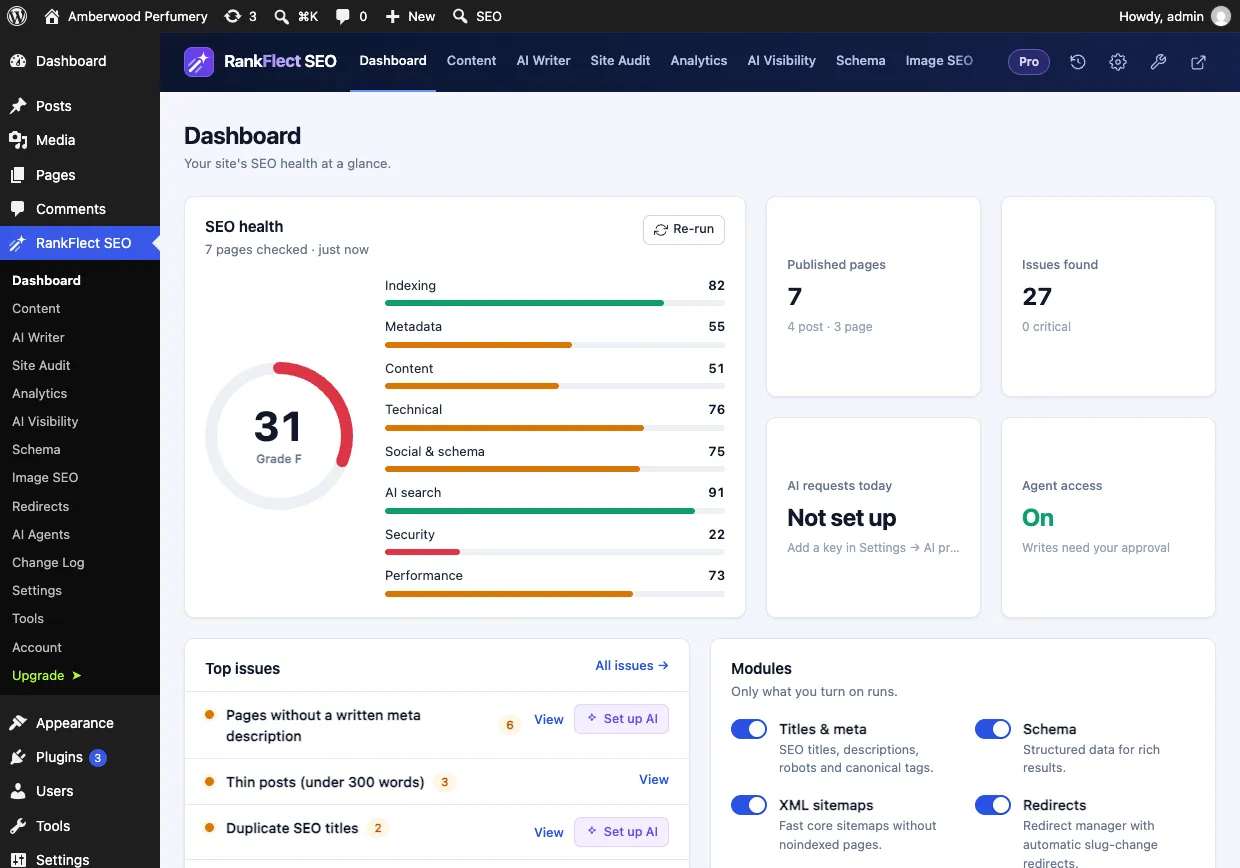
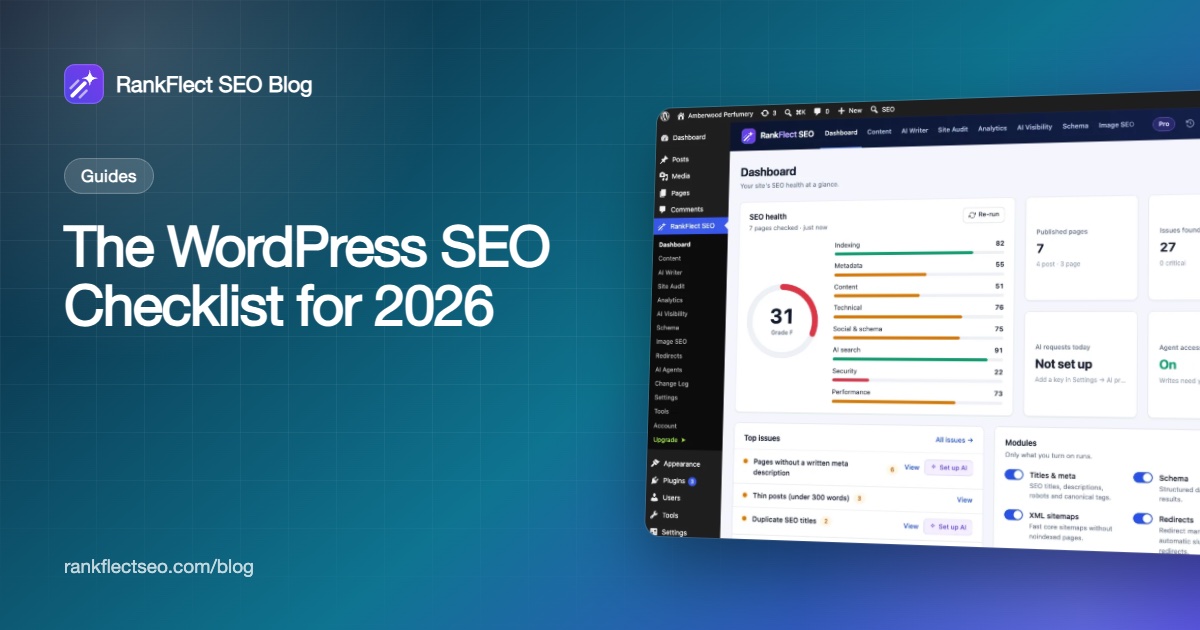
RankFlect SEO's site audit checks most of this list for you. It scores the site from 0 to 100 across indexing, metadata, content, technical, social and schema, AI search, security and performance, and most issues have a one-click fix. It reads your settings and content directly instead of crawling, so it finishes in seconds. Every SEO change goes through a Change Log, where you can undo it.
If you want to try it, download RankFlect SEO free. It works on unlimited sites, and the checklist items above are in the free plugin unless marked as Pro.
Frequently asked questions
What is the most important item on a WordPress SEO checklist?
Making sure the site can be indexed. Check that "Discourage search engines from indexing this site" is off, that robots.txt does not block your pages and that Search Console shows your pages as indexed. Every other fix depends on this one.
Do I need an SEO plugin for WordPress?
WordPress core already gives you a sitemap, a robots.txt file and clean permalinks. It does not let you set SEO titles, meta descriptions, noindex or canonical URLs per page, and it outputs little structured data. An SEO plugin fills those gaps without code.
How often should I run through this checklist?
Go through the full list once when you launch or take over a site. After that, check Search Console monthly and re-run an audit after any theme change, migration or major plugin update.
Does llms.txt help my Google rankings?
No. Google says you don't need AI text files to appear in its AI features, and llms.txt is not a Google ranking factor. It can help some AI agents and tools find your key pages, so treat it as an optional extra.
Should I block AI crawlers in robots.txt?
That depends on your goals. Blocking training bots keeps your content out of future model training without removing you from AI search answers. Blocking AI search and browsing bots makes it less likely that assistants such as ChatGPT or Perplexity cite your pages.
- #wordpress seo
- #checklist
- #technical seo
- #on-page seo
- #ai search
Written by
RankFlect SEO TeamThe people who build RankFlect SEO, the WordPress SEO plugin with a built-in MCP server. We write about what we learn shipping SEO tools for AI search.
All articles →Let AI agents fix your SEO. You keep the undo button.
RankFlect SEO is free for unlimited sites, with a built-in MCP server, approval for every change and no AI credits.