Perplexity SEO: How to Get Your Site Cited, Step by Step
How Perplexity finds and cites pages, the difference between PerplexityBot and Perplexity-User, and the steps to get cited and measure the results.
In this article
- Key takeaways
- How Perplexity finds and cites pages
- PerplexityBot vs Perplexity-User
- PerplexityBot
- Perplexity-User
- Step 1: Allow PerplexityBot in robots.txt
- Step 2: Check your CDN, firewall and security plugin
- Step 3: Make your pages easy to index
- Step 4: Structure content so Perplexity can cite it
- Step 5: Measure Perplexity referrals and visibility
- How to do this in WordPress with RankFlect SEO
- Frequently asked questions
- Does Perplexity respect robots.txt?
- Does blocking PerplexityBot stop AI training?
- How do I see Perplexity traffic in Google Analytics?
- How long does it take to get cited by Perplexity?
- Is Perplexity SEO different from Google SEO?
Perplexity SEO starts with one technical fact: Perplexity can only cite pages its crawler, PerplexityBot, is allowed to reach and index. After that, it comes down to clear, specific pages that answer the exact questions people type into Perplexity, plus a way to measure the visits it sends. This step-by-step guide covers both Perplexity crawlers, the robots.txt and firewall settings to check, how to structure content for citations and how to track results on a WordPress site.
Key takeaways
- Perplexity has two documented crawlers: PerplexityBot indexes pages for Perplexity search, and Perplexity-User fetches pages live when someone asks a question.
- Perplexity says PerplexityBot is not used to crawl content for AI foundation models. Blocking it mainly removes you from Perplexity's results.
- Allow PerplexityBot in robots.txt and make sure your CDN or firewall doesn't block it.
- Every Perplexity answer has numbered citations, so short, self-contained, factual passages have the best chance of being the cited source.
- Measure with crawler visits, referral sessions from perplexity.ai in Google Analytics 4 and repeated prompt checks. No one can guarantee a citation.
How Perplexity finds and cites pages
Perplexity's help center article How does Perplexity work? describes three stages: it interprets the question with language models, searches the internet in real time and writes a single answer. It adds that "each answer includes numbered citations linking to the original sources."
That has two practical consequences for site owners:
- You must be findable by Perplexity's own crawler. Its live search draws on pages Perplexity has crawled and indexed, plus pages fetched on demand.
- Citations are attached to specific statements. A page gets cited when it contains a clear sentence or passage that supports part of the answer. A vague page with the right keywords is less useful than a precise page with the right fact.
Much of what makes a page citable is the same across assistants. Our guide on how to get cited by ChatGPT and other AI search tools covers the shared basics. This article focuses on what is specific to Perplexity.
PerplexityBot vs Perplexity-User
Perplexity documents both crawlers on its Perplexity crawlers page. They do different jobs and follow different rules.
PerplexityBot
- Job: surfaces and links websites in Perplexity's search results.
- Training: Perplexity says it is not used to crawl content for AI foundation models.
- robots.txt: respects it. Perplexity recommends allowing PerplexityBot so your site can appear in results.
- User agent:
Mozilla/5.0 (compatible; PerplexityBot/1.0; +https://perplexity.ai/perplexitybot) - IP ranges: published at
https://www.perplexity.ai/perplexitybot.json
Perplexity-User
- Job: supports user actions. When someone asks Perplexity a question, it may visit your page to help answer and link to it in the response.
- Training: Perplexity says it is not used for web crawling or to collect training data.
- robots.txt: Perplexity says it generally ignores robots.txt rules, because a person requested the fetch.
- User agent:
Mozilla/5.0 (compatible; Perplexity-User/1.0; +https://perplexity.ai/perplexity-user) - IP ranges: published at
https://www.perplexity.ai/perplexity-user.json
Perplexity notes that robots.txt changes can take up to 24 hours to take effect, and recommends matching both the user agent and the published IP ranges if you configure a web application firewall.
A note on trust: in August 2025, Cloudflare published a report alleging that Perplexity used undeclared crawlers on sites that had blocked its bots. If you want to keep Perplexity out entirely, robots.txt alone may not be enough. If you want to be cited, which is the goal of this guide, the takeaway is simpler: make sure the declared bots can get in.
Step 1: Allow PerplexityBot in robots.txt
Open https://yoursite.com/robots.txt and look for any group that matches PerplexityBot, or a User-agent: * group that disallows your content. A minimal, citation-friendly setup looks like this:
User-agent: *
Disallow: /wp-admin/
Allow: /wp-admin/admin-ajax.php

# Optional: block training-only bots, keep search bots
User-agent: GPTBot
Disallow: /

Sitemap: https://yoursite.com/wp-sitemap.xml
PerplexityBot isn't named here, so it follows the * group and can crawl everything except the admin area. If you see User-agent: PerplexityBot followed by Disallow: /, remove that group. Blocking training bots such as GPTBot is a separate decision; our guide to blocking GPTBot in WordPress covers it.
Step 2: Check your CDN, firewall and security plugin
robots.txt is only a request. Bot protection can block or challenge PerplexityBot before it ever sees your robots.txt or your pages. Check these places:
- CDN bot settings. Many CDNs offer "block AI bots" or "AI crawl control" switches. Make sure PerplexityBot isn't in the blocked list if you want Perplexity citations.
- Firewall rules. If you allowlist bots, use the user agent and the IP ranges from Perplexity's JSON files, as Perplexity recommends.
- WordPress security plugins. Rate limits and "block unknown bots" options can stop crawlers. Look for PerplexityBot in the plugin's blocked request log.
- Your server logs. Search for
PerplexityBot. Requests with a 200 status code mean it is getting through; 403 or 429 codes mean something is blocking it.
Step 3: Make your pages easy to index
Perplexity's crawler documentation doesn't describe a sitemap submission tool, so it discovers pages by crawling. Help it the same way you help every crawler:
- Keep an XML sitemap and list it in robots.txt.
- Link important pages from your navigation, related posts and other articles.
- Keep the main content in HTML text, not inside images or scripts that load after a click.
- Don't put
noindexon pages you want cited. - Update key pages when facts change, and show a visible "updated" date.
Step 4: Structure content so Perplexity can cite it
Because Perplexity attaches numbered citations to statements, think of each important paragraph as a possible quote. These patterns make passages easier to cite:
- Answer first. Put a one- or two-sentence answer directly under each heading, then explain.
- Use question-shaped headings. Phrase H2 and H3 headings the way people ask, for example "How long does sourdough starter last in the fridge?"
- State facts plainly. "Our starter keeps for 2 weeks in the fridge without feeding" is citable. "It lasts a while" is not.
- Add comparison data. Specs, prices, dimensions and pros and cons in a clear list give Perplexity something concrete for "best" and "vs" questions.
- Include an FAQ section for the follow-up questions people ask next. Each answer is a short, self-contained passage that can be cited on its own.
- Cite your own sources. Link to primary references. Pages that show their evidence are easier to trust.
Also check who Perplexity already cites for your topic. Ask it the questions your customers ask and note the sources. If the same review sites, directories or forums keep appearing, being listed or mentioned there is often a faster path into answers than a new blog post.
Step 5: Measure Perplexity referrals and visibility
Measure three things, because each tells you something different.
- Crawler visits. PerplexityBot visits show you are being indexed. Perplexity-User visits show your page was fetched live to answer someone's question, which is a strong sign you are in play for that topic.
- Referral sessions. When a reader clicks a Perplexity citation, Google Analytics 4 usually records the session source as
perplexity.aior similar. In GA4, open Reports → Acquisition → Traffic acquisition, set the dimension to Session source and search for "perplexity". Our guide to tracking AI referral traffic in Google Analytics shows how to build a reusable AI channel. - Answer checks. Keep a list of 10 to 20 customer questions and ask Perplexity the same ones every month. Record whether your brand is mentioned and whether your site is cited. Answers vary, so look at the trend.
How to do this in WordPress with RankFlect SEO
If you use RankFlect SEO, the crawler and measurement steps are built in and free.
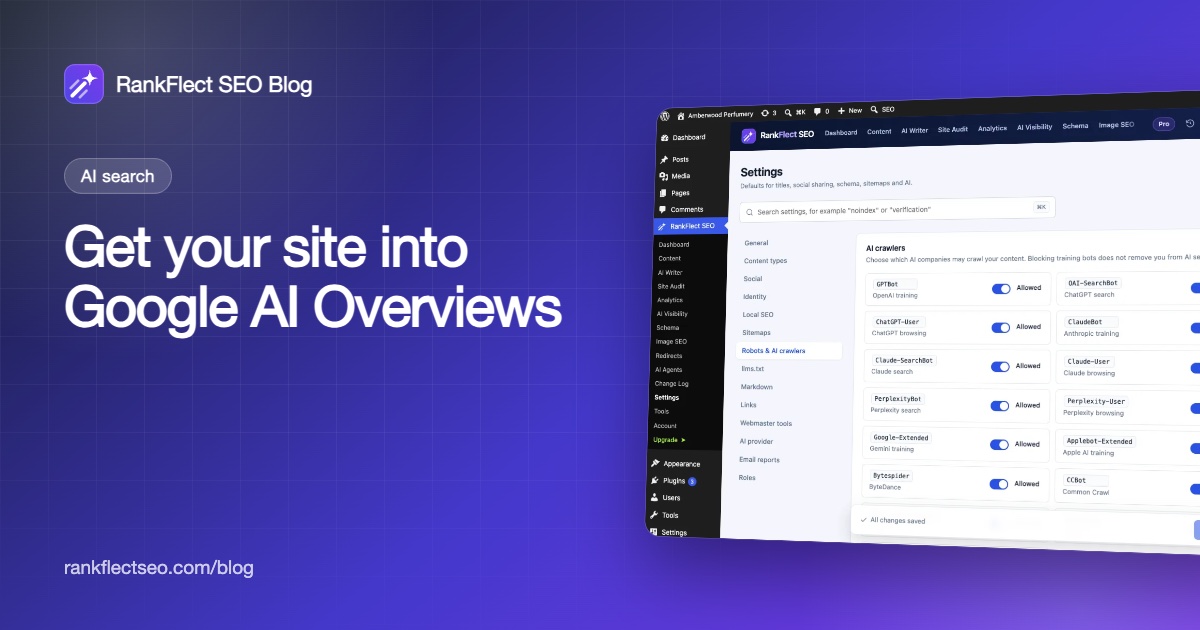
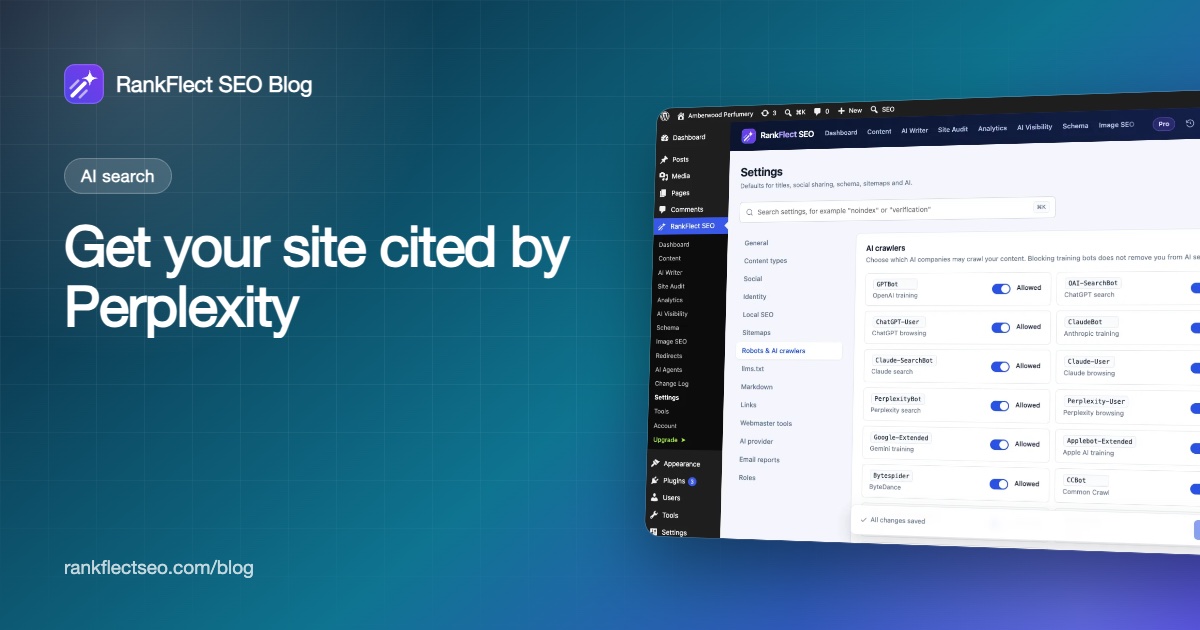
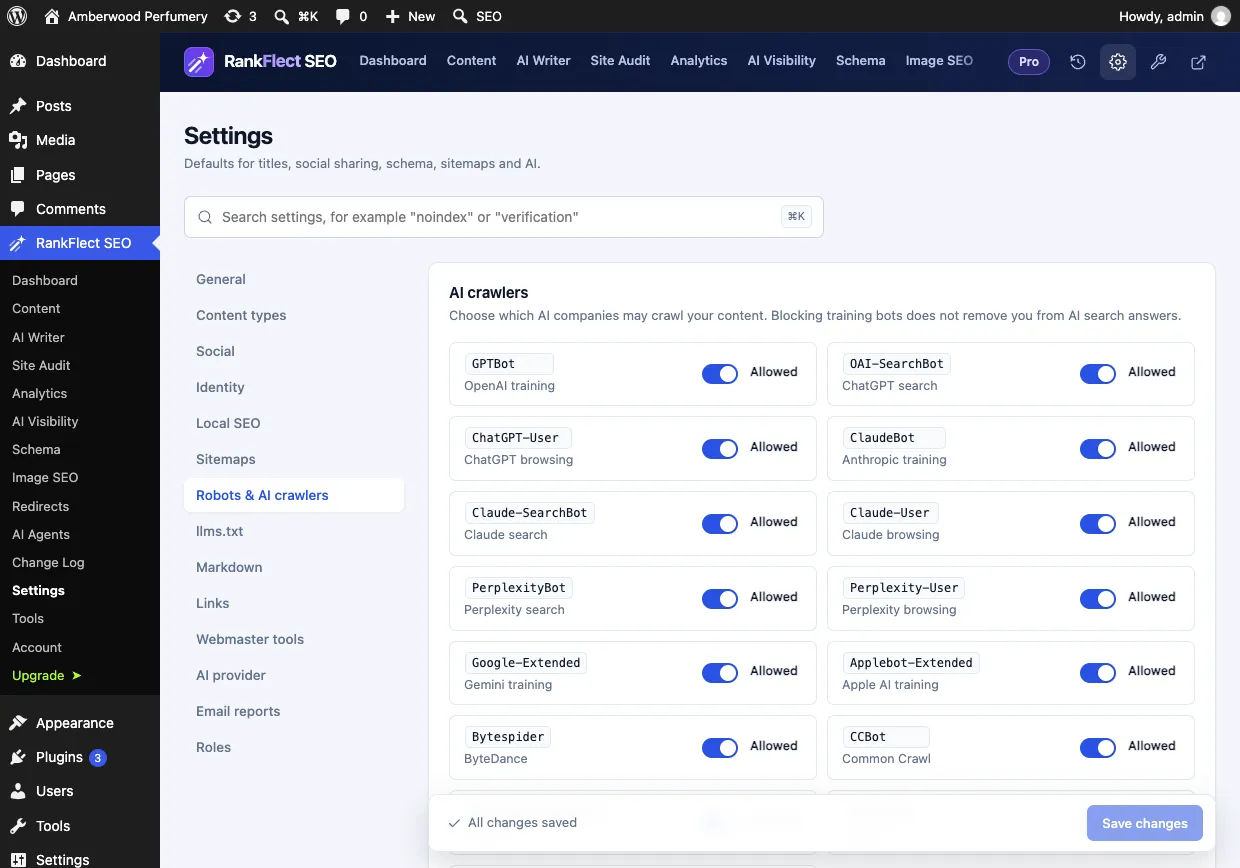
Go to RankFlect SEO → Settings → Robots & AI crawlers. PerplexityBot (labelled "Perplexity search") and Perplexity-User ("Perplexity browsing") each have their own Allowed / Blocked switch, and all bots are allowed by default. Blocking a bot adds a Disallow: / group for it to your virtual robots.txt. See Edit robots.txt.
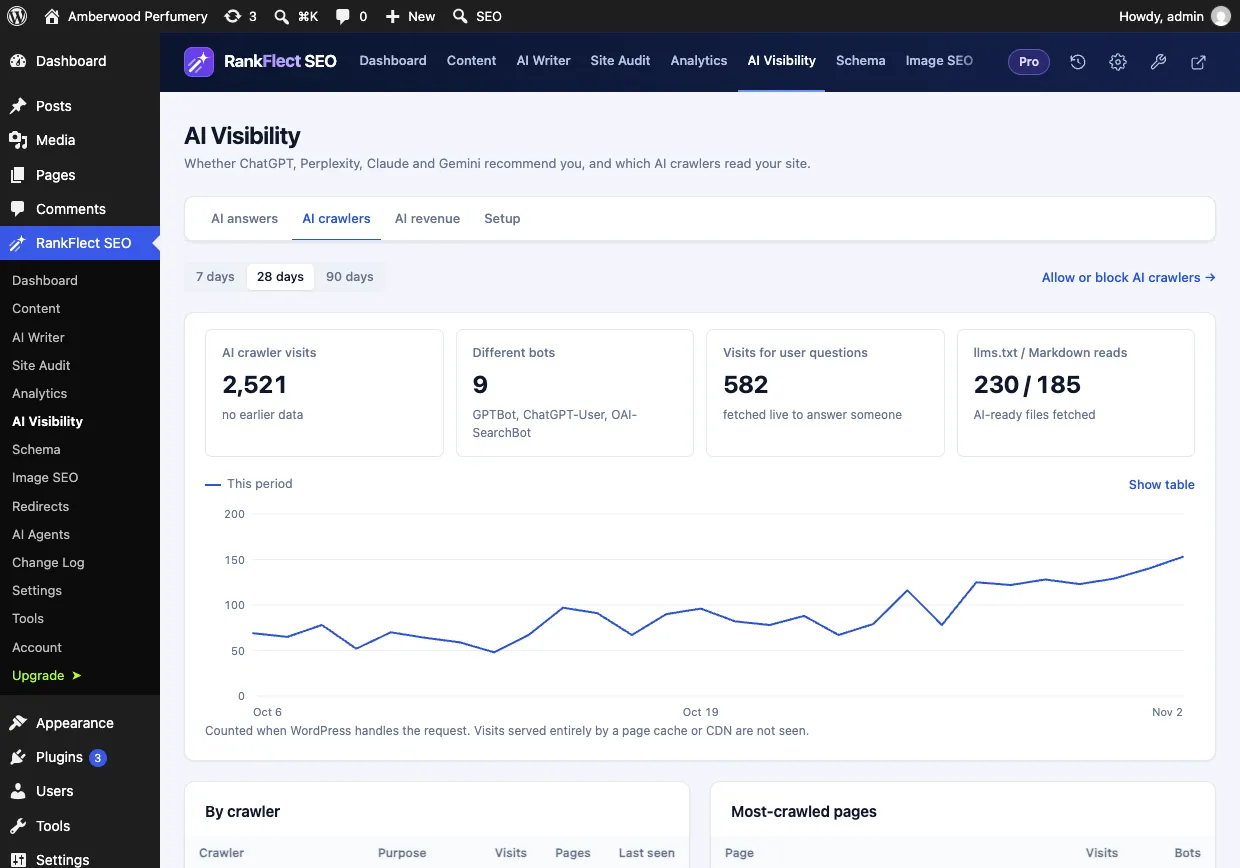
To check that Perplexity actually visits, open RankFlect SEO → AI Visibility → AI crawlers. The By crawler table lists each bot with its purpose, visits, pages and when it was last seen. The Visits for user questions tile counts pages fetched live to answer someone. Visits served entirely from a page cache or CDN aren't counted, so heavily cached sites see lower numbers. See Control and track AI crawlers.
For referrals, connect Google Analytics 4 and open Analytics → Traffic & AI referrals. RankFlect SEO groups sessions whose source contains "perplexity" under Perplexity, next to ChatGPT, Claude, Gemini and others. See Measure traffic from AI assistants. For content structure, the FAQ, How-to and Table of contents blocks add FAQPage and HowTo schema to the sections you write, and the AI search checklist covers the remaining settings.
In RankFlect SEO Pro, AI visibility tracking can run your customer questions through an AI provider with web search and record mentions and citations each week. It uses the provider you configure, so it is not a direct Perplexity measurement; your manual Perplexity checks fill that gap. If you'd like to try the free tools first, download RankFlect SEO free.
Frequently asked questions
Does Perplexity respect robots.txt?
Perplexity says PerplexityBot follows robots.txt. Perplexity-User generally ignores robots.txt rules, because it fetches a page when a person asks a question. To block traffic completely, Perplexity's docs point to firewall rules that match its user agents and IP ranges.
Does blocking PerplexityBot stop AI training?
Perplexity says PerplexityBot is not used to crawl content for AI foundation models. Blocking it mainly keeps your pages out of Perplexity's search results, so most sites that want citations should leave it allowed.
How do I see Perplexity traffic in Google Analytics?
In GA4, open the Traffic acquisition report, switch the dimension to Session source and search for "perplexity". You can also build a custom channel group that collects Perplexity, ChatGPT and other AI sources in one place.
How long does it take to get cited by Perplexity?
There is no fixed timeline. PerplexityBot often appears in logs within days of allowing it, but citations depend on whether your page gives the clearest answer to a specific question. Track monthly and improve the pages that are close.
Is Perplexity SEO different from Google SEO?
The foundations are the same: crawlable, indexed, helpful pages. The differences are a separate crawler to allow, citations attached to individual statements and measurement through referrals and prompt checks rather than rankings.
- #perplexity
- #perplexitybot
- #ai search
- #ai citations
- #wordpress seo
Written by
RankFlect SEO TeamThe people who build RankFlect SEO, the WordPress SEO plugin with a built-in MCP server. We write about what we learn shipping SEO tools for AI search.
All articles →Let AI agents fix your SEO. You keep the undo button.
RankFlect SEO is free for unlimited sites, with a built-in MCP server, approval for every change and no AI credits.