Block GPTBot on WordPress? AI Crawlers and robots.txt Explained
Blocking GPTBot keeps your content out of OpenAI training but not out of ChatGPT search. Here is what each AI crawler does and the exact robots.txt rules to use.
In this article
- Key takeaways
- Training, search and user fetches: the three kinds of AI bot
- Every major AI crawler and what blocking it changes
- OpenAI: GPTBot, OAI-SearchBot and ChatGPT-User
- Anthropic: ClaudeBot, Claude-SearchBot and Claude-User
- Perplexity: PerplexityBot and Perplexity-User
- Google-Extended and Applebot-Extended
- Should you block GPTBot? A decision framework
- 1. Allow everything (the WordPress default)
- 2. Block training, allow search (the common middle ground)
- 3. Block all AI bots
- Exact robots.txt rules to block GPTBot and other AI crawlers
- Block AI training only (keep AI search)
- Keep AI search and user bots allowed explicitly
- Block every AI bot listed above
- How WordPress serves robots.txt
- How to block GPTBot in WordPress with RankFlect SEO
- The limits of robots.txt
- How to check which AI bots visit your WordPress site
- Beyond blocking: shaping how AI reads your site
- Frequently asked questions
- Will blocking GPTBot remove my site from ChatGPT?
- Does blocking AI crawlers hurt my Google rankings?
- Where is robots.txt in WordPress?
- How long does it take for a robots.txt change to work?
- Should I block ClaudeBot too?
If you want to block GPTBot on WordPress, add a User-agent: GPTBot group with Disallow: / to your robots.txt. That keeps your content out of OpenAI's model training. It does not remove you from ChatGPT search, because ChatGPT uses separate bots for search and for live page fetches. This guide explains which AI bots do what, what blocking each one actually changes, and gives you copy-and-paste robots.txt rules.
Key takeaways
- AI companies run different bots for different jobs: training, search indexing and user-triggered fetches. Each one gets its own robots.txt rule.
- Blocking GPTBot, ClaudeBot, Google-Extended or Applebot-Extended opts you out of training. It does not remove you from Google Search or from AI search answers.
- Blocking OAI-SearchBot, Claude-SearchBot or PerplexityBot makes you less likely to be cited in ChatGPT, Claude or Perplexity answers.
- robots.txt is a request, not a lock. The major AI companies say they follow it, but some user-triggered fetchers may not.
- WordPress serves a virtual robots.txt. A real
robots.txtfile in your site root replaces it.
Training, search and user fetches: the three kinds of AI bot
Before you block anything, know what each bot is for. The big AI companies now split their crawlers by purpose, and they document each one.
- Training bots collect pages that may be used to train future AI models.
- Search bots index pages so an AI search product can find and cite them.
- User bots fetch a single page live because a person asked an assistant something, or pasted your link.
Blocking a training bot is about how your content is used. Blocking a search or user bot is about whether you show up in AI answers at all. Mixing these up is the most common mistake site owners make.
Every major AI crawler and what blocking it changes
All purposes below come from each company's own crawler documentation at the time of writing.
OpenAI: GPTBot, OAI-SearchBot and ChatGPT-User
- GPTBot crawls content that may be used to train OpenAI's foundation models. OpenAI says disallowing it "indicates a site's content should not be used in training generative AI foundation models."
- OAI-SearchBot is for ChatGPT search. Sites that block it are not shown in ChatGPT search answers, though they may still appear as plain navigational links.
- ChatGPT-User visits a page when a ChatGPT user or a custom GPT asks for it. OpenAI says it is not used to crawl the web automatically, and because these visits are user-initiated, "robots.txt rules may not apply."
OpenAI's crawler overview also states that each setting is independent. You can allow OAI-SearchBot and block GPTBot. It notes that robots.txt changes can take about 24 hours to reach its search systems.
Anthropic: ClaudeBot, Claude-SearchBot and Claude-User
- ClaudeBot collects web content that could contribute to model training. Blocking it tells Anthropic to leave your future content out of training data.
- Claude-SearchBot indexes content to improve Claude's search results. Blocking it means Anthropic can't index your pages for search, which may reduce your visibility in Claude's answers.
- Claude-User fetches pages when a Claude user asks a question. Blocking it stops Claude from reading your site for those requests.
Anthropic's help article on its crawlers says all three honor robots.txt, and it also supports Crawl-delay. You may still see the older anthropic-ai token in robots.txt guides from earlier years.
Perplexity: PerplexityBot and Perplexity-User
- PerplexityBot surfaces and links websites in Perplexity's search results. Perplexity says it is not used to crawl content for training foundation models.
- Perplexity-User visits pages when a user's question needs them. Perplexity's bot documentation says this fetcher "generally ignores robots.txt rules" because a person requested the page.
Google-Extended and Applebot-Extended
These two are not separate crawlers. They are robots.txt tokens that control how content already crawled by Googlebot or Applebot may be used.
- Google-Extended controls whether your content can be used to train future Gemini models and for grounding in Gemini apps and Vertex AI. Google says it "does not impact a site's inclusion in Google Search nor is it used as a ranking signal."
- Applebot-Extended opts your content out of training Apple's foundation models. Apple says pages that disallow it can still be included in search results and stay discoverable through Spotlight, Siri and Safari.
Note that Google-Extended does not control AI Overviews in Google Search. AI Overviews are part of Search, and Google points to snippet controls such as nosnippet for limiting what is shown there.
Should you block GPTBot? A decision framework
There is no single right answer. It depends on what you sell and what you want from AI tools. Here are the three setups most site owners choose.
1. Allow everything (the WordPress default)
Good for most blogs, local businesses and shops that want to be found. Your content can be used for training, and you stay eligible for AI search citations and live fetches.
2. Block training, allow search (the common middle ground)
Good for publishers, course creators and anyone whose writing is the product. You opt out of model training but keep the bots that cite and link to you. This is the setup most people mean when they search for how to block GPTBot on WordPress.
3. Block all AI bots
Good for paywalled or licensed content, or when you have a legal reason. Expect to disappear from most AI search answers. User-triggered fetchers may still visit, as explained below.
Two questions settle it quickly. Do you want ChatGPT, Claude and Perplexity to cite and link to you? Then keep the search and user bots allowed. Do you object to your content training future models? Then block the training bots.
Exact robots.txt rules to block GPTBot and other AI crawlers
A crawler follows the group that names its user agent. If no group names it, it follows the User-agent: * group. So you can block one bot without touching anything else.
Block AI training only (keep AI search)
User-agent: GPTBot
Disallow: /

User-agent: ClaudeBot
Disallow: /

User-agent: Google-Extended
Disallow: /

User-agent: Applebot-Extended
Disallow: /

User-agent: CCBot
Disallow: /
CCBot is Common Crawl's crawler. Its open web archive is free for anyone to use, including AI developers, so many sites that opt out of training block it too.
Keep AI search and user bots allowed explicitly
You don't need these lines if nothing blocks them, but they make your intent clear, and they protect you if a broad rule elsewhere blocks bots.
User-agent: OAI-SearchBot
User-agent: ChatGPT-User
User-agent: Claude-SearchBot
User-agent: Claude-User
User-agent: PerplexityBot
User-agent: Perplexity-User
Allow: /
Block every AI bot listed above
User-agent: GPTBot
User-agent: OAI-SearchBot
User-agent: ChatGPT-User
User-agent: ClaudeBot
User-agent: Claude-SearchBot
User-agent: Claude-User
User-agent: PerplexityBot
User-agent: Perplexity-User
User-agent: Google-Extended
User-agent: Applebot-Extended
User-agent: CCBot
Disallow: /
Never add Disallow: / under User-agent: * on a live site. That blocks Googlebot and Bingbot too, and your search traffic will fall.
How WordPress serves robots.txt
A fresh WordPress install has no robots.txt file on disk. When someone requests /robots.txt, WordPress builds it on the fly with its do_robots() function. The default output allows everything except /wp-admin/, with an exception for admin-ajax.php, plus a Sitemap: line for the core sitemap.
Plugins add their rules through the robots_txt filter. That is why you can change robots.txt without FTP access. Three things can get in the way:
- A physical robots.txt file. If a real
robots.txtexists in your site's root folder, your web server serves it and WordPress's virtual file is never used. Edit the real file, or remove it. - Caching. A page cache or CDN can keep serving an old copy. Purge
/robots.txtafter changes. - A CDN or security firewall. Some block or challenge bots before they reach WordPress. Check its bot settings too, or your robots.txt choices won't matter.
How to block GPTBot in WordPress with RankFlect SEO
If you'd rather not edit text files, RankFlect SEO has a switch per AI bot in its free version.
- Go to RankFlect SEO → Settings → Robots & AI crawlers.
- In the AI crawlers card, set GPTBot, ClaudeBot, Google-Extended, Applebot-Extended and any other training bot to Blocked. All 15 listed bots are allowed by default.
- Leave OAI-SearchBot, ChatGPT-User, Claude-SearchBot, Claude-User, PerplexityBot and Perplexity-User Allowed if you want AI search citations.
- Click Save changes, then View on the robots.txt card to check the live file.
RankFlect SEO writes a Disallow: / group for each blocked bot into the virtual robots.txt. You can add your own rules under Extra rules. The full list of bots and the order of the final file are in the robots.txt settings guide. If a physical file is in the way, the file editor lets you edit it or move it aside.
The limits of robots.txt
robots.txt is a convention. Google says plainly that its rules "cannot enforce crawler behavior to your site; it's up to the crawler to obey them" (see Google's robots.txt introduction). Keep these limits in mind:
- It is a request. OpenAI, Anthropic, Google, Apple and Perplexity document their bots and say they respect robots.txt, but an unknown scraper can ignore it.
- User-triggered fetches are treated differently. OpenAI says robots.txt "may not apply" to ChatGPT-User, and Perplexity says Perplexity-User generally ignores it.
- It is not retroactive. Blocking a training bot today does not remove content that was already collected.
- It stops crawling, not indexing. To keep a page out of Google, use noindex instead of robots.txt.
- It can be spoofed. Anyone can send a request that claims to be GPTBot. OpenAI publishes IP ranges for its bots so you can verify real visits. If you need a hard block, do it at your firewall or CDN.
How to check which AI bots visit your WordPress site
Blocking is guesswork until you know who actually visits. There are two ways to find out.
- Server or CDN logs. Search your access logs for the user-agent names above, such as
GPTBot,OAI-SearchBotorClaudeBot. Your host's control panel or CDN dashboard usually lets you filter by user agent. This shows every request, including cached ones. - A WordPress report. RankFlect SEO's free AI crawler tracking logs visits from known AI bots and groups them by purpose: Training, AI search or User request.
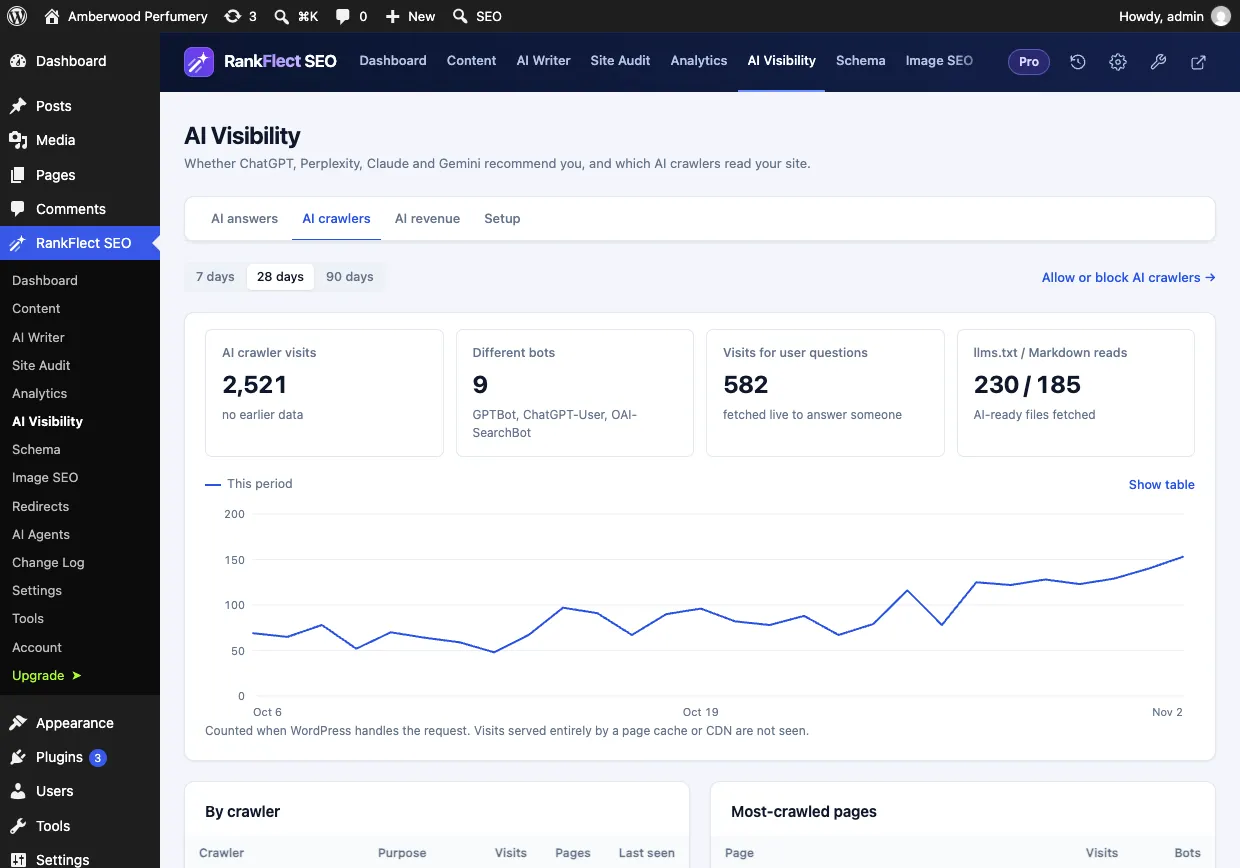
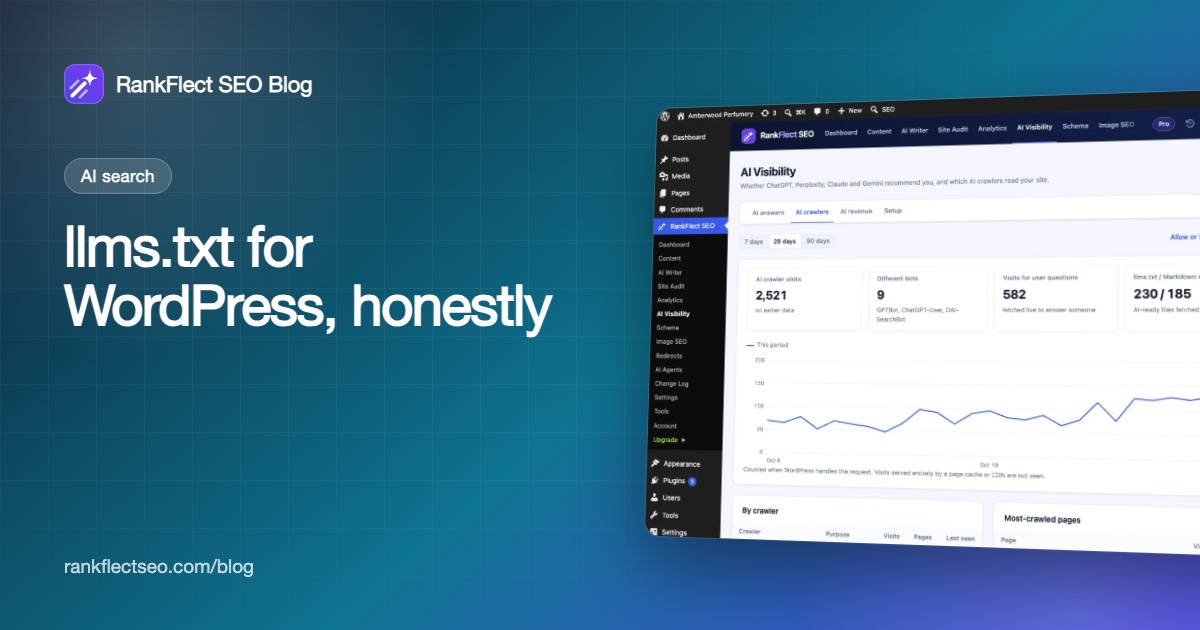
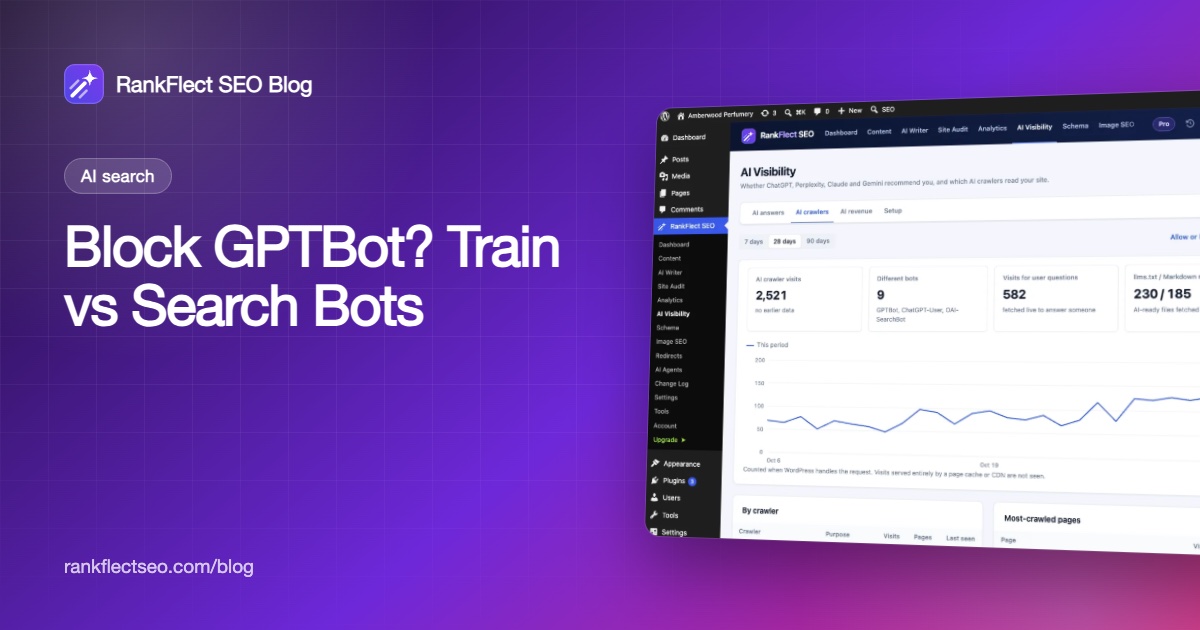
Open RankFlect SEO → AI Visibility → AI crawlers to see total visits, the number of distinct bots, pages fetched live to answer someone, and the pages AI bots read most. A bot you blocked is labeled "blocked". If it keeps visiting long after you blocked it, it either hasn't re-read your robots.txt yet or doesn't follow it. Visits served entirely by a page cache or CDN never reach WordPress, so your server logs will show higher numbers on heavily cached sites.
Watch the "Visits for user questions" figure in particular. It shows real demand: people asked an assistant something, and the assistant read your page to answer. That number is a good reason to keep the search and user bots allowed.
Beyond blocking: shaping how AI reads your site
robots.txt is a yes or no. If you allow AI search bots, you can also help them read your site correctly. An llms.txt file and Markdown versions of your pages give AI tools a clean map of your content. Google has said llms.txt does not affect Google Search, so treat it as a convenience for AI tools, not a ranking factor. For the full picture, the AI search optimization checklist covers crawler access, schema and content structure.
If you want per-bot switches and a crawler report without editing files, download RankFlect SEO free. It works on unlimited sites.
Frequently asked questions
Will blocking GPTBot remove my site from ChatGPT?
No. GPTBot is OpenAI's training crawler. ChatGPT search uses OAI-SearchBot, and live page visits use ChatGPT-User. As long as OAI-SearchBot is allowed, your pages can still appear in ChatGPT search answers.
Does blocking AI crawlers hurt my Google rankings?
No, as long as you don't block Googlebot. Google says Google-Extended is not used as a ranking signal and does not affect inclusion in Google Search. Blocking OpenAI, Anthropic or Perplexity bots has no effect on Google either.
Where is robots.txt in WordPress?
Usually nowhere on disk. WordPress generates a virtual robots.txt when /robots.txt is requested, and plugins add rules to it. If you see a real robots.txt file in your site root, that file overrides the virtual one.
How long does it take for a robots.txt change to work?
Crawlers re-read robots.txt on their own schedule. OpenAI says search-related changes can take about 24 hours to take effect. Purge any cached copy of /robots.txt so bots see the new version right away.
Should I block ClaudeBot too?
Treat it the same way as GPTBot. ClaudeBot is Anthropic's training crawler, so blocking it opts you out of training. Keep Claude-SearchBot and Claude-User allowed if you want Claude to cite your pages.
- #robots.txt
- #ai crawlers
- #gptbot
- #claudebot
- #ai search
Written by
RankFlect SEO TeamThe people who build RankFlect SEO, the WordPress SEO plugin with a built-in MCP server. We write about what we learn shipping SEO tools for AI search.
All articles →Let AI agents fix your SEO. You keep the undo button.
RankFlect SEO is free for unlimited sites, with a built-in MCP server, approval for every change and no AI credits.