How to Get Cited by ChatGPT, Perplexity and Google AI Overviews
AI answer engines cite pages they can crawl, find in search and quote clearly. Here is what a WordPress site owner can control, and how to measure AI citations.
In this article
- Key takeaways
- How ChatGPT, Perplexity and AI Overviews choose sources
- What you can control to get cited by ChatGPT and other AI tools
- 1. Let AI search crawlers in
- 2. Get into the Google and Bing indexes
- 3. Write clear, direct answers
- 4. Use structured content and schema
- 5. Keep your brand and entity details consistent
- 6. Earn mentions on the sites AI already cites
- 7. Keep important pages fresh
- How to do this on WordPress with RankFlect SEO
- How to measure whether AI tools cite you
- Check AI crawler visits
- Track AI referral traffic in GA4
- Check prompts by hand
- Automate it with AI visibility tracking
- Be realistic: no one can guarantee AI citations
- Frequently asked questions
- How does ChatGPT decide which websites to cite?
- Do I need schema to appear in Google AI Overviews?
- Does llms.txt help me get cited by ChatGPT?
- How long does it take to get cited by AI search?
- Can I see AI Overviews traffic in Search Console?
To get cited by ChatGPT, Perplexity and Google AI Overviews, your pages first have to be reachable by their crawlers and present in the search indexes they pull from. Then each page needs a clear, quotable answer that the AI can trust and attribute to you. Nobody can guarantee a citation, but a WordPress site owner controls more of this than most people think, and you can measure whether it is working.
Key takeaways
- AI answer engines search the web live, read a handful of pages and cite some of them. If you are not in their index, you can't be cited.
- Allow the AI search bots (OAI-SearchBot, Claude-SearchBot, PerplexityBot) and make sure Google and Bing index your pages.
- Google says there are no extra technical requirements and no special schema for AI Overviews. Good, indexable, snippet-eligible pages are the entry ticket.
- Write answer-first, specific, well-structured content, keep your brand details consistent, and earn mentions on the sites AI already cites.
- Measure with AI referral traffic in GA4, manual prompt checks and AI visibility tracking. Track trends, not single answers.
How ChatGPT, Perplexity and AI Overviews choose sources
Modern AI assistants don't answer only from memory. When a question needs current or specific facts, they run a web search, read the top results and write an answer with links to some of those pages. The page you get cited from is almost always a page the system found through search.
- ChatGPT search uses OpenAI's own crawler, OAI-SearchBot, and, according to OpenAI's ChatGPT search help page, also partners with third-party search providers. It may rewrite your question into several targeted searches.
- Perplexity uses PerplexityBot to surface and link websites in its results.
- Google AI Overviews and AI Mode draw on Google's search index. Google says they may use a "query fan-out" technique, running related searches to find more supporting pages.
- Microsoft Copilot cites web pages in its answers, and Bing Webmaster Tools now reports those citations to site owners.
The practical lesson: being cited by AI is mostly about being found and chosen in search, then being the clearest page on the topic. Classic SEO is the foundation, not a separate track.
What you can control to get cited by ChatGPT and other AI tools
You can't control what a model says. You can remove every reason for it to skip your site. Work through these seven areas in order.
1. Let AI search crawlers in
An assistant can only cite pages its crawler can fetch. Check your robots.txt and keep these bots allowed:
- OAI-SearchBot and ChatGPT-User (ChatGPT)
- Claude-SearchBot and Claude-User (Claude)
- PerplexityBot and Perplexity-User (Perplexity)
OpenAI's crawler documentation says sites that block OAI-SearchBot will not be shown in ChatGPT search answers. Training bots are a separate decision. Blocking GPTBot, ClaudeBot or Google-Extended opts you out of model training without removing you from AI search.
Also check your CDN and security plugin. Bot protection that challenges unknown traffic can stop AI crawlers before they ever reach WordPress, whatever robots.txt says.
2. Get into the Google and Bing indexes
Google's guidance on AI features is direct: to appear as a supporting link in AI Overviews or AI Mode, a page must be indexed and eligible to be shown in Google Search with a snippet. "There are no additional technical requirements." So the basics matter:
- Keep your XML sitemap on and submit it in Google Search Console and Bing Webmaster Tools.
- Make sure important pages are not noindexed and do not carry
nosnippet. - Use IndexNow so Bing and other participating engines hear about new and updated pages right away. Google does not use IndexNow; it relies on your sitemap and its own crawling.
Don't ignore Bing. Microsoft says IndexNow helps keep information fresh, so its AI experiences can reference the current version of a page.
3. Write clear, direct answers
AI answers lift short, self-contained passages. A page that buries its answer under a long story is harder to quote than one that states it plainly.
- Answer first. Open with a one- or two-sentence answer to the main question, then add detail.
- One heading per question. Use H2 and H3 headings that match how people ask.
- Be specific. Prices, dates, measurements, names and your own first-hand experience give an assistant something worth citing.
- Add an FAQ section for the follow-up questions people really ask.
- Cite your own sources with outbound links to primary references.
Bing's AI Performance announcement gives similar advice: deepen coverage of your topics, use clear headings, tables and FAQ sections, and support claims with evidence.
4. Use structured content and schema
Be honest with yourself about what schema does. Google says you don't need any special schema.org markup to appear in AI Overviews. Structured data still helps machines read a page correctly: who wrote it, when it was updated, what product it describes and what questions it answers. It also keeps you eligible for rich results in classic search.
For a WordPress site that means Article schema on posts, Product schema on WooCommerce products, FAQPage markup where you have real FAQs, and one consistent Organization or Person node across the site. RankFlect SEO outputs this as a single connected graph on every page; the schema overview explains which nodes you get and where the data comes from.
5. Keep your brand and entity details consistent
Assistants recommend brands they can identify with confidence. If your name, logo, address and profiles differ from place to place, you are harder to recognize as one entity.
- Use the exact same brand name on your site, your social profiles and directories.
- Add
sameAslinks in your Organization schema pointing to the profiles you own, such as LinkedIn, YouTube and Instagram. - Keep an About page that says plainly who you are, what you do and where.
- For local businesses, keep your hours and address current on Google Business Profile and Bing Places.
In RankFlect SEO this lives under Settings → Identity; see site identity: organization or person.
6. Earn mentions on the sites AI already cites
For "best" and comparison questions, assistants often cite review sites, roundups, forums and directories rather than brand websites. If your brand isn't on those pages, it is less likely to appear in the answer.
Find out which domains show up as sources for your key questions, then work on being listed or mentioned there: honest reviews, industry directories, expert quotes, guest articles and partner pages. This is slow, ordinary PR work, and it is one of the most direct levers you have.
7. Keep important pages fresh
For questions about prices, versions, rules or "this year", assistants favor current information. Update the facts and dates on pages that matter, then resubmit them. Change the content when something actually changes; a new date on an unchanged page helps nobody.
How to do this on WordPress with RankFlect SEO
Everything above works with any setup. If you use RankFlect SEO, most of it is a handful of settings, and the free version covers the technical side.
- Go to RankFlect SEO → Site Audit and run the audit. The AI search category flags blocked AI search crawlers, llms.txt or Markdown pages switched off, and missing social profiles in your Organization schema.
- In Settings → Robots & AI crawlers, keep the AI search and user bots Allowed. Decide on training bots separately.
- On the Dashboard, turn on the IndexNow module, which is off by default. Published and updated posts are then submitted automatically.
- In Settings → Identity, set your organization name, logo and social profiles.
- Use the FAQ and How-to blocks in the editor for question-and-answer content and step-by-step guides.
RankFlect SEO also publishes /llms.txt and Markdown copies of your pages for AI tools. Google has said llms.txt does not affect Google Search, so treat it as a convenience for AI agents, not a ranking factor. The full walkthrough is in the AI search optimization checklist, and the IndexNow guide covers manual URL submission.
How to measure whether AI tools cite you
You need three kinds of signal: are AI bots reading you, are people clicking through, and are you named in answers.
Check AI crawler visits
Your server or CDN logs show requests from OAI-SearchBot, ChatGPT-User, PerplexityBot and the rest. In WordPress, RankFlect SEO's free AI crawler tracking groups these visits by purpose and shows which pages bots read most. Visits from ChatGPT-User, Claude-User or Perplexity-User mean an assistant fetched your page live to answer someone.
Track AI referral traffic in GA4
When someone clicks a link in an AI answer, GA4 records the visit with the assistant's domain as the session source, for example chatgpt.com, perplexity.ai or claude.ai. In GA4, open the Traffic acquisition report, set the dimension to Session source and filter for those domains. RankFlect SEO's free AI referral traffic report does this grouping for you.
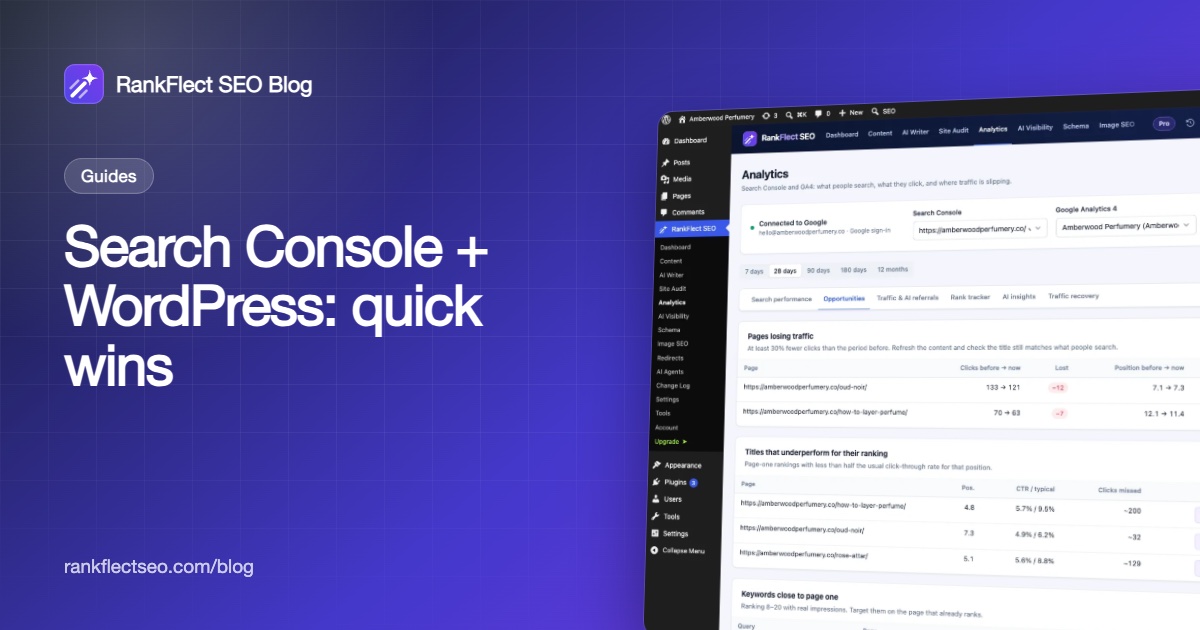
Treat the number as a minimum. Some AI apps open links without a referrer, so GA4 counts those visits as direct traffic. Google AI Overviews clicks are not split out at all: Google reports them inside normal Web search traffic in Search Console.
For Copilot and Bing's AI summaries, Bing Webmaster Tools now has an AI Performance report, in public preview at the time of writing. It shows citation counts, cited pages and a sample of the grounding queries that led to your content.
Check prompts by hand
Write down 10 to 20 questions your customers actually ask, without your brand name in them. Ask them in ChatGPT, Perplexity and Google once a month and note whether you are named or linked, and which sources are cited instead. Use a logged-out or private session where you can. Answers vary from run to run, so look for patterns rather than one result.
Automate it with AI visibility tracking
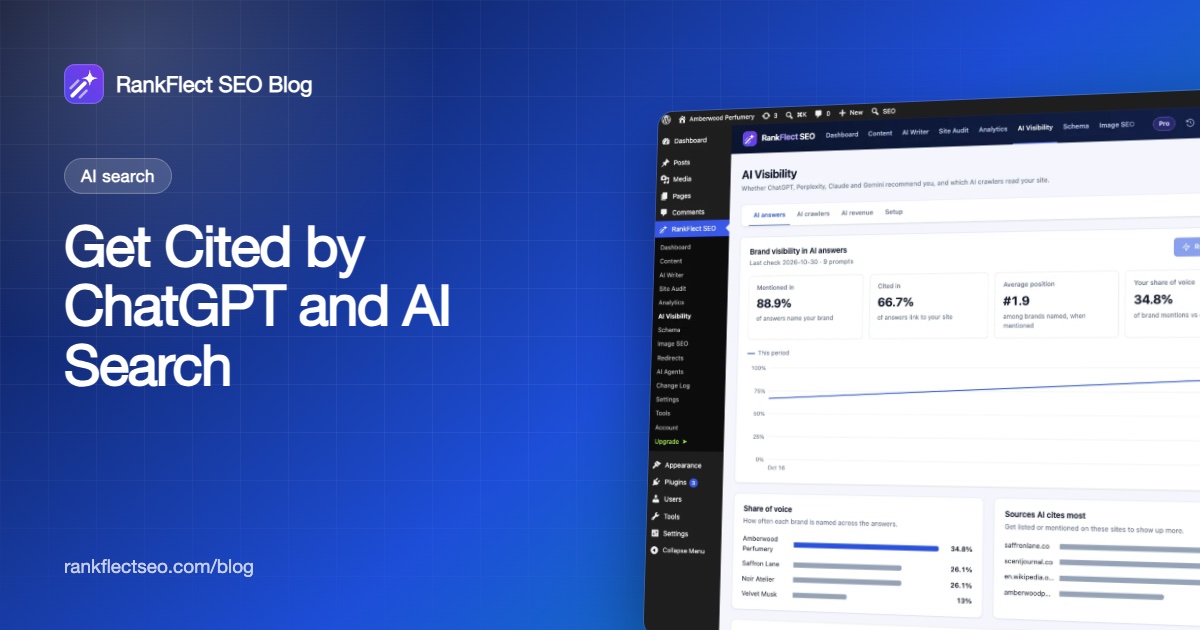
Manual checks get tedious fast. RankFlect SEO Pro's AI visibility tracking asks your configured AI provider up to 25 customer questions with live web search on, on demand or weekly. It records whether each answer mentions your brand, cites your site, and which competitors it names.
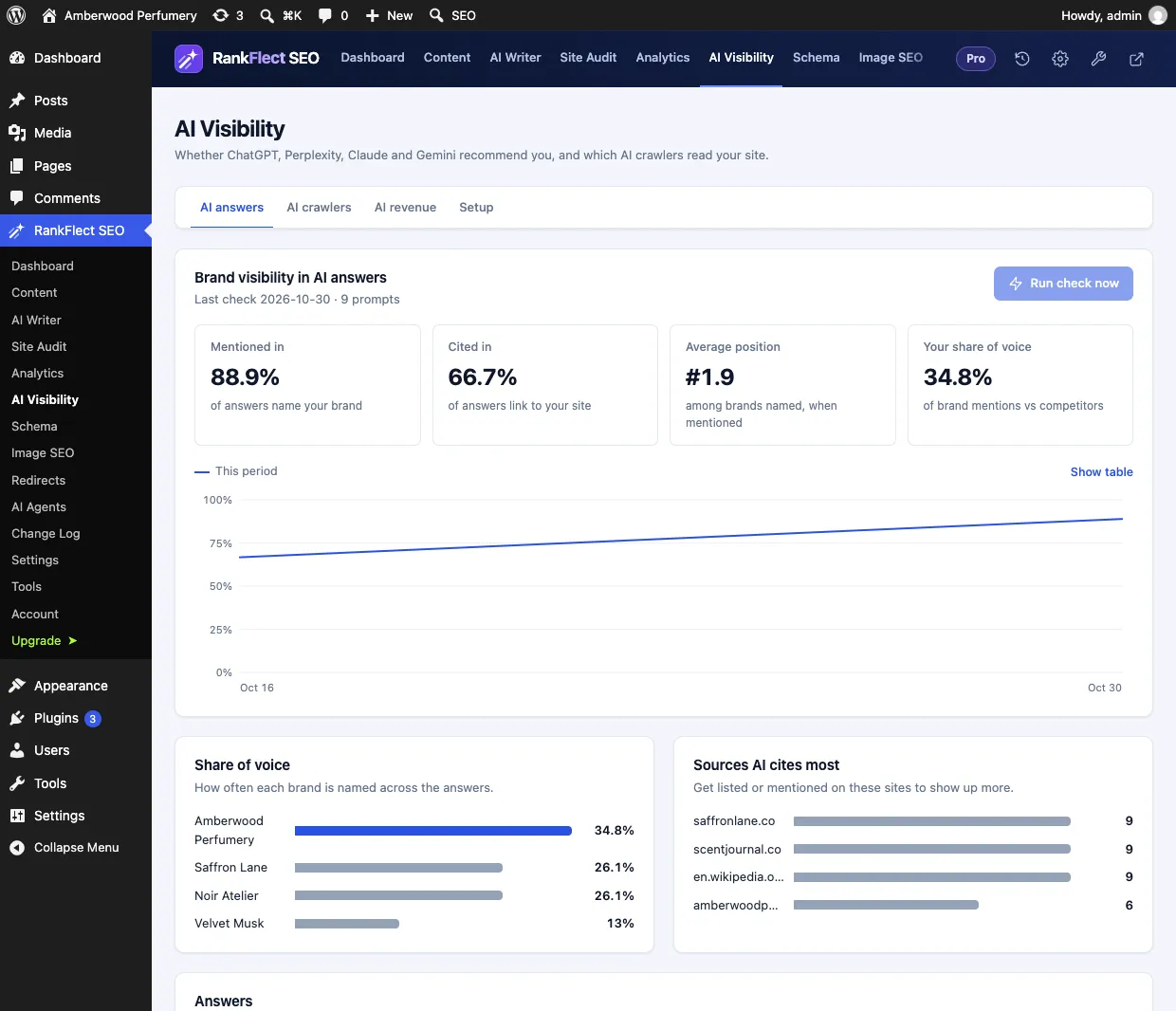
It runs on your own AI key and checks one provider at a time, so the numbers show how that assistant answers, not every assistant at once. The Sources AI cites most list is often the most useful part: it tells you exactly which sites to approach for mentions.
Be realistic: no one can guarantee AI citations
AI answers change between runs, between users and between model versions. A page that is cited today may not be cited next week, and no plugin, agency or schema type can promise placement. What you can do is make your site easy to reach, easy to read and easy to trust, then measure the trend over months.
The good news is that none of this work is wasted. Crawlability, fast indexing, clear answers and a consistent brand also help your classic Google and Bing rankings. If you want the technical pieces handled in one place, download RankFlect SEO free and run the AI search audit on your site.
Frequently asked questions
How does ChatGPT decide which websites to cite?
When ChatGPT searches the web, it rewrites your question into one or more searches, reads the results and cites pages that support its answer. It uses its own crawler, OAI-SearchBot, and third-party search providers. Pages that block OAI-SearchBot are not shown in ChatGPT search answers.
Do I need schema to appear in Google AI Overviews?
No. Google says there is no special structured data required for AI Overviews or AI Mode. Your page needs to be indexed and eligible to show with a snippet. Schema still helps search engines understand your content and supports rich results.
Does llms.txt help me get cited by ChatGPT?
There is no evidence that it is a citation or ranking factor, and Google has said it does not use llms.txt for Search. It gives AI agents and tools a clean map of your site, which is useful but not a shortcut to citations.
How long does it take to get cited by AI search?
There is no fixed timeline. AI crawlers often find a published page within days, but being cited depends on how well your page answers the question and how often other trusted sites mention you. Track progress monthly and expect it to take a while.
Can I see AI Overviews traffic in Search Console?
Not separately. Google includes clicks and impressions from AI features in the Performance report under the Web search type, together with the rest of your search traffic.
- #ai search
- #chatgpt
- #perplexity
- #ai overviews
- #geo
Written by
RankFlect SEO TeamThe people who build RankFlect SEO, the WordPress SEO plugin with a built-in MCP server. We write about what we learn shipping SEO tools for AI search.
All articles →Let AI agents fix your SEO. You keep the undo button.
RankFlect SEO is free for unlimited sites, with a built-in MCP server, approval for every change and no AI credits.