llms.txt vs robots.txt vs XML Sitemap: What Each One Does
robots.txt sets crawl rules, an XML sitemap lists your URLs and llms.txt guides AI tools. Here is what each does, with examples and when you need it.
In this article
- Key takeaways
- The short answer: three files, three jobs
- robots.txt: rules for crawlers
- XML sitemap: an inventory for search engines
- llms.txt: a guide for AI tools
- llms.txt vs robots.txt vs sitemap, side by side
- Which ones does your site need?
- How to keep the three files consistent
- Set up all three in WordPress with RankFlect SEO
- Frequently asked questions
- Can llms.txt replace robots.txt?
- Should I list my XML sitemap in llms.txt?
- Does llms.txt help SEO?
- Do I need a sitemap if my site is small?
- Where do robots.txt, sitemap and llms.txt live in WordPress?
llms.txt vs robots.txt is a common point of confusion, and the XML sitemap often gets mixed in too. In one line each: robots.txt tells crawlers what they may fetch, an XML sitemap lists the URLs you want search engines to crawl, and llms.txt is a short Markdown guide to your key pages for AI tools. They do different jobs, are read by different software and are not interchangeable, so this guide explains each one with an example and tells you which ones your WordPress site needs.
Key takeaways
- robots.txt controls crawler access. Every site should have one. It does not remove pages from Google; use
noindexfor that. - XML sitemap helps Google and Bing discover and recrawl your URLs. Every site benefits, especially large or new ones.
- llms.txt is an optional, proposed standard that helps AI agents and tools find your best content. Google has said it doesn't use it, and adoption by AI assistants is uncertain.
- The three files should agree: don't list blocked or noindexed URLs in your sitemap or llms.txt.
The short answer: three files, three jobs
- robots.txt is a set of rules: "these crawlers may not fetch these paths."
- An XML sitemap is an inventory: "here are the URLs I want indexed, and when each last changed."
- llms.txt is a guided tour: "here is what this site is, and the pages worth reading, with a one-line summary of each."
robots.txt restricts, a sitemap informs and llms.txt explains. A crawler can respect your robots.txt without ever reading your sitemap, and an AI agent can read your llms.txt without either.
robots.txt: rules for crawlers
What it does. robots.txt sits at the root of your domain and tells crawlers which paths they may request. Google's introduction to robots.txt says it is "used primarily to manage crawler traffic to your site."
Who reads it. Search engine crawlers (Googlebot, Bingbot) and most well-known AI crawlers, such as GPTBot, OAI-SearchBot, ClaudeBot and PerplexityBot, which their operators say follow it. It is a convention, not an enforcement tool, and some user-triggered fetchers say they may not apply it. OpenAI says robots.txt rules may not apply to ChatGPT-User, and Perplexity says Perplexity-User generally ignores them, because a person asked for the page.
Format. Plain text, grouped by user agent:
User-agent: *
Disallow: /wp-admin/
Allow: /wp-admin/admin-ajax.php

User-agent: GPTBot
Disallow: /

Sitemap: https://example.com/wp-sitemap.xml
What it doesn't do. Google is explicit that robots.txt is "not a mechanism for keeping a web page out of Google." A blocked URL can still appear in results if other sites link to it. To keep a page out of search, use a noindex tag and let Google crawl the page so it can see that tag.
Who needs it: every site. WordPress generates a virtual robots.txt automatically, so you usually edit it rather than create it.
XML sitemap: an inventory for search engines
What it does. An XML sitemap lists the URLs you want crawled, with optional extra data such as the last-modified date and images. Google's sitemaps overview says it is most helpful for large sites, new sites with few external links, and sites with a lot of video, image or news content. It also says a sitemap doesn't guarantee that every item will be crawled and indexed.
Who reads it. Search engines, mainly Google and Bing. You submit it in Google Search Console and Bing Webmaster Tools, and you list it in robots.txt so other crawlers can find it.
Format. XML, following the sitemaps protocol:
<?xml version="1.0" encoding="UTF-8"?>
<urlset xmlns="http://www.sitemaps.org/schemas/sitemap/0.9">
  <url>
    <loc>https://example.com/feed-sourdough-starter/</loc>
    <lastmod>2026-10-28</lastmod>
  </url>
</urlset>
Rules worth knowing. Per Google's build a sitemap page, each sitemap is limited to 50MB uncompressed or 50,000 URLs, and larger sites split them under a sitemap index. Google ignores <priority> and <changefreq>, and uses <lastmod> only when it is consistently accurate.
Who needs it: almost every site. WordPress core has generated a basic sitemap at /wp-sitemap.xml since version 5.5; SEO plugins refine it. Our full guide to the XML sitemap in WordPress covers setup and submission.
llms.txt: a guide for AI tools
What it does. llms.txt is a Markdown file at the root of your site that introduces the site and links to its most useful pages, each with a short description. The idea is to give language models and AI agents a clean summary instead of making them parse menus, scripts and theme markup.
Where it comes from. Jeremy Howard proposed it in September 2024 at llmstxt.org. The spec requires only one element, an H1 with the site or project name. It then allows a blockquote summary, optional detail paragraphs and H2 sections of links in the form [name](url): notes. A section named "Optional" holds secondary links an agent can skip. The spec also proposes clean Markdown copies of pages at the same URL plus .md.
Format.
# Example Bakery

> Small-batch sourdough and pastries, baked daily in Portland.

## Guides

- [How to feed a sourdough starter](https://example.com/feed-sourdough-starter/): A daily routine that works.

## Optional

- [Sitemap](https://example.com/wp-sitemap.xml)
Who reads it. This is the honest part. llms.txt is a proposal, not an adopted standard, and no major AI assistant has publicly committed to using it for answers. It is most useful for AI coding tools and agents that are pointed at a site and told to read it. Google has said its Search systems don't use llms.txt, and Google's John Mueller said in January 2026 that llms.txt files on Google's own developer sites were not an endorsement (Search Engine Roundtable). It is not a Google ranking factor.
Who needs it: nobody strictly needs it. It is cheap to publish and can help AI tools that do read it, which makes it a reasonable extra for documentation sites, SaaS products, publishers and shops with many guides. Our llms.txt guide for WordPress goes deeper on setup.
llms.txt vs robots.txt vs sitemap, side by side
- Purpose: robots.txt sets access rules; the sitemap lists URLs to crawl; llms.txt summarizes key content for AI.
- Main readers: robots.txt is read by search and AI crawlers; the sitemap by search engines; llms.txt by AI agents and tools that choose to look for it.
- Format: plain-text directives; XML; Markdown.
- Location:
/robots.txt(root only); any URL, usually/wp-sitemap.xmlor/sitemap.xml, declared in robots.txt;/llms.txt. - Scope: every path on the host; every URL you want indexed; a curated selection of your best pages.
- Effect on Google rankings: indirect (it controls what Google can crawl); helps discovery but doesn't boost rankings; none.
- Status: long-standing convention, standardized as RFC 9309; long-standing protocol supported by all major search engines; community proposal with uncertain adoption.
Which ones does your site need?
- A small business site or blog: robots.txt and a sitemap are essential. Add llms.txt if your plugin does it for you; it costs nothing to maintain.
- A WooCommerce shop: robots.txt (keep cart, checkout and filter URLs out of the crawl), a sitemap with products and categories, and llms.txt listing your buying guides and key category pages.
- A documentation or SaaS site: all three. Developers increasingly point AI coding tools at docs, which is where llms.txt and Markdown pages are most useful.
- A site that doesn't want AI training: block training bots in robots.txt. llms.txt can state your preferences, but it is a statement, not a block.
How to keep the three files consistent
Most problems come from the files contradicting each other. Check for these:
- Blocked URLs in the sitemap. If robots.txt disallows a path, don't list its URLs in the sitemap. Search Console flags these as errors.
- Noindexed URLs in the sitemap or llms.txt. A sitemap should only list pages you want indexed, and llms.txt should only point AI tools at pages you want them to read.
- A missing Sitemap line. Add
Sitemap: https://example.com/wp-sitemap.xmlto robots.txt so every crawler can find it. - Blocking AI search bots while publishing llms.txt. If PerplexityBot or OAI-SearchBot can't crawl your pages, llms.txt won't get you into their answers.
- A physical robots.txt file overriding WordPress. A real file in your site's root folder replaces the virtual one, so plugin settings stop applying.
Set up all three in WordPress with RankFlect SEO
RankFlect SEO manages all three files from one settings screen, and all three are free.
robots.txt: go to Settings → Robots & AI crawlers. Switch individual AI crawlers to Allowed or Blocked and add your own rules under Extra rules. The sitemap line is added for you. See Edit robots.txt and Control and track AI crawlers.
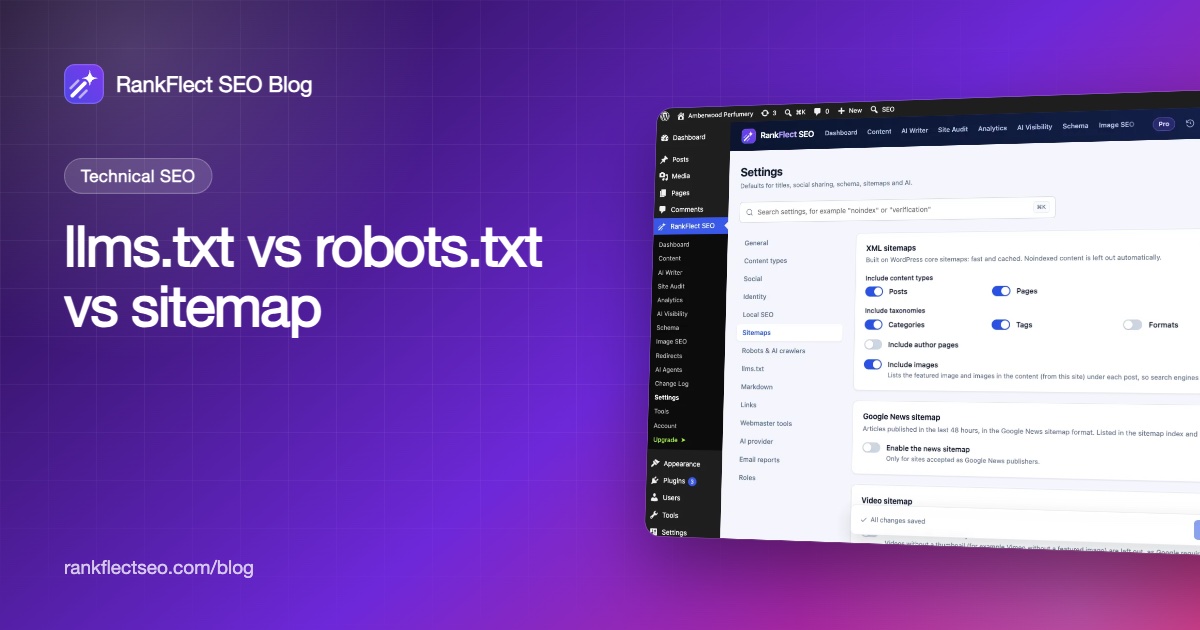
XML sitemap: go to Settings → Sitemaps. It builds on WordPress core sitemaps and leaves out noindexed content automatically, so the sitemap never contradicts your robots meta.
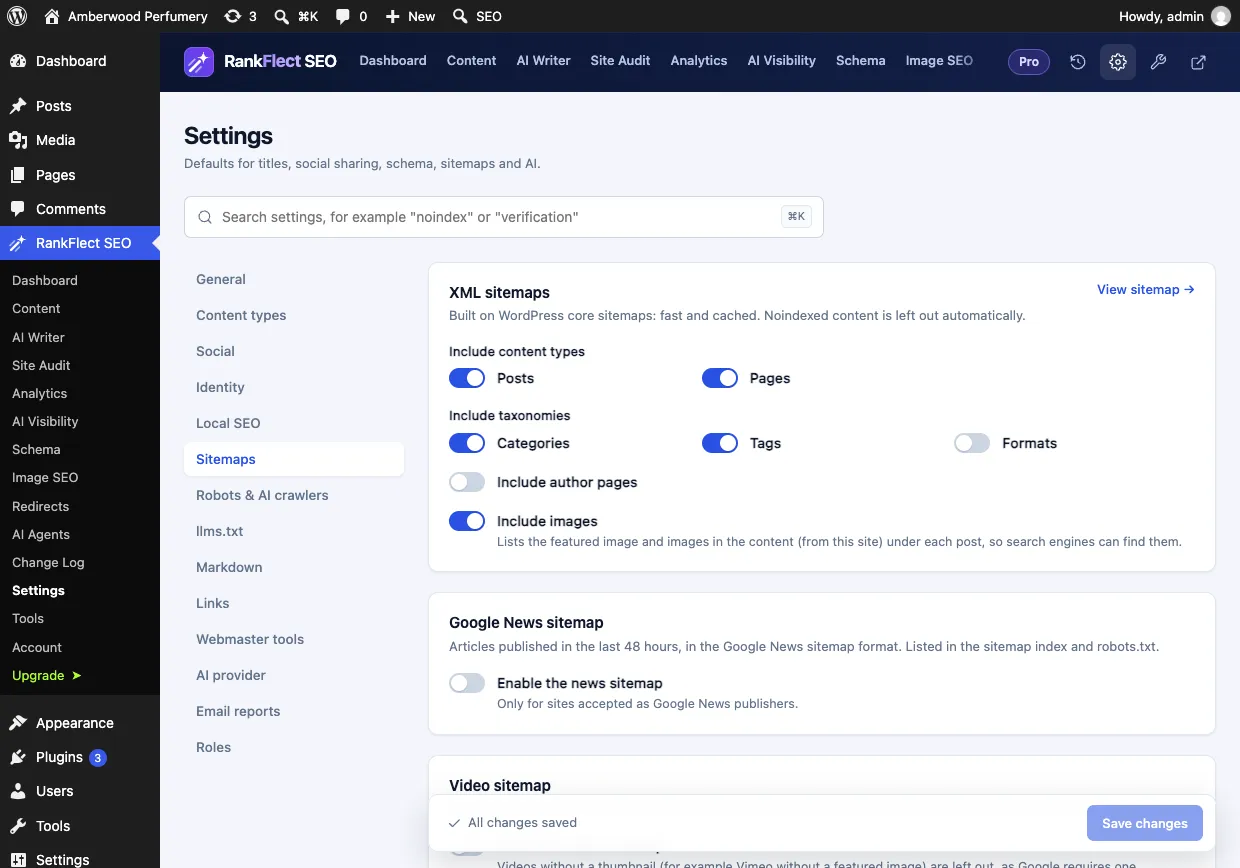
You can include or exclude content types and taxonomies, author pages and images. Opening the sitemap in a browser shows a readable HTML view, while search engines always get the XML. See XML sitemaps.
llms.txt: go to Settings → llms.txt. It is on by default. Write a one- or two-sentence introduction, choose which content types to include and how many items per type.
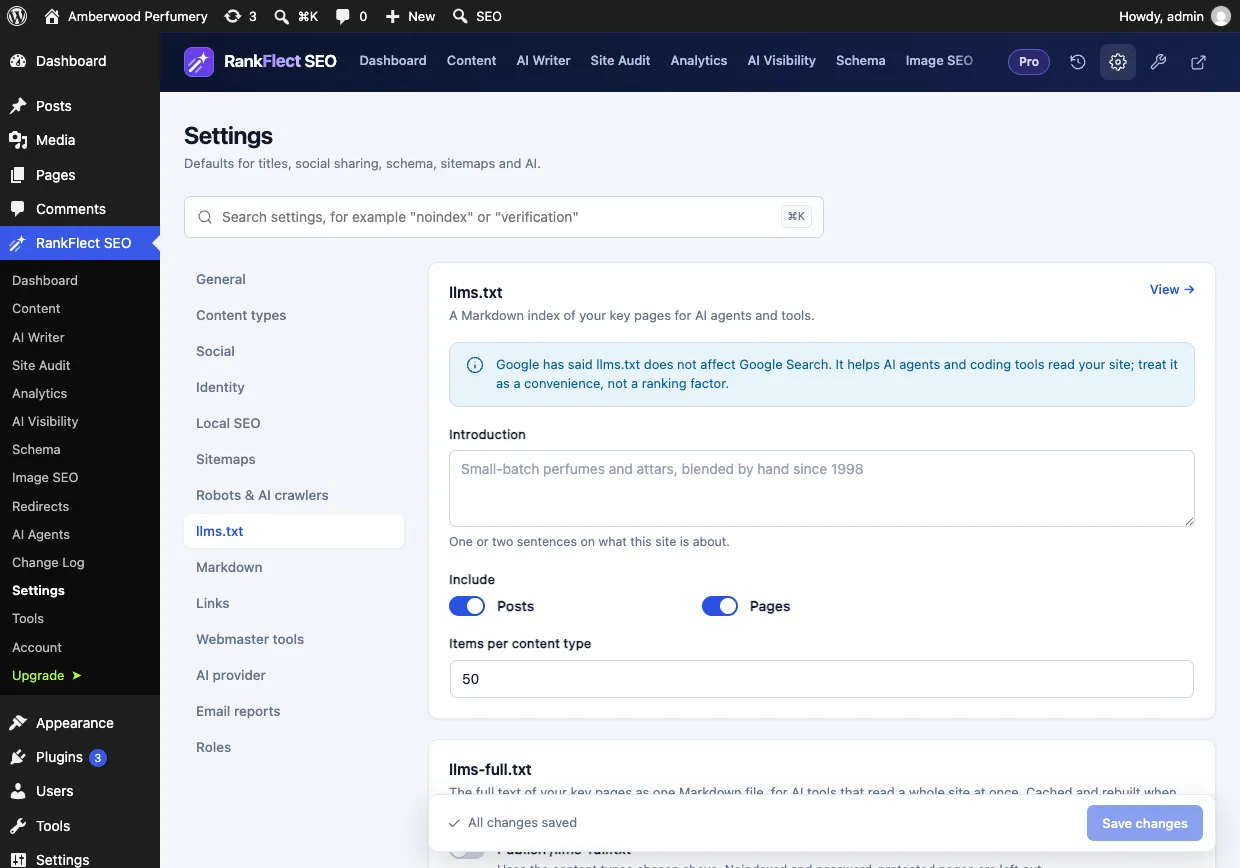
Noindexed and password-protected pages are left out of llms.txt automatically, which keeps it consistent with your sitemap. Markdown versions of pages and /llms-full.txt are in RankFlect SEO Pro. See llms.txt and Markdown pages for AI. If you want all three handled in one place, download RankFlect SEO free.
Frequently asked questions
Can llms.txt replace robots.txt?
No. llms.txt doesn't block anything. If you want to stop a crawler from fetching your pages, you need a robots.txt rule, and for crawlers that ignore it, a firewall rule.
Should I list my XML sitemap in llms.txt?
You can, usually under the "Optional" section. It gives an agent a path to every URL if it needs more than your curated list. It isn't required by the spec.
Does llms.txt help SEO?
Not for Google. Google has said its Search systems don't use llms.txt, so it has no effect on rankings. Its value is helping AI tools and agents that read it understand your site.
Do I need a sitemap if my site is small?
Google says you might not need one if your site has about 500 pages or fewer, is well linked internally and has little image, video or news content. Still, a sitemap rarely hurts and WordPress creates one automatically. Submitting it in Search Console also gives you useful indexing reports.
Where do robots.txt, sitemap and llms.txt live in WordPress?
All three are usually virtual: WordPress or your SEO plugin generates them on request at /robots.txt, /wp-sitemap.xml and /llms.txt. A physical file with the same name in your site's root folder overrides the generated version.
- #llms.txt
- #robots.txt
- #xml sitemap
- #technical seo
- #ai crawlers
Written by
RankFlect SEO TeamThe people who build RankFlect SEO, the WordPress SEO plugin with a built-in MCP server. We write about what we learn shipping SEO tools for AI search.
All articles →Let AI agents fix your SEO. You keep the undo button.
RankFlect SEO is free for unlimited sites, with a built-in MCP server, approval for every change and no AI credits.