Two SEO Plugins at Once? What Breaks and How to Fix It
Why two SEO plugins at once cause duplicate and conflicting tags, how to spot it in your page source, which plugins can safely stay, and how to get back to one.
In this article
- Key takeaways
- What happens when you run two SEO plugins at once
- Duplicate titles and meta descriptions
- Conflicting canonical URLs
- The most restrictive robots rule wins
- Two schema graphs for one page
- Two sitemaps, two sets of social tags
- A slower, more cluttered editor
- How to check if two SEO plugins are printing tags
- Which plugins can safely run alongside your SEO plugin?
- The one time two SEO plugins at once is fine: during an import
- How RankFlect SEO handles a second SEO plugin
- Deactivate or delete the old plugin?
- Frequently asked questions
- Can I use Yoast SEO and Rank Math together?
- Will two SEO plugins get my site penalized?
- Is it OK to use an SEO plugin and a separate schema plugin?
- Do I lose my SEO data if I deactivate my old SEO plugin?
- How do I know which plugin is printing my title tag?
You should not run two SEO plugins at once on a live WordPress site. Two full SEO plugins both print titles, meta descriptions, canonical tags, robots rules and schema, so search engines get duplicate or conflicting signals and you can't be sure which one they use. The only safe overlap is short and deliberate: while you import data from the old plugin into the new one and check the result.
This guide explains what actually breaks, how to check your own pages for duplicate tags in a few minutes, which "SEO-adjacent" plugins can safely stay, and how to get back to one plugin without losing anything.
Key takeaways
- Two full SEO plugins duplicate the tags in your page's
<head>: titles, descriptions, canonicals, robots meta, Open Graph and schema. - Conflicting robots rules are resolved in favor of the more restrictive one, so a stray
noindexfrom either plugin wins. - You can confirm the problem yourself by viewing the page source and counting
<titleandname="description". - Single-purpose plugins (redirects, schema, analytics tags) can stay, as long as only one tool does each job.
- Deactivating a plugin keeps its data. Import first, check, then deactivate.
What happens when you run two SEO plugins at once
A full SEO plugin such as Yoast SEO, Rank Math, All in One SEO, SEOPress or RankFlect SEO hooks into WordPress to print the same set of tags on every page. When two are active, both do their job. Here is what that looks like in practice.
Duplicate titles and meta descriptions
Both plugins try to control the page title, and both print a meta description. Depending on how your theme and each plugin hook in, you may see one plugin's title win, two description tags in the source, or a title that changes after an update. Search engines then pick one, and it may not be the one you wrote.
Conflicting canonical URLs
Each plugin prints its own rel="canonical" link. Usually they agree. But if you set a custom canonical in one plugin and not the other, the page now points to two different URLs. Google's guidance on consolidating duplicate URLs is direct: "Don't specify different URLs as canonical for the same page using different canonicalization techniques."
The most restrictive robots rule wins
If one plugin marks a page noindex and the other prints index, you might expect a tie. There isn't one. Google's robots meta tag documentation says: "In the case of conflicting robots rules, the more restrictive rule applies." An old noindex setting in the plugin you forgot about can quietly remove pages from search.
Two schema graphs for one page
Both plugins usually output JSON-LD structured data: Organization, WebSite, WebPage, Article, breadcrumbs. Two graphs can describe the same page in conflicting ways, for example with two different publishers or two different article types. Rank Math's own knowledge base, in why you should keep only one SEO plugin active, also points out that mixing structured data syntaxes can stop a page from being eligible for rich results.
Two sitemaps, two sets of social tags
Each plugin may publish its own XML sitemap with different rules about which content is left out. You can end up submitting one sitemap to Search Console while the other lists pages you meant to hide. Open Graph and X card tags get duplicated too, so social networks may pick the wrong image or description.
A slower, more cluttered editor
Every SEO plugin adds a panel or meta box to the editor and runs its own analysis. Two of them mean twice the code running on each page load and two sets of similar fields, which is how editors end up updating the description in one plugin while the other one is the one printing.
How to check if two SEO plugins are printing tags
You don't need an SEO tool for this. It takes about two minutes per page.
- Open an important page on your site (not wp-admin) in a private browser window, so you see what visitors and bots see.
- View the page source: right-click and choose View Page Source, or press Ctrl+U (Cmd+Option+U on a Mac).
- Search the source for
<title. There should be exactly one. - Search for
name="description". There should be exactly one. - Search for
rel="canonical"andname="robots". Each should appear once, and the robots value should be what you expect. - Search for
application/ld+json. More than one block isn't always wrong, but if two blocks both describe the same Organization and WebPage, two plugins are printing schema. - Look for HTML comments near the tags. Most SEO plugins wrap their output in a comment with the plugin's name, which tells you who printed what.
Check your home page, a post, a category page and a product page if you run WooCommerce. If you use a cache or CDN, clear it first, or you may be looking at an old copy.
Which plugins can safely run alongside your SEO plugin?
The rule is not "one plugin with SEO in its name". It is "one tool per job". Many single-purpose plugins overlap with parts of a full SEO plugin, and they can stay if you turn off the matching feature on one side.
- A redirect plugin such as Redirection. Keep it and switch off your SEO plugin's redirect module, or import its redirects into the SEO plugin and deactivate it. Two redirect managers make it hard to know which rule fired.
- A schema plugin. Pick one source for each schema type. Then check the final output with a validator.
- An analytics tag. If a theme or plugin already adds the Google Analytics 4 tag, don't add it again in your SEO plugin, or GA4 counts every visit twice.
- External link or IndexNow plugins. Use one set of nofollow and new-tab rules, and one IndexNow sender.
- Multilingual plugins that print hreflang. Make sure only one tool prints hreflang links.
- Caching and performance plugins. These don't conflict with SEO tags, but clear the cache after changing SEO settings.
A physical robots.txt file in your site root is another hidden "second plugin". It overrides the virtual robots.txt that SEO plugins edit, so changes you make in the plugin don't show up.
The one time two SEO plugins at once is fine: during an import
When you switch plugins, the new one needs the old one's data: titles, descriptions, focus keywords, robots settings, canonicals and social fields. Most importers read that data straight from the database, so a short overlap while you import and compare is normal and expected. Keep it short, ideally the same day, and keep it on a quiet traffic period.
For the full rankings-safe migration process, with backups and Search Console monitoring, see our checklist on how to switch SEO plugins without losing rankings. Below is the short version, using RankFlect SEO as the example.
How RankFlect SEO handles a second SEO plugin
When Yoast SEO, Rank Math, All in One SEO, SEOPress, The SEO Framework, Slim SEO, Squirrly SEO or another supported SEO plugin is active next to RankFlect SEO, administrators see a warning: Other SEO plugins are running alongside RankFlect SEO. It lists each plugin with its own Deactivate button and a link to import its settings first. See running RankFlect SEO alongside another SEO plugin.
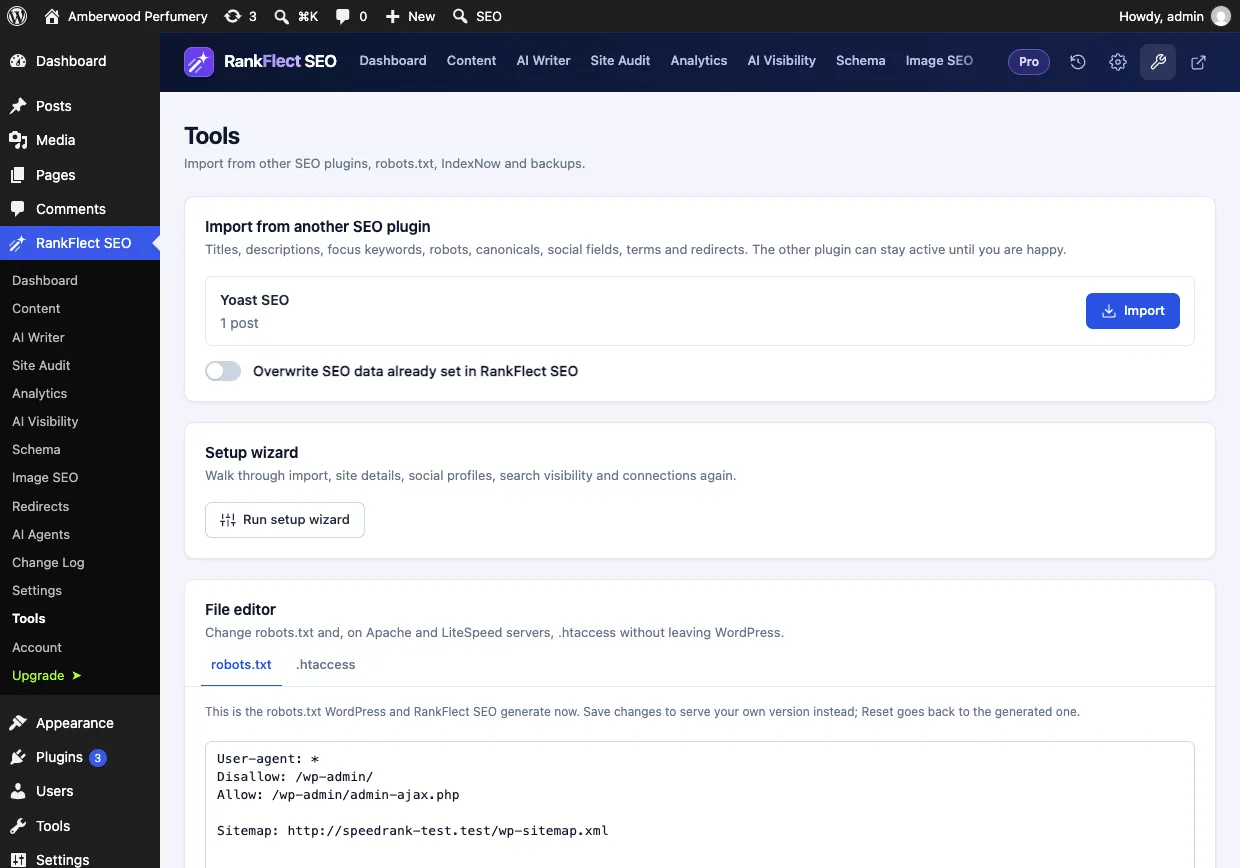
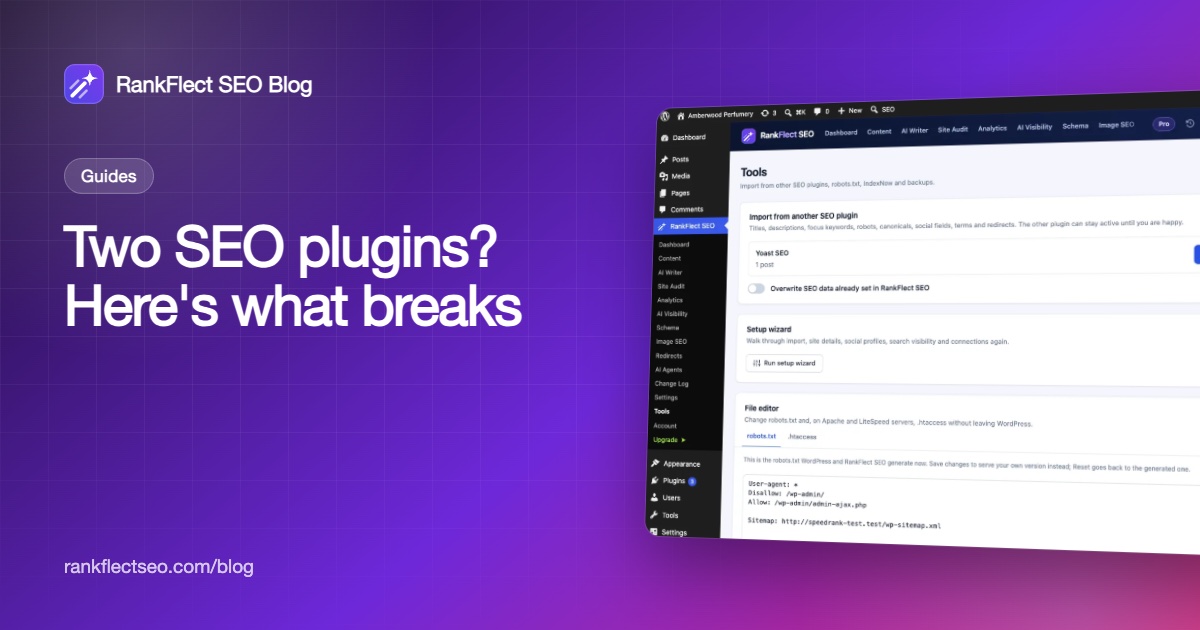
- Go to RankFlect SEO → Tools → Import from another SEO plugin. Each plugin with data on your site is listed with the number of posts found.
- Leave Overwrite SEO data already set in RankFlect SEO off for a first import, so only empty fields are filled.
- Click Import. A backup is taken first, the old plugin's data is never changed, and the whole import is one batch in the Change Log that you can revert.
- Open a few important pages and check the SEO title, description and focus keyword.
- Deactivate the old plugin from the warning or the Plugins screen. You can also turn on Deactivate the old plugin after the import before clicking Import.
- View the page source again and confirm there is one title, one description and one canonical.
What each importer copies, plugin by plugin, is listed in switch from another SEO plugin. Redirects have their own guide: import redirects. To see which RankFlect SEO features are on and switch off any that overlap with a plugin you keep, use modules.
Deactivate or delete the old plugin?
Deactivating is enough to stop the duplicate tags, and it keeps the old plugin's data in your database in case you want to go back. That makes it the safer first step.
Before you delete any SEO plugin, check what its uninstall routine removes. Some remove all their data; others keep per-post fields on purpose. RankFlect SEO, for example, removes its own tables and settings on delete but keeps per-post SEO titles, descriptions and other fields, so reinstalling later brings them back. Redirect rules are removed, though, so export them first. Details are in deactivate or uninstall RankFlect SEO.
Also remember that redirects stop working the moment the plugin that serves them is deactivated. Move redirects before you switch off the old plugin, not after.
Frequently asked questions
Can I use Yoast SEO and Rank Math together?
Not on a live site for long. Both print titles, meta descriptions, canonicals, robots meta and schema, so you get duplicate or conflicting tags. Keep both active only while you import from one into the other, then deactivate the one you are leaving.
Will two SEO plugins get my site penalized?
There is no specific penalty for running two plugins. The damage comes from the signals they send: duplicate or wrong titles, conflicting canonicals and a stray noindex, which Google resolves in favor of the more restrictive rule. Those can cost visibility without any penalty notice.
Is it OK to use an SEO plugin and a separate schema plugin?
Yes, if only one of them outputs each schema type. Turn off the overlapping schema in one plugin, then check the final page with a validator such as Google's Rich Results Test to confirm there is one clear graph.
Do I lose my SEO data if I deactivate my old SEO plugin?
No. Deactivating a plugin keeps its data in the database. Import the data into your new plugin first if you want to keep your titles and descriptions working, because the old plugin stops printing them once it is deactivated.
How do I know which plugin is printing my title tag?
View the page source and look at the HTML comments around the title and meta tags. Most SEO plugins mark their output with their name. If a title sits outside any plugin's comment block, your theme may be adding it.
- #seo plugins
- #plugin conflicts
- #duplicate meta tags
- #wordpress seo
- #canonical
Written by
RankFlect SEO TeamThe people who build RankFlect SEO, the WordPress SEO plugin with a built-in MCP server. We write about what we learn shipping SEO tools for AI search.
All articles →Let AI agents fix your SEO. You keep the undo button.
RankFlect SEO is free for unlimited sites, with a built-in MCP server, approval for every change and no AI credits.