Keyword Rank Tracker Guide: Track Google Rankings the Right Way
Learn how keyword rank trackers get their data, which keywords are worth tracking, how to read movements and how to track rankings free from Search Console.
In this article
- Key takeaways
- What a keyword rank tracker does
- Two kinds of rank tracking data
- Snapshot (SERP) trackers
- Search Console average position
- Which one should you use?
- How to choose keywords to track
- How to track keyword rankings for free in Search Console
- How to read rank changes
- What to do when a keyword drops
- A keyword rank tracker inside WordPress
- Frequently asked questions
- Is there a free keyword rank tracker?
- Why is my rank tracker position different from what I see in Google?
- How often should I check keyword rankings?
- How many keywords should I track?
- Can I track competitors' rankings with Search Console?
A keyword rank tracker records where your site ranks in Google for a fixed list of search terms, day after day, so you can see trends instead of guessing from one manual search. Rank trackers get their numbers in one of two ways: by checking live results pages from a chosen location (snapshot trackers), or by reading Google Search Console's average position for your own site. This guide explains the difference, how to pick keywords worth tracking, how to read the movements, and how to track rankings for free inside WordPress.
Key takeaways
- Snapshot trackers show one result page from one place and device; Search Console shows an average across everyone who saw your site.
- Search Console data is free, comes from Google itself and only covers sites you own. Snapshot tools can also track competitors.
- Track a focused list: money keywords, pages close to page one, and your brand. Not every query you appear for.
- Read trends over weeks, not single days, and always check clicks and impressions next to position.
- Search Console keeps 16 months of data, so store your history somewhere if you want a longer view.
What a keyword rank tracker does
Searching your keyword in your own browser is a poor way to check rankings. Results are personalized by location, device and history, and one search is one moment. A rank tracker removes that noise by measuring the same keywords the same way every day and charting the result.
Good tracking answers three questions: Is the page moving up or down? Did a change you made (a rewrite, new links, a site move) have an effect? And which keywords deserve attention this week?
Two kinds of rank tracking data
Snapshot (SERP) trackers
Most commercial rank tracking tools run a search for each keyword from a chosen location and device, then record where your URL appears. You get an exact position for that place at that moment, can track any domain including competitors, and often see which search features (local pack, featured snippets, videos) appear on the page.
The trade-offs: they cost money, usually priced by the number of keywords and how often they are checked, and a single snapshot may not match what a searcher in another city sees.
Search Console average position
Google Search Console records the position of your topmost result every time your site appears for a query. Google's help on Performance report metrics explains that average position uses the topmost position your site held in each search and averages it. If you appear at position 2 in one search and position 4 in another, your average is 3.
This is real data from actual searches across all locations and devices. It is free, but only covers properties you have verified, so you can't track a competitor. It also needs impressions: if nobody saw your page for a query, there is no position at all.
Which one should you use?
For most site owners, Search Console data is the better daily signal because it reflects what real searchers saw. Snapshot trackers are useful for agencies reporting on many markets, local businesses that need city-level positions, and anyone who must watch competitors.
How to choose keywords to track
A rank tracker is only as useful as its keyword list. Track fewer, better keywords:
- Money keywords. The searches that lead to sales, leads or sign-ups, such as product and service terms.
- Striking-distance keywords. Queries where you already rank around positions 8 to 20. Small improvements there bring the biggest traffic gains.
- Cornerstone topics. The keyword each important page is built around (its focus keyword).
- Brand terms. Your brand and brand-plus-product searches, as an early warning for technical problems.
- Exact phrasing. Use the wording people really type. Search Console treats "mango pickle recipe" and "mango pickle recipes" as different queries, so track the variants that matter.
Skip vanity keywords that are too broad to convert, and avoid tracking hundreds of long-tail queries you never act on.
How to track keyword rankings for free in Search Console
You can do basic rank tracking in Search Console with no extra tool:
- Open Performance → Search results and tick Average position above the chart.
- Add a Query filter above the chart and enter your exact keyword.
- Set the date range, then use Compare to see this period against the previous one.
- Switch to the Pages tab to see which URL ranks for that query. Two URLs swapping places is a sign of keyword cannibalization.
- Export the table regularly if you want a record beyond 16 months.
This works, but it is slow for more than a handful of keywords, there is no daily list of winners and losers, and history older than 16 months is gone. If you haven't set Search Console up yet, our guide to Google Search Console for WordPress walks through it.
How to read rank changes
Position numbers can mislead if you read them alone. Keep these rules in mind:
- Lower is better. Moving from 9.1 to 7.0 is a gain, even though the number fell.
- Look at 7- and 28-day movement, not day-to-day swings. Daily averages move as Google tests results.
- Check impressions with position. Average position can "improve" because you lost impressions at low positions, not because you moved up. Clicks tell you whether the change matters.
- Expect a delay. Search Console data arrives about two days late, and the newest days can still change.
- Mark your changes. Note the dates of content updates, migrations and Google core updates so you can match them to movements.
What to do when a keyword drops
- Confirm it's real. Is the drop visible over a week or more, with fewer clicks?
- Check the ranking URL. Did a different page start ranking, or did the page change (title, content, redirect, noindex)?
- Look at the results page. New competitors, a new AI overview or other search features can push you down without anything changing on your site.
- Check indexing. Use URL Inspection in Search Console to make sure the page is indexed with the canonical you expect.
- Improve the page. Update outdated facts, answer the question more directly, add internal links from related pages, and rewrite a weak title.
A keyword rank tracker inside WordPress
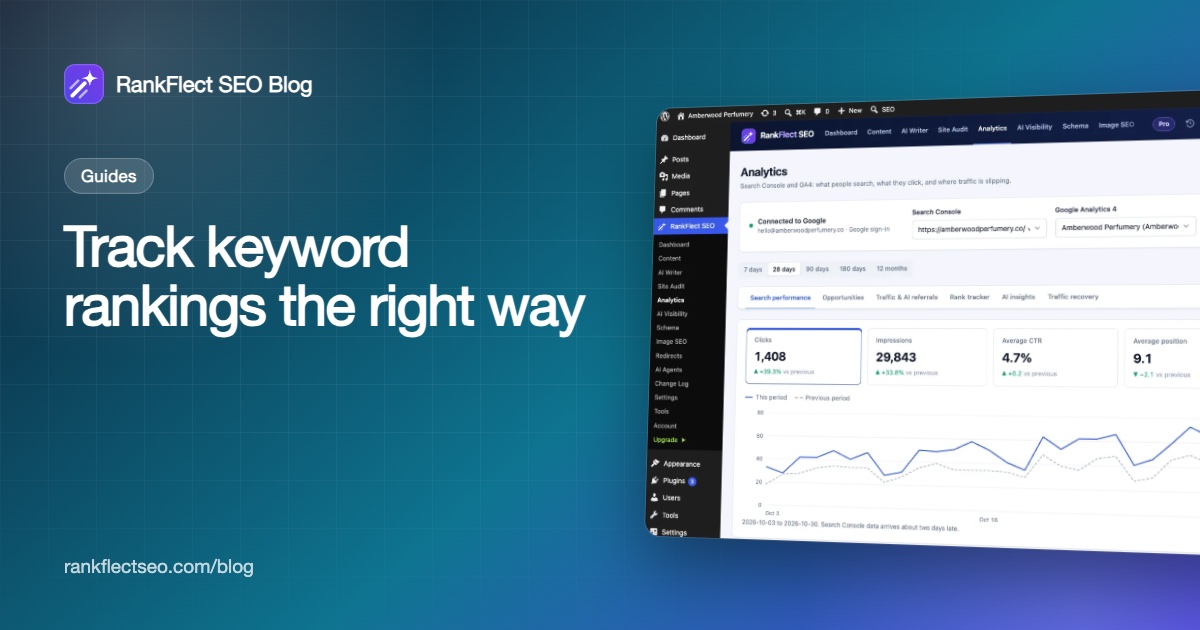
If you would rather not export spreadsheets or pay per keyword, RankFlect SEO Pro includes a rank tracker built on your own Search Console data. It sits on RankFlect SEO → Analytics, next to the free Search performance and Traffic & AI referrals tabs.
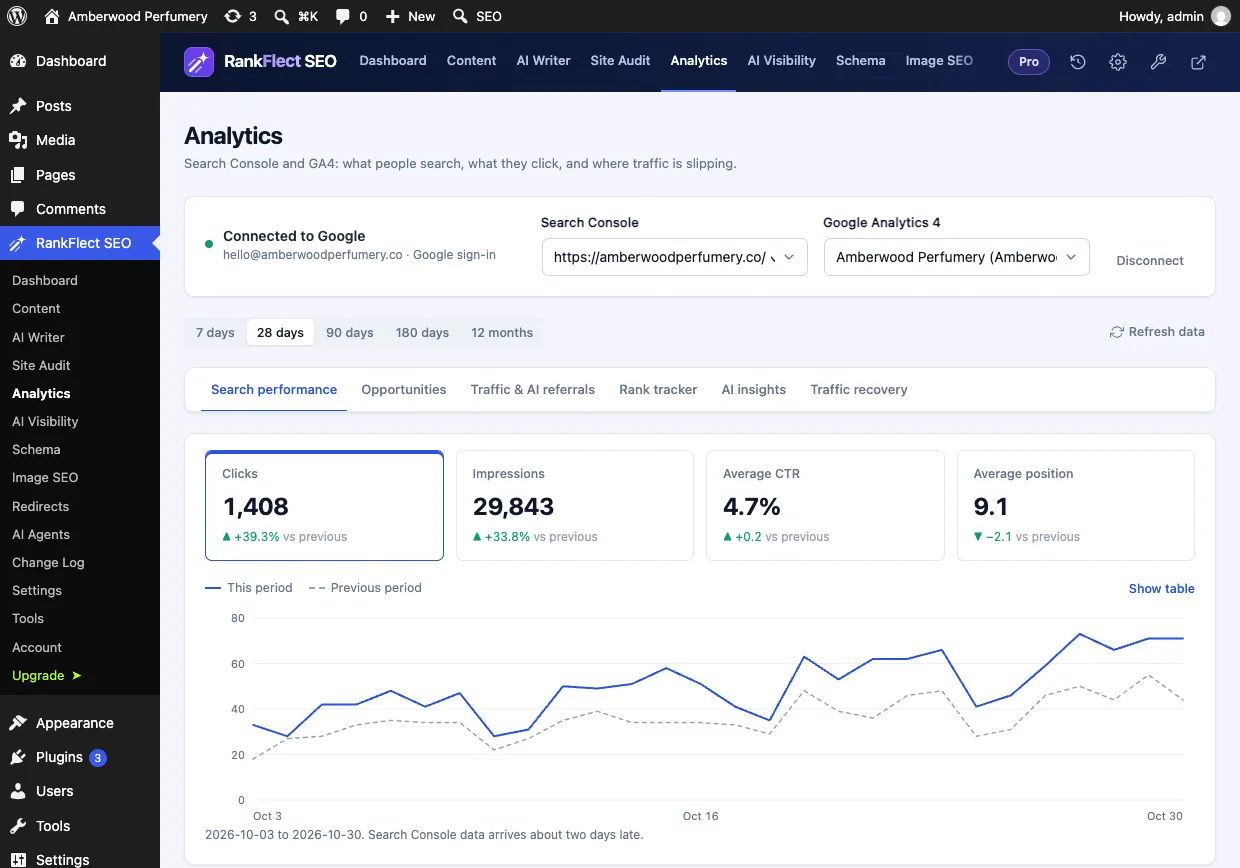
Here is how it works, according to the rank tracker documentation:
- Connect Google Search Console and choose your property (connecting is free).
- Open the Rank tracker tab and type keywords into Add keywords, one per line, then click Track. You can track up to 100 keywords.
- Or click Suggest from Search Console to pick from top queries your site already gets clicks for.
RankFlect SEO fills in the last 90 days of history straight away, then updates positions once a day with a scheduled task. The table shows each keyword's latest position, its movement over 7 and 28 days, the best position in the period, clicks and impressions for the last 28 days, and a trend chart. Best movers and Worst movers cards show the biggest changes of the last 7 days, and you can chart one keyword over 28 days to 12 months.
The daily positions are stored in your WordPress database, so your history keeps growing beyond Search Console's 16 months. There is no scraping and no external service; the data comes from Google's API to your site. Like any Search Console-based tracker, it only covers your own site, and on a very low-traffic site the WP-Cron update can run late.
The same data feeds other Pro features: Search Console opportunities lists keywords close to page one, AI insights summarizes your movers in plain language, and the email report can include rank tracker movers. The free search performance report already shows your top 25 queries with position, without the daily tracking.
To try it, you can start with the free RankFlect SEO plugin and the reports it includes, then upgrade to Pro, with a 14-day money-back guarantee, when you want daily rank tracking.
Frequently asked questions
Is there a free keyword rank tracker?
Google Search Console is the most reliable free option. It shows the average position for every query your site appears for, using real searches. The limits are that it only covers your own sites, keeps 16 months of data and has no daily winners-and-losers view.
Why is my rank tracker position different from what I see in Google?
Your own search is personalized by location, device and history and shows one moment. Search Console averages your position over everyone who saw your site that day. A snapshot tool checks from one set location. All three can be correct at the same time.
How often should I check keyword rankings?
Daily data is useful for spotting sudden drops, but decisions should be based on weekly or monthly trends. Review movers once a week and look at the bigger picture monthly.
How many keywords should I track?
Track the keywords you will act on: your main commercial terms, pages close to page one, your brand and each important page's focus keyword. For many small sites that is a few dozen. Agencies and large stores need more.
Can I track competitors' rankings with Search Console?
No. Search Console only reports on properties you have verified. To watch competitors' positions, you need a snapshot-based rank tracking tool.
- #rank tracker
- #keyword rankings
- #google search console
- #seo tools
- #keyword tracking
Written by
RankFlect SEO TeamThe people who build RankFlect SEO, the WordPress SEO plugin with a built-in MCP server. We write about what we learn shipping SEO tools for AI search.
All articles →Let AI agents fix your SEO. You keep the undo button.
RankFlect SEO is free for unlimited sites, with a built-in MCP server, approval for every change and no AI credits.