IndexNow for WordPress: How to Set It Up and Check It Works
How IndexNow works, how to turn it on in WordPress, how to read the response codes and why you still need your sitemap for Google.
In this article
- Key takeaways
- What is IndexNow?
- Does IndexNow work with Google?
- When IndexNow helps most
- How to set up IndexNow in WordPress
- Submit URLs by hand
- Verify your site in Bing Webmaster Tools
- What the IndexNow response codes mean
- IndexNow best practices
- Frequently asked questions
- Is IndexNow worth using on WordPress?
- Does IndexNow guarantee indexing?
- Do I still need an XML sitemap if I use IndexNow?
- Can I use two IndexNow plugins at once?
- Should I submit deleted pages to IndexNow?
IndexNow lets your WordPress site tell Bing, Yandex, Naver, Seznam and other participating search engines the moment a page is published, updated or deleted, instead of waiting for their crawlers to notice. Setting up IndexNow in WordPress takes a few minutes with a plugin: it creates a key, hosts the key file and sends your changed URLs automatically. This guide explains how the protocol works, what it can and can't do (it doesn't reach Google), how to set it up and how to check that your submissions are accepted.
Key takeaways
- IndexNow is an open protocol: one submission to
api.indexnow.orgis shared with every participating engine. - Google doesn't use IndexNow. Keep your XML sitemap submitted in Google Search Console.
- Your site proves ownership with a key file at
https://yoursite.com/<key>.txt. A plugin can create and serve it for you. - Submit URLs that were added, updated or deleted, not your whole site on a schedule.
- A 200 or 202 response means the submission was accepted. It doesn't guarantee the page will be crawled or indexed.
What is IndexNow?
Search engines normally discover changes by crawling: they revisit pages and sitemaps on their own schedule. IndexNow flips that around. When something changes, your site sends a short request listing the URLs, and the engines can crawl them soon after.
According to the IndexNow documentation, the protocol has three parts:
- A key. A string of 8 to 128 characters (letters, numbers and dashes) that identifies your site.
- A key file. A UTF-8 text file named after the key, usually at the site root, containing the key. Engines fetch it to confirm the submission really came from your site.
- A submission. Either a simple request for one URL, or a JSON POST with your host, key and a list of up to 10,000 URLs.
Participating engines agree to share submitted URLs with each other, so you don't need to notify each engine separately. The IndexNow FAQ lists endpoints for Bing, Yandex, Naver, Seznam.cz, Yep and Amazon, and the shared endpoint api.indexnow.org passes submissions to all of them.
Does IndexNow work with Google?
No. Google isn't a participating engine, so IndexNow submissions don't reach Google Search. For Google, your tools are an accurate XML sitemap submitted in Search Console, good internal linking and, for an individual page, Request indexing in URL Inspection. Google's Indexing API isn't a general substitute either: Google limits it to pages with job postings or livestream videos.
That doesn't make IndexNow pointless. Bing and the other participating engines still send visitors, and Bing Webmaster Tools gives you an IndexNow report to see what you sent. For a site that publishes often or changes prices and stock, faster notice to those engines is worth the few minutes of setup. Our Google Search Console guide covers the Google side.
When IndexNow helps most
- News and frequently updated blogs, where a fresh article loses value if it's discovered days later.
- WooCommerce shops, where prices, stock and product pages change often.
- Big content updates: rewriting a section of the site, fixing titles in bulk or changing URLs with redirects.
- Removed pages: the FAQ recommends submitting URLs that now return 404 or 410, and URLs that redirect, so engines update their index sooner.
IndexNow doesn't replace your sitemap. The FAQ describes the two as complementary: IndexNow for changes as they happen, sitemaps for the full inventory of your URLs. Keep both. See XML sitemaps for the sitemap side.
How to set up IndexNow in WordPress
You can implement IndexNow by hand (generate a key, upload the key file, send requests from code), but in WordPress a plugin is simpler and keeps working without maintenance. At the time of writing, Microsoft publishes its own IndexNow plugin on WordPress.org, and several SEO plugins include IndexNow as a feature. Use only one of them, so the same change isn't submitted twice.
Here is how to set it up in RankFlect SEO, where IndexNow is a free module that's off by default:
- Go to RankFlect SEO → Dashboard and find the Modules card.
- Turn on IndexNow ("Tell Bing and others about new content instantly.").
- That's it. There's no key to copy: RankFlect SEO creates one and serves it at
https://yoursite.com/<key>.txt.
From then on, each time a post, page or other public content type is published or updated, RankFlect SEO sends its URL to api.indexnow.org about 60 seconds later. Several saves within that minute become one submission, so fixing a typo right after publishing doesn't create extra requests. Only URLs on your own site are sent. The full behaviour is described in the IndexNow documentation, and the module switch is explained in Modules.
Two built-in safeguards are worth knowing:
- Nothing is sent from sites whose WordPress environment type is
localordevelopment, so a local or development copy won't submit its URLs. - Nothing is sent while a WordPress import is running, so importing hundreds of posts doesn't flood the engines.
Submissions run through WP-Cron. On a site with very little traffic, or with WP-Cron disabled and no server cron in its place, they go out when cron next runs.
Submit URLs by hand
Automatic submissions cover new and edited content. For other changes, such as a batch of redirects, deleted pages or a template change that affects many URLs, submit them manually:
- Go to RankFlect SEO → Tools and find the IndexNow card.
- Paste the URLs into URLs, one per line.
- Click Submit. You'll see "Submitted N URLs" with the HTTP code.
If you work with an AI agent connected over MCP, it can do the same with the submit_indexnow tool, or with ping_sitemap, which submits your sitemap index and your most recently updated URLs. Both need the IndexNow module on. See the MCP tools reference.
Verify your site in Bing Webmaster Tools
IndexNow doesn't require a Bing Webmaster Tools account, but you'll want one to see what happens to your submissions. Bing's IndexNow Insights announcement describes a report that lists submitted URLs with their index status.
- Add your site in Bing Webmaster Tools. You can import it from Google Search Console or verify it directly.
- For direct verification, choose the HTML meta tag method and copy only the value inside
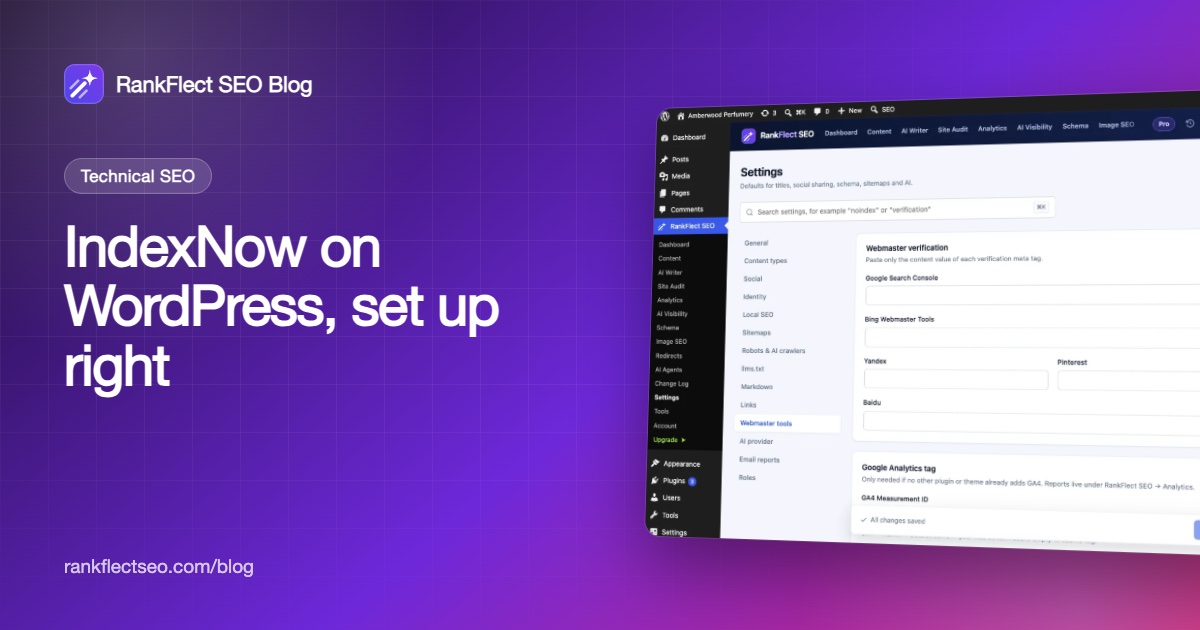
content="…". - In WordPress, go to RankFlect SEO → Settings → Webmaster tools and paste it into Bing Webmaster Tools.
- Click Save changes, then click Verify in Bing.
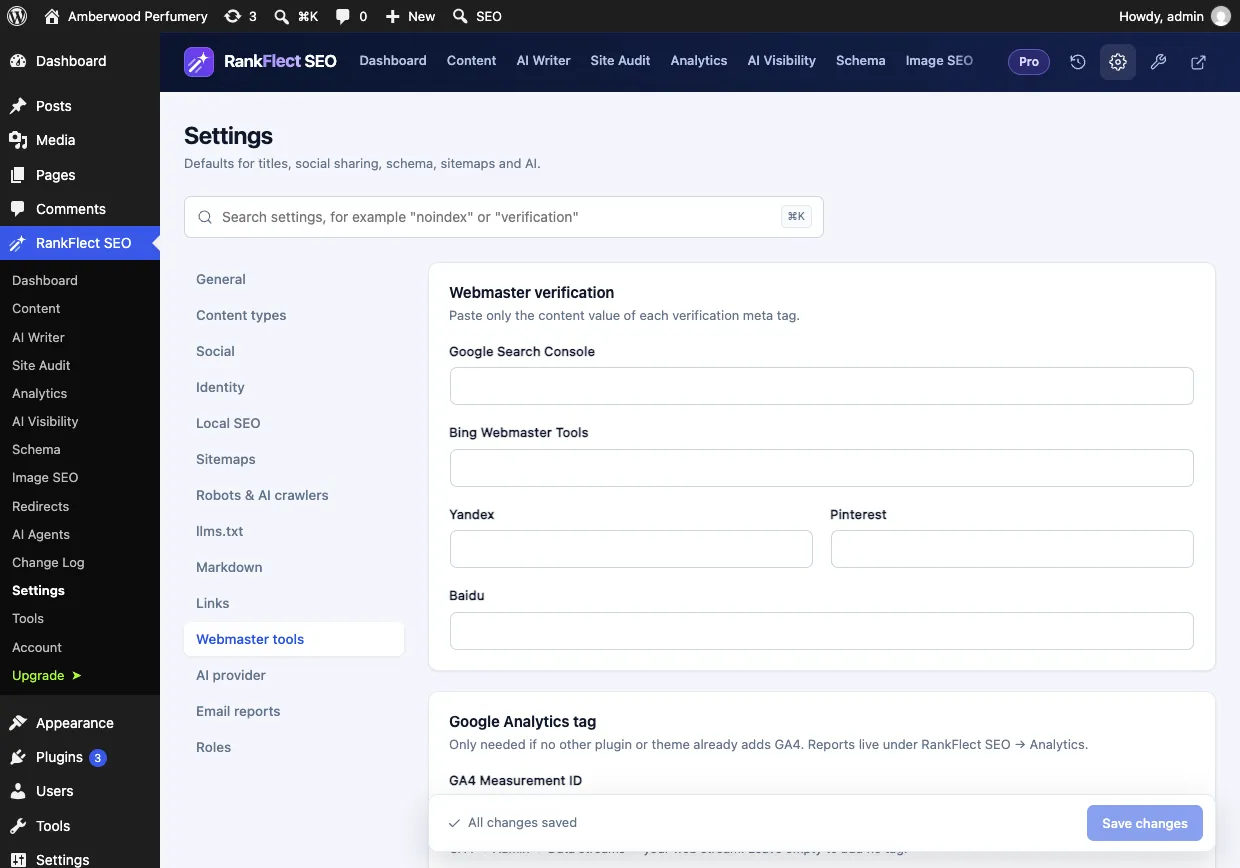
The same screen holds codes for Google, Yandex, Pinterest and Baidu. Paste the code, not the whole meta tag, and keep it in place after you verify. See Verify your site with Google, Bing and others.
What the IndexNow response codes mean
When you submit, the engine answers with an HTTP status. The IndexNow documentation defines them like this:
- 200 OK: the URLs were submitted successfully.
- 202 Accepted: the URLs were received and key validation is pending. This is normal for a new key.
- 400 Bad request: the request format is invalid.
- 403 Forbidden: the key isn't valid, usually because the key file can't be found or doesn't contain the key. In RankFlect SEO, make sure the IndexNow module is on (the key file is only served while it is) and that
/<key>.txtopens in a browser. Pretty permalinks help. - 422 Unprocessable entity: a URL doesn't belong to your host. Check that you're using the same
wwwor non-wwwhost and protocol as your site address. - 429 Too many requests: you sent too much in a short time. Wait and try again later.
IndexNow best practices
- Submit real changes only. Re-sending unchanged URLs on a timer adds nothing. The FAQ also suggests waiting at least 5 minutes before resubmitting the same URL.
- Keep your hosts consistent. Submit the canonical form of each URL, the same one in your sitemap.
- Don't submit noindexed pages. If you don't want a page indexed, telling engines to crawl it sends mixed signals.
- Keep test copies quiet. RankFlect SEO skips IndexNow when
WP_ENVIRONMENT_TYPEislocalordevelopment, so set one of those on test copies of your site andproductionon the live one. Other constants that change IndexNow behaviour are listed in wp-config constants. - Watch the results, not just the response. A 200 means "received". Check Bing Webmaster Tools a few days later to see whether the URLs were indexed.
If you want IndexNow without managing keys, it's included in the free plugin: download RankFlect SEO and turn the module on.
Frequently asked questions
Is IndexNow worth using on WordPress?
For most sites, yes. It costs nothing, takes a minute to switch on and gets your changes to Bing and other participating engines sooner. Just don't expect it to change anything in Google.
Does IndexNow guarantee indexing?
No. The IndexNow FAQ says submitting a URL doesn't guarantee immediate indexing. Each engine still decides whether and when to crawl and index the page, based on its quality and other signals.
Do I still need an XML sitemap if I use IndexNow?
Yes. IndexNow only reports changes as they happen, and Google doesn't use it at all. Your sitemap gives every engine the complete list of URLs, including older pages that haven't changed.
Can I use two IndexNow plugins at once?
It isn't harmful, but it's wasteful: each change gets submitted twice, and you may hit rate limits sooner. Pick one plugin, such as your SEO plugin, and turn IndexNow off in the others.
Should I submit deleted pages to IndexNow?
Yes. The protocol is meant for added, updated and deleted URLs. Submitting a URL that now returns 404 or 410, or one that redirects, helps engines update their index faster.
- #indexnow
- #bing
- #indexing
- #technical seo
- #wordpress seo
Written by
RankFlect SEO TeamThe people who build RankFlect SEO, the WordPress SEO plugin with a built-in MCP server. We write about what we learn shipping SEO tools for AI search.
All articles →Let AI agents fix your SEO. You keep the undo button.
RankFlect SEO is free for unlimited sites, with a built-in MCP server, approval for every change and no AI credits.