How to Fix 404 Errors in WordPress: Site-Wide and Single-Page Fixes
Site-wide 404s and single missing pages need different fixes. Here is how to diagnose both, find the 404s that matter and fix them without hurting SEO.
In this article
- Key takeaways
- What a 404 error is, and when it is a problem
- Step 1: Diagnose which 404 problem you have
- Step 2: Fix site-wide 404 errors in WordPress
- Step 3: Find the individual 404s that matter
- Google Search Console
- A 404 log
- Your server logs
- Broken links on your own site
- Step 4: Decide what to do with each 404
- Restore the content
- Redirect it to the closest match
- Return 410 Gone
- Leave it alone
- Don't redirect every 404 to the home page
- Prevent new 404 errors in WordPress
- Make your 404 page useful
- Soft 404s: the errors that hide
- Frequently asked questions
- Do 404 errors hurt SEO?
- Why are all my WordPress posts showing 404?
- How do I find 404 errors on my WordPress site?
- Should I use 404 or 410 for deleted pages?
- How long does Google keep showing a 404 page in results?
To fix 404 errors in WordPress, first work out which kind you have. If every post suddenly shows "Page not found", the cause is almost always broken rewrite rules, and re-saving your permalinks fixes it. If only some URLs return 404, find them in Search Console or a 404 log, then redirect, restore or deliberately retire each one.
This guide walks through both cases step by step, shows where to find the 404s that matter, and explains which ones you should leave alone.
Key takeaways
- Site-wide 404s on posts and pages point to permalinks,
.htaccessor Nginx configuration. Re-save permalinks first. - Individual 404s come from deleted pages, changed slugs, typos and broken links. Find them in Search Console's Page indexing report or a 404 monitor.
- Redirect a missing URL only when a relevant page exists. Otherwise a 404 or 410 is the correct answer.
- 404s on URLs that never existed don't harm the rest of your site. Google simply drops them from its index over time.
- Fix the source: update internal links that point to missing pages, and add a redirect whenever you change a slug.
What a 404 error is, and when it is a problem
A 404 is the HTTP status code a server returns when a requested URL has no content. WordPress shows your theme's 404 template and sends the status code with it. That is correct behaviour for a URL that never existed, such as a mistyped link.
Google's documentation on HTTP status codes and Google Search says that already indexed URLs returning a 4xx code "are removed from the index", and that crawl frequency for them "gradually decreases." In other words, a 404 is how you tell Google a page is gone. It only becomes a problem when the missing URL used to have value:
- It had rankings or traffic.
- Other sites link to it.
- Your own menus or posts still link to it.
- It is a real page that should load but doesn't, because something is broken.
Step 1: Diagnose which 404 problem you have
Open a few URLs on your site in a private window:
- Home page works, every post and page is 404: rewrite rules are broken. Go to Step 2.
- Most pages work, a few specific URLs are 404: missing content or broken links. Go to Step 3.
- A page loads in the editor's preview but 404s when published: check for a slug clash, a page cache, or a security or membership plugin that blocks the URL.
Step 2: Fix site-wide 404 errors in WordPress
When every post returns 404, WordPress can't route pretty URLs to index.php. Work through these fixes in order and test after each one.
- Re-save your permalinks. Go to Settings → Permalinks and click Save Changes without changing anything. WordPress regenerates its rewrite rules and, on Apache, rewrites its block in
.htaccessif the file is writable. This alone fixes most cases. - Check the .htaccess file (Apache and LiteSpeed). In your WordPress root,
.htaccessshould contain the standard WordPress block. If the file is missing or the block is damaged, restore it:
The block is documented in the WordPress Apache guide. If WordPress lives in a subfolder,# BEGIN WordPress <IfModule mod_rewrite.c> RewriteEngine On RewriteBase / RewriteRule ^index\.php$ - [L] RewriteCond %{REQUEST_FILENAME} !-f RewriteCond %{REQUEST_FILENAME} !-d RewriteRule . /index.php [L] </IfModule> # END WordPressRewriteBaseand the last rule need that folder. - Check Nginx. Nginx ignores
.htaccess. Your site's location block needstry_files $uri $uri/ /index.php?$args;so that pretty URLs reach WordPress. Ask your host if you can't edit the configuration. - Look for a recent change. A new plugin that adds custom post types or rewrite rules, a theme switch or a migration can all break routing. Deactivate recently added plugins one at a time, re-saving permalinks after each.
- Purge every cache. A page cache or CDN can keep serving a 404 after the cause is fixed. Clear your caching plugin, your host's cache and the CDN.
If none of this works, ask your host to confirm that mod_rewrite is enabled and that AllowOverride lets .htaccess rules run.
Step 3: Find the individual 404s that matter
Individual 404s are normal on any site that has been around for a while. The goal is to find the ones worth fixing.
Google Search Console
Open Indexing → Pages and look for the reason Not found (404). These are URLs Google knows about, often because they were once indexed or because something links to them. Inspect a URL to see where Google found it. Our Google Search Console guide for WordPress covers the setup and the reports.
A 404 log
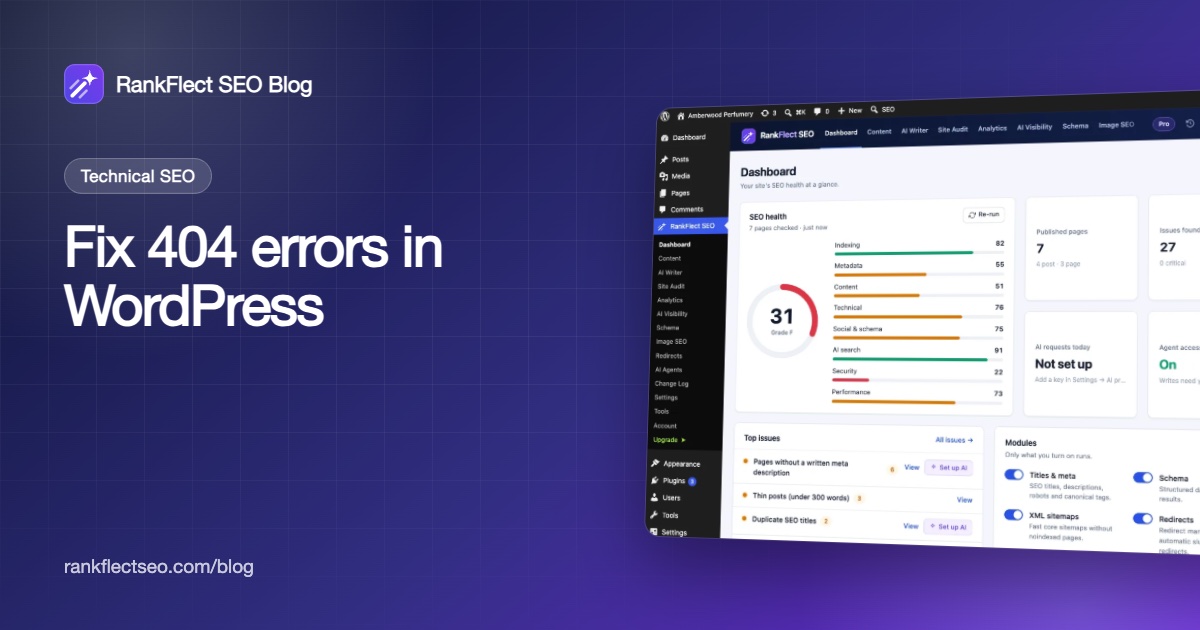
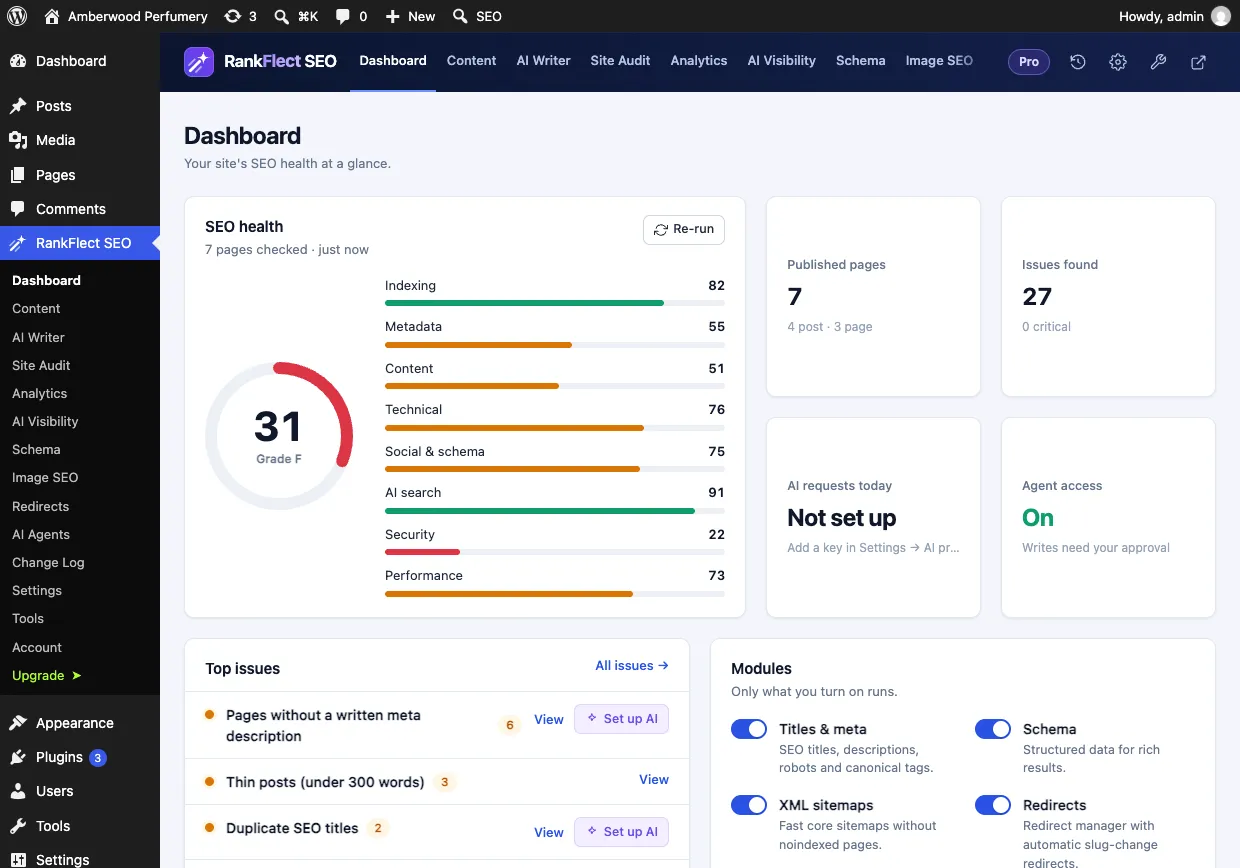
Search Console shows what Googlebot hits. A 404 log shows what real visitors and all bots hit, as it happens. RankFlect SEO Pro has a 404 monitor that you switch on in the Modules card on the Dashboard. It lists missing URLs on RankFlect SEO → Redirects → 404 monitor, most requested first, with hit counts, the last referrer and when each was last seen. It ignores common vulnerability probes such as wp-login, .env and .php paths, so the list stays readable. See 404 monitor and catch-all.
Your server logs
Without a plugin, your host's access logs list every request with its status code. Filter for " 404 " and count the paths. It is slower than a dashboard, but it costs nothing.
Broken links on your own site
Internal links to missing pages are the 404s you control completely. A broken link checker crawls your content and flags them. In RankFlect SEO Pro, the broken link checker scans published content in the background and lets you unlink, replace the URL across every post that uses it, or add a redirect from the broken path.
Step 4: Decide what to do with each 404
Go through the list starting with the URLs that have the most hits or links. For each one, pick one of four answers.
Restore the content
If a page was deleted or unpublished by mistake, restore it from the trash or republish it. Check that its slug didn't change.
Redirect it to the closest match
If the content moved or a close replacement exists, add a 301 redirect. A discontinued product can go to its successor or its category. A merged article goes to the combined version.
In RankFlect SEO, redirects are free: go to RankFlect SEO → Redirects, click Add redirect, enter the missing path in From and the new page in To, and save. On the 404 monitor in Pro, the Redirect button on a row opens the same form with From already filled in. See Create and manage redirects.
Return 410 Gone
If the page was removed on purpose and nothing relevant replaces it, a 410 says so explicitly. Google handles all 4xx codes much the same way, so a plain 404 is also fine. RankFlect SEO Pro can return 410 for one URL or for a whole retired section.
Leave it alone
Random URLs, typos with one hit and bot probes for files you never had don't need anything. A 404 is the correct response for a page that never existed.
Don't redirect every 404 to the home page
"Redirect all 404s to the home page" is a common tip, and it is usually a mistake. Google's site move guide warns that sending many URLs to one irrelevant destination, such as the home page, can confuse users and may be treated as a soft 404. Visitors who expected a specific article land somewhere else, without being told why.
If you want a safety net, RankFlect SEO Pro has a 404 catch-all that sends remaining 404s to the home page or a page you choose, with a list of paths to exclude. It never touches URLs that match a redirect rule, missing files such as images and scripts, or WordPress system paths. Treat it as a fallback, and keep adding proper redirects for URLs with real traffic.
Prevent new 404 errors in WordPress
Most 404s are created by everyday editing. A few habits stop them at the source.
- Redirect when you change a slug. RankFlect SEO adds a 301 automatically when the slug of a published post changes, and records it in the Change Log. See Automatic redirects when a slug changes.
- Redirect before you delete. When you trash or delete published content, RankFlect SEO shows a notice offering to redirect the old URL, pre-filled with the parent category or the home page, so you can choose a better target on the spot.
- Remember moved pages. Moving a page under a new parent changes its URL but not its slug, so add a redirect by hand.
- Plan migrations. Map old URLs to new ones before changing permalink structure or domain, and import existing rules rather than re-creating them.
- Check after bulk changes. After a cleanup of old posts, review the Page indexing report again a few weeks later.
Make your 404 page useful
Some visitors will always hit a 404. A good 404 template turns that into a second chance: a short apology, a search box, links to your main categories or most popular posts, and a link home. Keep the real 404 status code. A page that says "not found" but returns 200 OK is a soft 404, which Search Console reports as an error.
RankFlect SEO keeps your 404 page out of the index automatically: it always outputs noindex and uses the title template Page not found %sep% %sitename%.
Soft 404s: the errors that hide
A soft 404 is a page that returns a success code but looks empty or like an error to Google. Common WordPress causes are empty category or tag archives, out-of-stock product pages with almost no content, search result pages and redirects of unrelated URLs to the home page. Fix them by adding real content, returning a real 404 or 410, or keeping thin archives out of the index with noindex.
Frequently asked questions
Do 404 errors hurt SEO?
Not on their own. Google's post Do 404s hurt my site? says missing URLs don't affect how your other URLs perform in search. The missing URL itself is dropped from the index over time. The cost comes from losing a page that had rankings, traffic or links, which is why those specific 404s deserve a redirect.
Why are all my WordPress posts showing 404?
Your rewrite rules are broken, usually after a migration, a plugin change or a damaged .htaccess file. Re-save Settings → Permalinks, check the WordPress block in .htaccess on Apache, or the try_files line on Nginx, then clear all caches.
How do I find 404 errors on my WordPress site?
Check the Not found (404) reason in Search Console's Page indexing report, use a 404 monitoring plugin to log hits from visitors and bots, and run a broken link checker on your content. Server access logs are a free fallback.
Should I use 404 or 410 for deleted pages?
Both remove the page from Google's index. A 410 states that the removal was deliberate, which is clearer for pages you retired on purpose. If a relevant replacement exists, a 301 redirect is better than either.
How long does Google keep showing a 404 page in results?
Until it recrawls the URL and sees the 404, which can take from days to much longer for pages Google rarely visits. You can request a recrawl with URL Inspection, or use Search Console's Removals tool to hide a URL quickly while you wait.
Redirects, automatic slug-change redirects and the deleted-content notice are all in the free plugin. If you want to start fixing 404s today, download RankFlect SEO for free.
- #404 error
- #wordpress 404
- #permalinks
- #broken links
- #redirects
Written by
RankFlect SEO TeamThe people who build RankFlect SEO, the WordPress SEO plugin with a built-in MCP server. We write about what we learn shipping SEO tools for AI search.
All articles →Let AI agents fix your SEO. You keep the undo button.
RankFlect SEO is free for unlimited sites, with a built-in MCP server, approval for every change and no AI credits.