Duplicate Meta Descriptions: Why They Happen and How to Fix Them
What causes duplicate meta descriptions on WordPress sites, whether they hurt SEO, how to find them without Search Console, and a step-by-step way to fix them.
In this article
- Key takeaways
- Are duplicate meta descriptions bad for SEO?
- What causes duplicate meta descriptions in WordPress
- How to find duplicate meta descriptions
- With a crawler
- Not in Search Console
- In WordPress with RankFlect SEO
- How to fix duplicate meta descriptions, step by step
- Step 1: Ask whether the pages should both exist
- Step 2: Fix the source if it is a template
- Step 3: Rewrite the important pages by hand
- Step 4: Use AI for the long tail, carefully
- Step 5: Re-check and wait for recrawling
- Should you leave the description empty instead?
- Prevent duplicates in the future
- Frequently asked questions
- Do duplicate meta descriptions cause a Google penalty?
- How many duplicate meta descriptions are too many?
- Is a duplicate meta description the same as duplicate content?
- How do I find duplicate meta descriptions without a paid tool?
Duplicate meta descriptions are two or more pages on your site that output the same <meta name="description"> text. They will not get your site penalized, but they waste your best chance to tell searchers why each page is different, and they often point to a deeper problem such as a lazy template or duplicate pages. This guide shows why they happen on WordPress, how to find them all, and how to fix them in the right order.
Key takeaways
- Duplicate meta descriptions are not a penalty or a direct ranking problem. Google simply finds identical descriptions unhelpful and is more likely to ignore them.
- On WordPress they usually come from a fixed template, a theme that prints the same text everywhere, copied pages or near-identical products.
- Find them with a crawler or your SEO plugin. Search Console no longer has a report for them.
- Before rewriting, check whether the pages themselves are duplicates. If so, fix the pages with a redirect, canonical or noindex instead.
- Fix high-traffic pages by hand and use a better template for the long tail.
Are duplicate meta descriptions bad for SEO?
Not in the way a technical error is. Google does not use the meta description as a ranking signal, and it does not penalize a site for repeated descriptions. Duplicates are usually rated as a low-severity issue by audit tools for that reason.
They still cost you something. Google's snippet guidance says identical or similar descriptions on every page are not helpful when individual pages appear in search results, and it asks for descriptions that are specific to each page. In practice, three things happen:
- Google ignores them more often. A generic description is a poor summary, so Google builds the snippet from page text instead. You lose control of the first impression.
- Your results look alike. When two of your pages show up for related searches with the same snippet, searchers cannot tell which one they need.
- They can hide a bigger issue. Duplicate descriptions often come with duplicate titles or near-identical content. That is the problem worth worrying about, because it makes pages compete with each other.
So treat duplicate meta descriptions as a quality and click-through issue, and as a clue to look for duplicate content behind them.
What causes duplicate meta descriptions in WordPress
Knowing the cause tells you whether to fix one setting or a hundred pages.
- A fixed-text template. Someone set the description template for posts or products to a static sentence, such as "Handmade perfumes shipped worldwide." Every page without its own description now prints that line.
- The theme prints its own tag. Some themes output the site tagline as the description on every page. Combined with an SEO plugin, you may also get two description tags per page.
- Short or missing content. Templates based on the excerpt fall back to the start of the content. If many pages start the same way (an identical intro block, a notice, a shortcode output), the descriptions match.
- Copied pages. Duplicating a page or post to save time also duplicates its SEO fields. Landing pages and location pages are frequent culprits.
- Near-identical products. Shops with products that differ only by size or colour often reuse the same short description, which then becomes the meta description.
- Archives and pagination. Page 2, 3 and 4 of a category can carry the same description as page 1.
- Untranslated pages. On multilingual sites, a translation that keeps the original language's description duplicates it across versions.
How to find duplicate meta descriptions
With a crawler
Desktop crawlers such as Screaming Frog SEO Spider, and the site audit tools in SEO suites, fetch every page and group identical descriptions. This sees exactly what search engines see, including tags your theme adds. It is the best check for very large sites and for spotting pages with two description tags.
Not in Search Console
The old Search Console had an "HTML Improvements" report that listed duplicate descriptions, but Google dropped it when it moved to the new Search Console. Today you need a crawler or your SEO plugin for this check.
In WordPress with RankFlect SEO
RankFlect SEO checks duplicates from inside WordPress, so it needs no crawl:
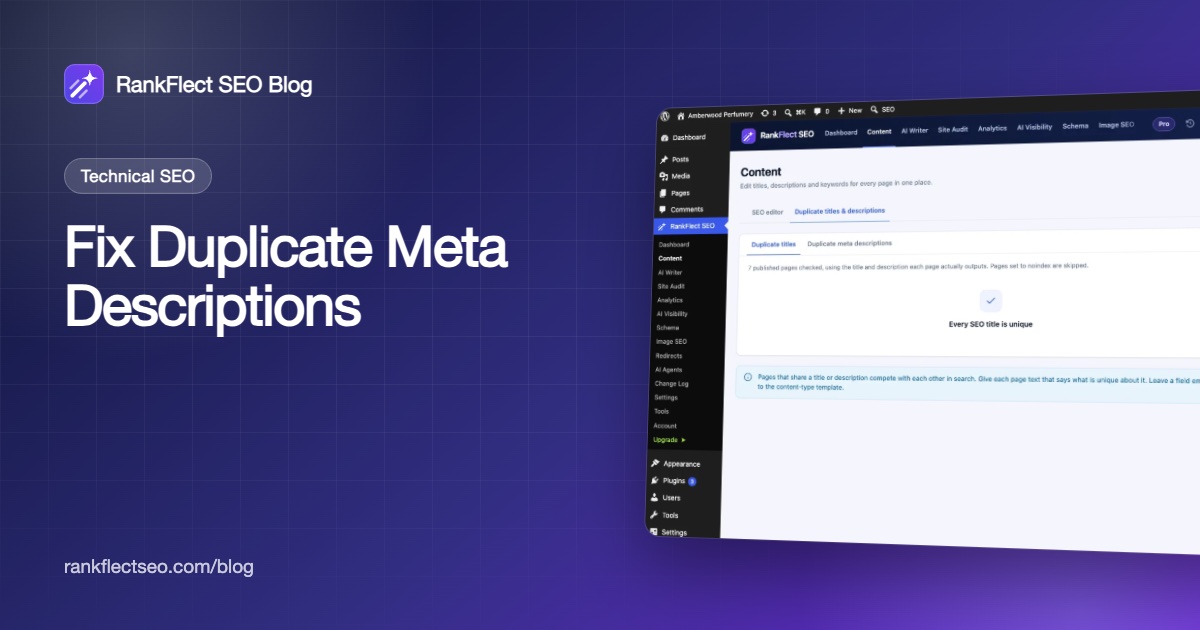
- Go to RankFlect SEO → Content and open the Duplicate titles & descriptions tab.
- Choose Duplicate meta descriptions. The tab shows how many groups were found. (The Duplicate titles tab next to it works the same way.)
- Each group lists the pages that share a description, with a link to each page.
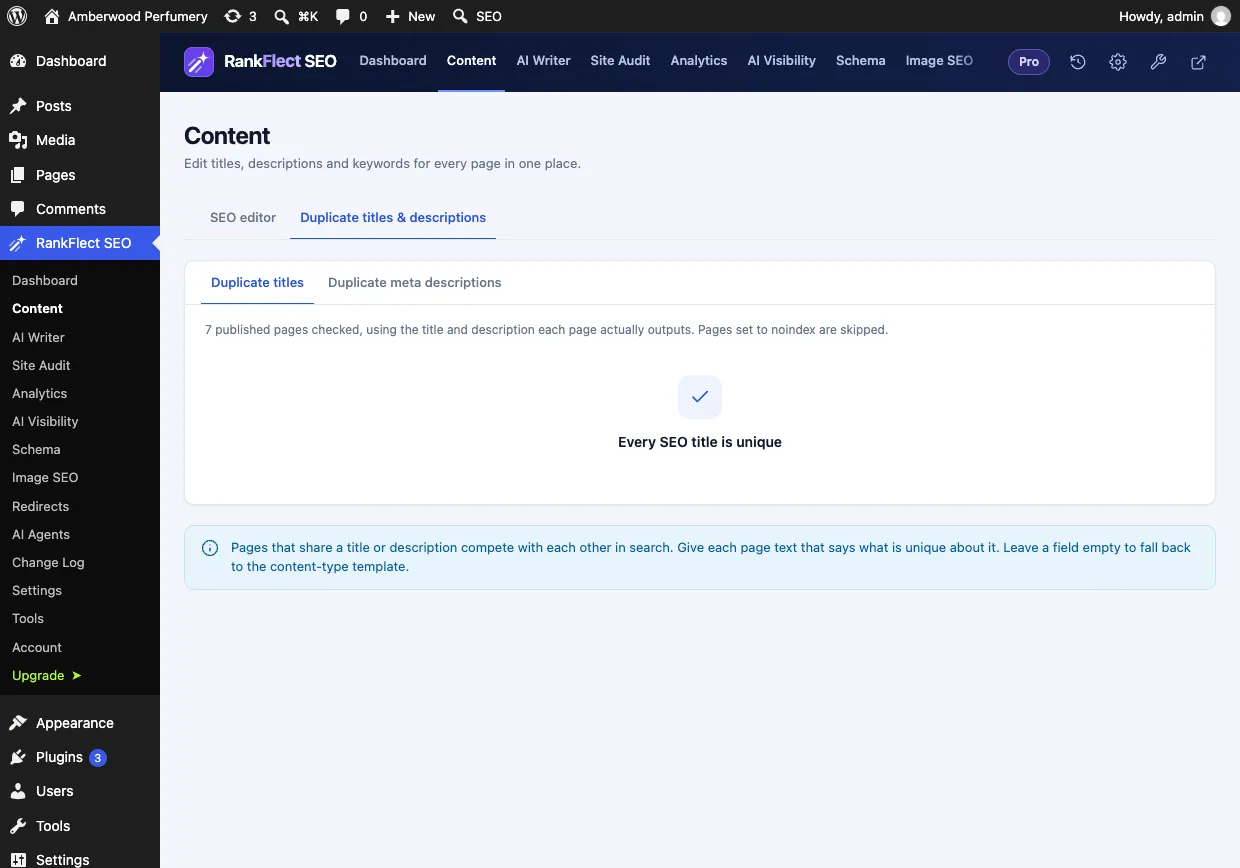
The check uses the description each page actually outputs, including text from templates, so pages that only match because they fall back to the same template are caught too. It covers up to 2,000 published pages and skips pages set to noindex, which do not appear in search anyway. Details are in The bulk SEO editor.
The site audit also reports Duplicate meta descriptions as a notice, alongside duplicate titles and descriptions that are too long or too short. The full list is in Every site audit check explained.
How to fix duplicate meta descriptions, step by step
Step 1: Ask whether the pages should both exist
Open the pages in each group side by side. If the content is the same or nearly the same, rewriting the description only hides the real problem.
- Two versions of one page (an old and a new post, a copied draft that went live): merge them and 301 redirect the weaker URL to the stronger one.
- Pages that must both exist but are variants (a print version, tracking parameters, a product shown under two URLs): point a canonical URL at the main version. See Noindex, nofollow and canonical URLs.
- Pages that do not need to be in search (thank-you pages, thin tag archives): set them to noindex. RankFlect SEO then leaves them out of the duplicate check.
Google's guide to consolidating duplicate URLs ranks redirects as the strongest signal, then canonical tags. Only the pages that are genuinely different, and should rank, need a new description.
Step 2: Fix the source if it is a template
If one group holds dozens of pages, the cause is almost always a template or the theme.
- View the source of one affected page and search for
name="description". If you see two tags, turn off the one your theme adds (often a theme option for "SEO" or "meta tags"). - In RankFlect SEO, go to Settings → Content types and check the Description template of the affected type. Replace any fixed sentence with variables that change per page. The default,
%excerpt%, uses the excerpt or the first 155 characters of the content. - For shops, a template like
%wc_short_desc%works when short descriptions are unique. The full variable list is in Title and description variables. - For paginated archives, consider Noindex page 2+ of archives in Settings → General; see Set up titles and meta descriptions.
Google explicitly allows generated descriptions on large, database-driven sites, as long as they are human-readable and built from page-specific data. A good template beats one fixed sentence every time.
Step 3: Rewrite the important pages by hand
For pages that bring traffic or sales, write a description that says what is unique about that page. A simple formula helps: what it is + the detail that sets it apart + why the reader should click.
- Before (both products): "Pure rose attar from our small-batch perfumery."
- After (12 ml): "Taif rose distilled into sandalwood oil, 12 ml bottle. Alcohol-free and long-lasting, a good size to try the scent before the full bottle."
- After (30 ml): "Our signature Taif rose attar in a 30 ml bottle, the best value for daily wear. Alcohol-free, hand-filled and shipped in a gift box."
In RankFlect SEO, type the new text straight into Write a unique meta description in the duplicate group and click Save. You see "Saved. Undo it from the Change Log.", and every save is recorded in the Change Log. When the last group is fixed, the tab shows "Every meta description is unique".
Step 4: Use AI for the long tail, carefully
With your own AI provider key added, the sparkle icon in the bulk editor suggests three descriptions for one post at a time, free. In RankFlect SEO Pro, the site audit's Fix with AI button on Duplicate meta descriptions writes new descriptions for up to 20 items per run, takes a backup first and records the run as one Change Log batch you can revert. See Bulk AI titles and descriptions. Read the results before you move on; AI text can be generic too.
Step 5: Re-check and wait for recrawling
Re-open the duplicates tab to confirm the groups are gone. The site audit runs automatically every 7 days on every plan, so its Duplicate meta descriptions notice clears at the next check; with RankFlect SEO Pro you can click Run again to confirm straight away. Google picks up new descriptions as it recrawls each page, which can take days or weeks.
Should you leave the description empty instead?
It is a fair question. If a page has no description, Google builds a snippet from the page text, which is at least unique. For low-value pages, an empty field is better than a copied one.
With an SEO plugin, though, "empty" usually means "falls back to the template". That is fine when the template uses page-specific variables like the excerpt, and a problem when it is fixed text. Check what the page actually outputs before deciding.
Prevent duplicates in the future
- Clear the SEO fields after duplicating a page, before you publish it.
- Keep description templates built from variables, never a single fixed sentence.
- Give each product a unique short description, even if the variants are similar.
- Check the duplicates report after big imports, migrations or theme changes. Our WordPress SEO checklist covers when to re-run these checks.
The duplicates report and site audit are part of the free plugin; you can download RankFlect SEO free and run them on your site today.
Frequently asked questions
Do duplicate meta descriptions cause a Google penalty?
No. Google does not penalize repeated meta descriptions and does not use the description to rank pages. The cost is weaker snippets, because Google is more likely to replace a generic description with text from the page.
How many duplicate meta descriptions are too many?
There is no threshold. A handful of duplicates on low-traffic pages is minor. Large groups usually mean a template or theme issue, which you can fix once for the whole site.
Is a duplicate meta description the same as duplicate content?
No. Duplicate content means the pages themselves are the same or very similar. Duplicate descriptions can be a symptom of that, so always compare the pages before rewriting their descriptions.
How do I find duplicate meta descriptions without a paid tool?
Use an SEO plugin that reports them, such as RankFlect SEO's Duplicate titles & descriptions tab, or the free version of a desktop crawler on smaller sites. Search Console no longer lists them.
- #meta description
- #duplicate content
- #technical seo
- #site audit
- #wordpress seo
Written by
RankFlect SEO TeamThe people who build RankFlect SEO, the WordPress SEO plugin with a built-in MCP server. We write about what we learn shipping SEO tools for AI search.
All articles →Let AI agents fix your SEO. You keep the undo button.
RankFlect SEO is free for unlimited sites, with a built-in MCP server, approval for every change and no AI credits.