Canonical URL in WordPress: When to Set One and How to Get It Right
WordPress adds canonical tags for you, but duplicates still slip through. Learn when to set a custom canonical URL, how to do it, and how to check it.
In this article
- Key takeaways
- What a canonical URL is
- Why WordPress sites get duplicate URLs
- How WordPress handles canonical URLs by default
- When to set a custom canonical URL in WordPress
- A note on syndicated content
- How to set a canonical URL in WordPress
- Setting a canonical with code
- Canonical URLs on multilingual WordPress sites
- Common canonical mistakes to avoid
- Canonical plus noindex
- Relative or wrong-protocol URLs
- Pointing at a redirect or a 404
- Two canonical tags on one page
- Internal links to the non-canonical version
- How to check your canonical URL
- Frequently asked questions
- Does WordPress add canonical tags automatically?
- Should every page have a self-referencing canonical?
- Is a canonical URL the same as a 301 redirect?
- Why is Google ignoring my canonical tag?
- Should paginated pages canonicalize to page 1?
A canonical URL in WordPress is the address you tell search engines to treat as the main version of a page when the same content can be reached at more than one URL. WordPress and every major SEO plugin already add a self-referencing canonical tag to each post and page, so most of the time there is nothing to do. You only set a custom canonical URL when two pages are genuinely duplicates and you want one of them to rank.
This guide explains how canonicals work, when to change them, how to set one in WordPress, and the mistakes that send Google to the wrong page.
Key takeaways
- A canonical tag is a strong hint, not a command. Google can choose a different canonical if other signals disagree.
- Every indexable page should have a canonical, usually pointing to itself.
- Set a custom canonical only for real duplicates, such as near-identical product pages or tracking-parameter versions of a URL.
- Never combine a canonical pointing elsewhere with noindex, and don't point paginated pages or translations at another page.
- Check the result in Search Console: URL Inspection shows both your declared canonical and the one Google selected.
What a canonical URL is
A canonical is a link element in the page's head:
<link rel="canonical" href="https://example.com/blue-running-shoes/" />It tells search engines: if you find this content at several addresses, index and rank this one. Google's guide on consolidating duplicate URLs calls rel="canonical" "a strong signal that the specified URL should become canonical." Redirects are a similarly strong signal, while listing a URL in your sitemap is a weak one.
The word that matters is signal. Google's canonicalization troubleshooting guide says: "Even if you explicitly designate a canonical page, Google might choose a different canonical." Your tag works best when internal links, redirects and the sitemap all point to the same URL.
Why WordPress sites get duplicate URLs
WordPress creates more URL variants than most people expect. Each of these can show the same content:
https://andhttp://,wwwand non-wwwversions of every page.- Tracking and sharing parameters, such as
?utm_source=newsletteror?fbclid=…. - WooCommerce filter and sorting parameters, such as
?orderby=price. - Near-identical pages: a product in two colours with the same description, or a landing page copied for a campaign.
- Content republished on, or from, another website.
Site-wide variants such as http and www should be fixed with server redirects, so only one version ever loads. Canonical tags handle the rest: the parameter versions and the near-duplicates that have to exist.
How WordPress handles canonical URLs by default
WordPress core prints a self-referencing canonical tag on single posts and pages. An SEO plugin replaces that with its own, more complete version that also covers the home page, archives and other templates, and that lets you override the URL per page.
RankFlect SEO outputs these defaults, described in Noindex, nofollow and canonical URLs:
- Posts, pages and products: the page's own URL.
- Home page: your home URL.
- Category, tag and other archives: the archive URL. On page 2 and later, the canonical is that page's own URL, such as
/category/news/page/2/, so each page of the archive can be indexed on its own. - Noindex pages: no canonical at all, since there is no indexed version to point to.
A self-referencing canonical on a parameter URL like /shoes/?utm_source=mail points to the clean /shoes/, which is exactly what consolidates those variants.
When to set a custom canonical URL in WordPress
Change the canonical only when two URLs are real duplicates and one should rank in place of the other. Good cases:
- Near-identical product pages: the same product sold as two listings that you can't merge.
- Campaign copies: a landing page duplicated for ads, where the original should rank.
- Print or alternate versions of an article.
- Content you republish from another site: point the canonical at the original source if the publisher asks you to.
Bad cases, where a custom canonical does harm:
- Pointing a weak but distinct page at a stronger one to "pass authority." Google will likely ignore it, and if it doesn't, the weak page disappears.
- Pointing every paginated archive page at page 1, which hides the posts listed on later pages.
- Pointing translations at the original language.
If two pages compete and only one needs to exist, merge them and add a 301 redirect instead. A redirect is unambiguous; a canonical is a hint.
A note on syndicated content
If other sites republish your articles, a cross-domain canonical used to be the standard advice. Google's troubleshooting guide now says canonicals are not recommended for syndication, because syndicated pages often differ from the original, and that the most effective fix is for partners to block indexing of your content on their site. Ask them for a noindex, and a link back to your original.
How to set a canonical URL in WordPress
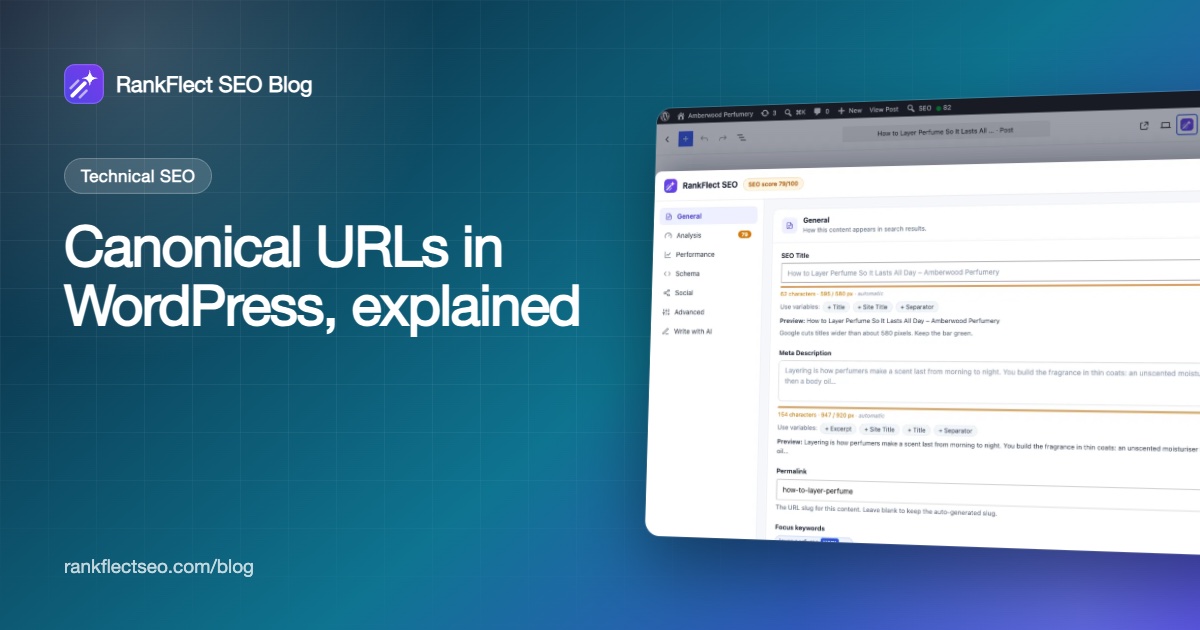
Every SEO plugin puts the canonical field in its advanced or robots settings for each post. In RankFlect SEO (free):
- Open the post or page in the block editor.
- Click the RankFlect SEO button in the editor toolbar to open the panel.
- Choose Advanced in the panel's menu.
- Enter the full address of the main version in Canonical URL, including
https://. The placeholder shows the post's own URL. - Save the post.
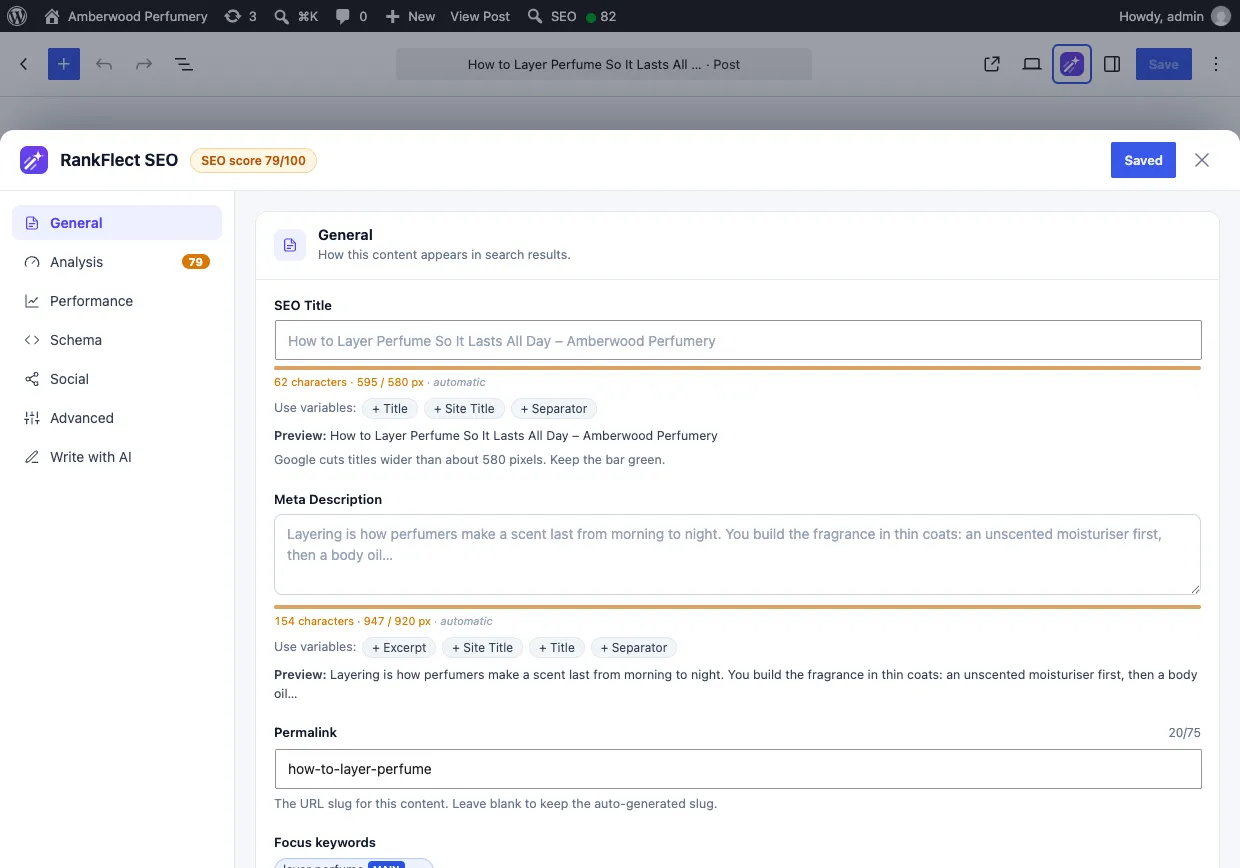
Leave the field empty to keep the default self-referencing canonical. To remove custom canonicals from many posts at once, recent versions of RankFlect SEO have a bulk action for that in the posts and pages lists, recorded in the Change Log so it can be undone. The rest of the Advanced section is explained in Advanced post settings.
In the Classic Editor and Elementor, the Canonical URL field is on the Advanced tab of the RankFlect SEO box. See SEO in the Classic Editor.
Setting a canonical with code
Without an SEO plugin, WordPress core's canonical can be changed with the get_canonical_url filter, which receives the URL and the post:
add_filter( 'get_canonical_url', function ( $url, $post ) {
    if ( 123 === $post->ID ) {
        return 'https://example.com/main-version/';
    }
    return $url;
}, 10, 2 );
If an SEO plugin is active, use its field instead. Two sources printing canonical tags on one page is a common cause of conflicting signals.
Canonical URLs on multilingual WordPress sites
Each language version is its own page and should be canonical to itself. The languages are tied together with hreflang links, not canonicals. Google's guide says that with hreflang you should specify a canonical in the same language.
With WPML, Polylang or TranslatePress, RankFlect SEO keeps canonicals per language and never copies a canonical URL to a new translation, while settings such as noindex and schema type are copied. It also adds hreflang links unless your multilingual plugin already prints them. See Multilingual SEO.
Common canonical mistakes to avoid
Canonical plus noindex
A canonical says "index that page instead"; noindex says "don't index this one." Combined on a duplicate, they send mixed signals. Google's guide advises against using noindex for canonicalization. Choose one: canonical for duplicates, noindex for pages that shouldn't be in search at all.
Relative or wrong-protocol URLs
Google recommends absolute URLs. Write https://example.com/page/, not /page/, and use the protocol and host your site actually serves.
Pointing at a redirect or a 404
A canonical should point at a live page that returns 200. If the target redirects, update the canonical to the final URL.
Two canonical tags on one page
This happens when a theme or second plugin also prints one. View the source and search for rel="canonical". There should be exactly one.
Internal links to the non-canonical version
If your menus link to one URL and your canonical names another, you are sending conflicting signals. Link to the canonical URL everywhere.
How to check your canonical URL
- View the source of the page and find
<link rel="canonical". Confirm it is the full, correct URL and appears once. - Inspect the URL in Search Console. URL Inspection shows the user-declared canonical and the Google-selected canonical. If they differ, look at internal links, redirects, duplicate content and your sitemap. Our Search Console guide for WordPress walks through the tool.
- Check the Page indexing report for reasons such as "Duplicate, Google chose different canonical than user" to find affected pages across the site.
RankFlect SEO Pro can also show index status for every post through Search Console's URL Inspection API, including what Google says about pages it has not indexed. See Index status.
Frequently asked questions
Does WordPress add canonical tags automatically?
Yes. WordPress core adds a self-referencing canonical to single posts and pages. SEO plugins replace it with their own tag, which also covers archives and the home page and lets you set a custom URL per page.
Should every page have a self-referencing canonical?
Yes, for indexable pages. Google recommends a canonical on the canonical page itself, and a self-reference consolidates parameter versions of the URL. Noindex pages don't need one.
Is a canonical URL the same as a 301 redirect?
No. A redirect sends visitors and crawlers to the new URL, so the old page can't be seen. A canonical leaves both pages accessible and only asks search engines to index one. Use a redirect when the duplicate doesn't need to exist.
Why is Google ignoring my canonical tag?
Google treats canonicals as a strong hint and weighs other signals, such as internal links, redirects, sitemaps and how similar the pages really are. If the pages differ a lot or your links point elsewhere, Google may pick its own canonical. Align those signals with your tag.
Should paginated pages canonicalize to page 1?
No. Page 2 and later list different posts, so each should be canonical to itself. If you don't want them indexed, use noindex for page 2+ instead.
Canonical URLs, defaults for archives and per-language canonicals are part of the free plugin. To manage them from the editor, download RankFlect SEO for free.
- #canonical url
- #canonical tag
- #duplicate content
- #wordpress seo
- #rel canonical
Written by
RankFlect SEO TeamThe people who build RankFlect SEO, the WordPress SEO plugin with a built-in MCP server. We write about what we learn shipping SEO tools for AI search.
All articles →Let AI agents fix your SEO. You keep the undo button.
RankFlect SEO is free for unlimited sites, with a built-in MCP server, approval for every change and no AI credits.