Breadcrumbs in WordPress: How to Add, Style and Mark Them Up
Add breadcrumbs in WordPress with a block, shortcode or PHP template tag, style them, output matching BreadcrumbList schema and understand Google's 2025 change.
In this article
- Key takeaways
- Why breadcrumbs matter for WordPress SEO
- What Google needs in breadcrumb markup
- Three ways to add breadcrumbs in WordPress
- 1. Your theme
- 2. Code in your child theme
- 3. Your SEO plugin
- How to add breadcrumbs in WordPress with RankFlect SEO
- The easiest way: the Breadcrumbs block
- Shortcode: for widgets and page builders
- Classic themes: use the template tag
- How the trail is built
- Styling your breadcrumbs
- Breadcrumb best practices
- Troubleshooting breadcrumbs in WordPress
- Frequently asked questions
- Do breadcrumbs help SEO?
- Why don't I see breadcrumbs in Google on my phone?
- My theme already shows breadcrumbs. Do I need another plugin?
- How do I add breadcrumbs to a block theme?
- Should breadcrumbs match my URL structure?
Breadcrumbs in WordPress are the small navigation trail, such as Home › Blog › Recipes › Lemon tart, that shows visitors where a page sits in your site and lets them jump back up a level. They also come with BreadcrumbList schema, which Google can use in place of the bare URL in desktop search results. This guide shows how to add breadcrumbs with a block, a shortcode or a PHP template tag, how to style them and how to avoid the mistakes that confuse visitors and search engines.
Key takeaways
- Breadcrumbs do two jobs: navigation for people and a
BreadcrumbListtrail for search engines. - Since January 2025, Google shows breadcrumb paths only in desktop results; mobile results show the domain. Google still supports the markup and says there's nothing you need to change.
- Show one visible trail per page. If your theme already has breadcrumbs, don't add a second set.
- The visible trail and the schema should describe the same path.
- For posts in several categories, the category in the trail decides how the post is presented, so keep it deliberate.
Why breadcrumbs matter for WordPress SEO
Breadcrumbs earn their place for three reasons.
- Navigation. A reader who lands on a single recipe from search can click up to the whole Recipes category in one step. That helps on deep sites, shops and documentation.
- Internal links. Every breadcrumb is a plain link to a parent page. Across a site, that sends a steady stream of links to your category and hub pages.
- Search appearance. With
BreadcrumbListmarkup, Google can show the path, for example example.com › Recipes › Desserts, instead of a long URL.
That last point changed in 2025. Google's January 2025 announcement explained that breadcrumbs get truncated on small screens, so mobile results now show just the domain. Breadcrumbs continue to appear in desktop results, Google still supports the markup, and the breadcrumb report in Search Console continues. In short: keep the markup, but don't expect it to change your mobile listing.
What Google needs in breadcrumb markup
Google's breadcrumb documentation asks for a BreadcrumbList with an itemListElement array of at least two ListItems. Each item has a position (starting at 1), a name and an item URL. The last item may leave out the URL, in which case Google uses the page's own address.
{
  "@type": "BreadcrumbList",
  "itemListElement": [
    { "@type": "ListItem", "position": 1, "name": "Home", "item": "https://example.com/" },
    { "@type": "ListItem", "position": 2, "name": "Recipes", "item": "https://example.com/recipes/" },
    { "@type": "ListItem", "position": 3, "name": "Lemon tart" }
  ]
}
One useful detail from Google: build the trail around a typical user path, not a mirror of your URL structure. A post at /2026/10/lemon-tart/ should still show Home › Recipes › Lemon tart.
Three ways to add breadcrumbs in WordPress
1. Your theme
Many themes have breadcrumbs built in, usually as a Customizer or theme settings option. Check there first. If the theme's trail looks right and the theme also outputs valid BreadcrumbList markup, you may not need anything else. If it outputs no markup, or your SEO plugin already does, keep the theme's visible trail and make sure only one tool prints the schema.
2. Code in your child theme
You can build a trail yourself with functions like get_the_category() and get_ancestors(), then print matching JSON-LD. It is a fair amount of edge-case work: pages vs posts, custom post types, archives, search results, 404 pages and paginated listings each need their own branch. Most site owners are better served by a tested implementation.
3. Your SEO plugin
An SEO plugin already knows your site's structure, so it can build one trail and use it for both the visible breadcrumbs and the schema. That guarantees the two match. The rest of this guide uses RankFlect SEO as the example.
How to add breadcrumbs in WordPress with RankFlect SEO
RankFlect SEO, free on WordPress.org, splits breadcrumbs into two parts. It always adds BreadcrumbList schema to every page below the home page, as part of its automatic schema graph. Showing the trail to visitors is up to you, because your theme may already do it.
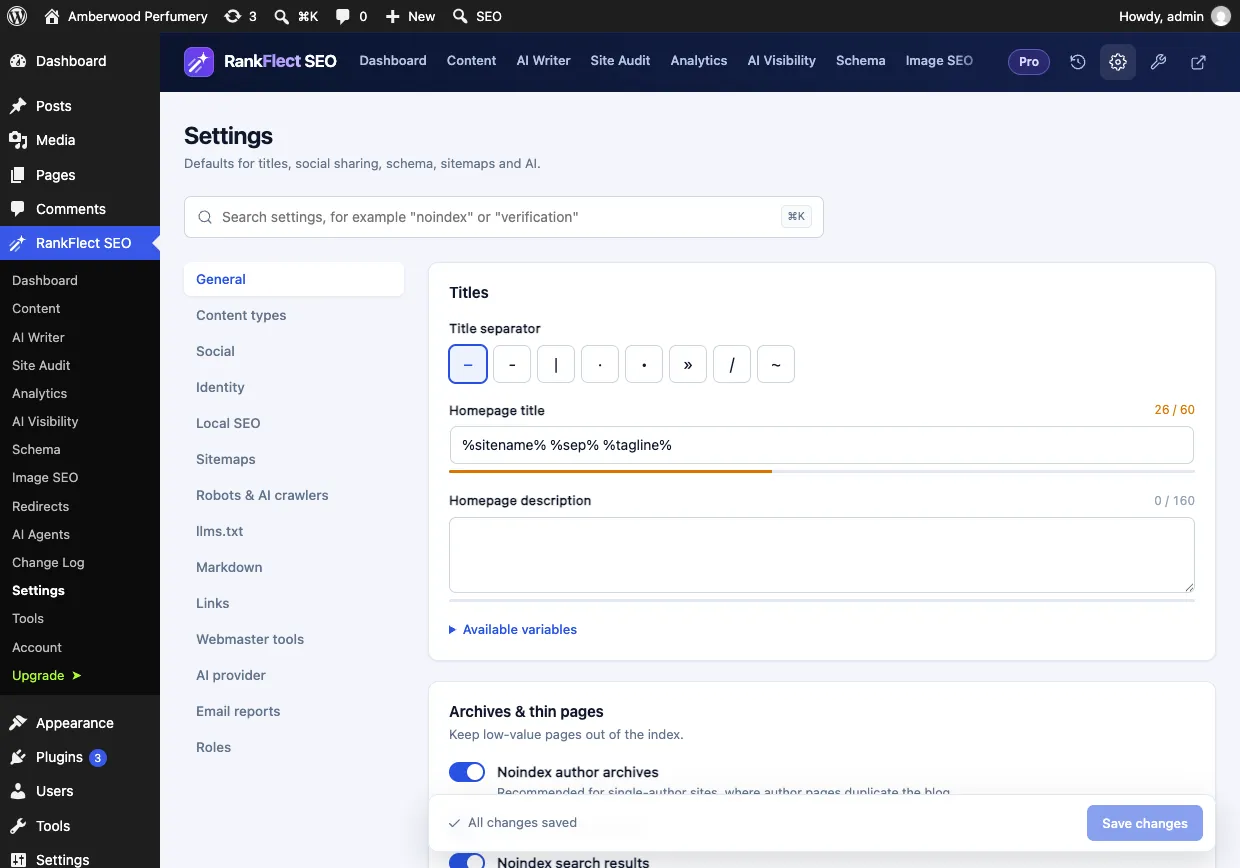
There is nothing to configure first. Breadcrumbs work out of the box and have no tab of their own on the plugin's Settings screen.
The easiest way: the Breadcrumbs block
RankFlect SEO adds a Breadcrumbs (RankFlect SEO) block. It works inside individual posts and, in block themes, inside Site Editor templates, which is where it is most useful.
- Go to Appearance → Editor and open the single post template.
- Click the + inserter, search for Breadcrumbs and pick Breadcrumbs (RankFlect SEO).
- Place it above the post title and save the template.
- Repeat for any other templates you want, such as pages or archives.
The block shows the same trail as the shortcode and the schema, and it outputs nothing while the breadcrumbs module is off.
Shortcode: for widgets and page builders
Where you can't insert a block, paste [rankflect_breadcrumbs] into a Shortcode block, a text widget or your page builder's shortcode element. It takes no attributes and prints the same trail.
Classic themes: use the template tag
Add the template tag to a theme file such as single.php or header.php, in a child theme so updates don't overwrite it:
<?php if ( function_exists( 'rankflect_breadcrumbs' ) ) { rankflect_breadcrumbs(); } ?>The function_exists() check keeps your theme working if the plugin is ever deactivated. Pass false to get the HTML back as a string instead of printing it. Both options are covered in shortcodes and template tags.
How the trail is built
- Posts: Home › blog page (if set under Settings → Reading) › parent categories › primary category › post.
- Pages: Home › parent pages › page.
- Custom post types: Home › post type archive (if it has one) › parent items › item.
- Archives: Home › parent terms › term, or Home › author name.
- Search and 404: Home › Search: your query, and Home › Page not found.
The last item is the current page and isn't a link. The home page has no trail, so nothing is printed there. For a post in several categories, the trail uses the category you choose in the Primary category field of the RankFlect SEO panel (or the Classic Editor box). Its help text sums it up: "Used in breadcrumbs, the %category% variable and category permalinks." Without one, the trail uses the post's first category. The full rules are in the breadcrumbs guide.
Styling your breadcrumbs
The block, the shortcode and the template tag print accessible markup: a nav element with aria-label="Breadcrumb", links for each parent, separators hidden from screen readers and aria-current="page" on the last item.
RankFlect SEO adds no CSS for breadcrumbs, so they take your theme's text and link styles. To tweak them, add a few lines under Appearance → Customize → Additional CSS (or in your block theme's custom CSS):
.rankflect-breadcrumbs { font-size: 0.875rem; margin-bottom: 1rem; }
.rankflect-breadcrumbs .sep { margin: 0 0.35em; opacity: 0.6; }
Keep breadcrumbs small and above the title. They are a secondary navigation aid, not a headline.
Breadcrumb best practices
- One visible trail. Two sets of breadcrumbs (theme plus plugin) look broken and add nothing.
- One source of schema. If both your theme and your SEO plugin print
BreadcrumbList, switch one off. - Short, clear names. Category names appear in the trail, so "Desserts" works better than "Our Delicious Dessert Recipes Collection".
- One category per post where possible. It keeps the trail predictable. If you need several, pick the main one in the Primary category field.
- Link to real pages. Every step in the trail should be a page worth visiting, not an empty archive.
- Test it. Run a page through Google's Rich Results Test, and check the breadcrumb report in Search Console. Our Google Search Console guide shows where reports live.
Troubleshooting breadcrumbs in WordPress
- The block or shortcode prints nothing. You're on the home page, which has no trail, or the breadcrumbs module has been switched off by an administrator.
- The wrong category appears. No primary category is set, so the first category is used. Choose one in the post's Primary category field.
- No breadcrumb schema at all. The
BreadcrumbListis part of the schema output, so check that the Schema module is on under RankFlect SEO → Dashboard → Modules. - Developers need a different trail. The
rankflect_breadcrumbsfilter lets you change the items; see hooks and filters.
If you want visible breadcrumbs and matching schema from one source, download RankFlect SEO free and add the Breadcrumbs block to your post template.
Frequently asked questions
Do breadcrumbs help SEO?
They help indirectly. Breadcrumbs add internal links to your category and parent pages, make deep sites easier to navigate, and with BreadcrumbList markup let Google show a readable path in desktop results. They are not a ranking shortcut on their own.
Why don't I see breadcrumbs in Google on my phone?
Since January 2025, Google shows only the domain in mobile results, because breadcrumbs got truncated on small screens. Desktop results still show the path, and Google still supports the markup.
My theme already shows breadcrumbs. Do I need another plugin?
Not for the visible trail. Keep your theme's breadcrumbs and make sure valid BreadcrumbList schema is printed once, either by the theme or by your SEO plugin. With RankFlect SEO, the schema is added automatically whether or not you display its trail.
How do I add breadcrumbs to a block theme?
Open Appearance → Editor, edit the template and insert a breadcrumbs block above the title. With RankFlect SEO, that is the Breadcrumbs (RankFlect SEO) block. Plugins without a block usually offer a shortcode you can place in a Shortcode block instead.
Should breadcrumbs match my URL structure?
Not necessarily. Google recommends building the trail around a typical user path rather than mirroring the URL. What matters most is that the visible trail and the schema show the same path.
- #breadcrumbs
- #wordpress breadcrumbs
- #breadcrumb schema
- #internal linking
- #wordpress seo
Written by
RankFlect SEO TeamThe people who build RankFlect SEO, the WordPress SEO plugin with a built-in MCP server. We write about what we learn shipping SEO tools for AI search.
All articles →Let AI agents fix your SEO. You keep the undo button.
RankFlect SEO is free for unlimited sites, with a built-in MCP server, approval for every change and no AI credits.