Core Web Vitals in WordPress: How to Pass LCP, INP and CLS
What LCP, INP and CLS measure, the thresholds Google uses, and the WordPress fixes that actually move them, tested template by template.
In this article
- Key takeaways
- Core Web Vitals thresholds at a glance
- Do Core Web Vitals affect rankings?
- Field data vs lab data
- How to measure Core Web Vitals on WordPress
- How to fix LCP on WordPress
- How to fix INP on WordPress
- How to fix CLS on WordPress
- Check Core Web Vitals inside WordPress with RankFlect SEO
- A simple Core Web Vitals workflow for WordPress
- Frequently asked questions
- Why does PageSpeed Insights give a high score but say my page fails Core Web Vitals?
- Why is there no Core Web Vitals data for my site?
- What is a good INP score for WordPress?
- Which caching plugin is best for Core Web Vitals?
- How long does it take for Core Web Vitals improvements to show in Search Console?
To pass Core Web Vitals on WordPress, your pages need a Largest Contentful Paint of 2.5 seconds or less, an Interaction to Next Paint of 200 milliseconds or less and a Cumulative Layout Shift of 0.1 or less, measured for real visitors. On most WordPress sites the fixes are the same handful: faster server response and caching, a lighter hero image, fewer heavy scripts from plugins and themes, and images with fixed dimensions. This guide shows how to measure each metric and fix it, template by template.
Key takeaways
- Core Web Vitals are LCP (loading), INP (responsiveness) and CLS (visual stability). INP replaced First Input Delay on March 12, 2024.
- Google judges them on real-user data at the 75th percentile, separately for mobile and desktop. A lab score of 100 does not mean you pass.
- WordPress problems usually come from templates, so fix and test by page type: home, post, page, archive, product.
- Good Core Web Vitals help, but Google says they do not guarantee top rankings. Relevance comes first.
Core Web Vitals thresholds at a glance
Each metric has three bands. These are the thresholds published on web.dev:
- Largest Contentful Paint (LCP): good at 2.5 s or less, needs improvement up to 4 s, poor above 4 s. It measures when the largest image or text block in the viewport appears.
- Interaction to Next Paint (INP): good at 200 ms or less, needs improvement up to 500 ms, poor above 500 ms. It measures how quickly the page responds to clicks, taps and key presses throughout the visit.
- Cumulative Layout Shift (CLS): good at 0.1 or less, needs improvement up to 0.25, poor above 0.25. It measures how much content jumps around unexpectedly.
A page passes when all three metrics are good at the 75th percentile of page loads. In other words, at least three out of four visits must have a good experience on each metric.
Do Core Web Vitals affect rankings?
Yes, but modestly. Google's Core Web Vitals documentation says they align with what its core ranking systems seek to reward, and it highly recommends achieving good scores. Its page experience guide also says good scores do not guarantee top rankings, and that Google always tries to show the most relevant content, even if the page experience is weaker.
In practice, Core Web Vitals act more like a tiebreaker among similarly helpful pages. They also matter for visitors: a page that loads quickly and does not jump around keeps more people reading and buying.
Field data vs lab data
This is the source of most confusion when people test WordPress sites.
- Field data comes from real Chrome users over the last 28 days (the Chrome UX Report). It is what Google uses to decide whether a page passes. You see it in Search Console's Core Web Vitals report and at the top of PageSpeed Insights.
- Lab data is a single simulated load on Google's servers, the Lighthouse test. It gives the 0 to 100 performance score and the list of opportunities. It is great for debugging but is not used to judge your pages.
INP needs real interactions, so lab tests show Total Blocking Time instead as a stand-in. Small or new sites often have no field data at all; in that case, use the lab results to find problems and wait for traffic to build up.
How to measure Core Web Vitals on WordPress
- Start in Search Console. The Core Web Vitals report groups URLs with similar problems. If all your posts fail LCP, the problem is in the post template, not in individual posts.
- Test one URL per template in PageSpeed Insights. Pick a typical post, a page, a category archive and, on WooCommerce, a product and the shop page. Test mobile first, since mobile usually fails first.
- Read field data first, then lab opportunities. Field data tells you which metric fails; the lab report suggests why.
- Test logged out. Logged-in admins bypass page caching on most setups and see the admin bar, so their experience is not what visitors get.
- Re-test after each change, one change at a time, so you know what helped.
How to fix LCP on WordPress
LCP is usually a hero image, a featured image or a large heading. It is slow for one of four reasons: the server responds slowly, the browser discovers the image late, the image is too large, or CSS and fonts block rendering.
- Cut server response time. Use a page cache (from your host or a caching plugin) so WordPress does not rebuild every page on every visit. Add a persistent object cache such as Redis if your host offers it. Run a supported PHP version; newer versions are faster.
- Do not lazy-load the LCP image. Lazy loading delays it on purpose. WordPress tries to skip lazy loading on the first images, but some themes and optimization plugins force it everywhere.
- Help the browser find the image early. Use a normal
<img>element rather than a CSS background or a slider that inserts the image with JavaScript. Addingfetchpriority="high"to the main image tells the browser to fetch it first. - Shrink the image. Serve it at the size it is displayed, compressed, in WebP or AVIF where your server supports it.
- Reduce render-blocking files. Defer scripts that are not needed for the first paint and remove CSS from plugins you do not use on that page. Most optimization plugins can do this; test carefully, as aggressive settings can break layouts.
- Use a CDN if many of your visitors are far from your server.
How to fix INP on WordPress
INP fails when the browser's main thread is busy running JavaScript and cannot respond to a tap or click. On WordPress, the usual causes are plugins and third-party scripts.
- Find the heaviest scripts. In the lab report, check Total Blocking Time and the list of long main-thread tasks. Chat widgets, popups, ad scripts, tag managers and heavy sliders are common culprits.
- Remove or delay what you do not need. Uninstall unused plugins. Load chat and marketing widgets only on the pages that need them, or after the first interaction.
- Watch page builder output. Large builder pages can ship a lot of JavaScript and very deep HTML, which makes every interaction slower. Simplify heavy sections and avoid nesting containers needlessly.
- Check key flows. If only checkout or search fails INP, focus your effort there rather than on the whole site.
How to fix CLS on WordPress
Layout shift happens when something appears or resizes after the page has started rendering. The web.dev CLS guide lists the main causes: images and videos without dimensions, web fonts that render at a different size from the fallback, ads and embeds that resize themselves, and content injected above existing content.
- Give every image width and height. The block editor does this for you, but check theme templates, logos and page builder images.
- Reserve space for ads and embeds. Give ad slots and video embeds a fixed minimum height or aspect ratio.
- Tame web fonts. Preload the main font and choose a fallback with similar size, or host fonts locally so they arrive sooner.
- Place banners carefully. Cookie notices and promo bars that push content down cause shifts. Overlay them instead, or reserve their space from the start.
Check Core Web Vitals inside WordPress with RankFlect SEO
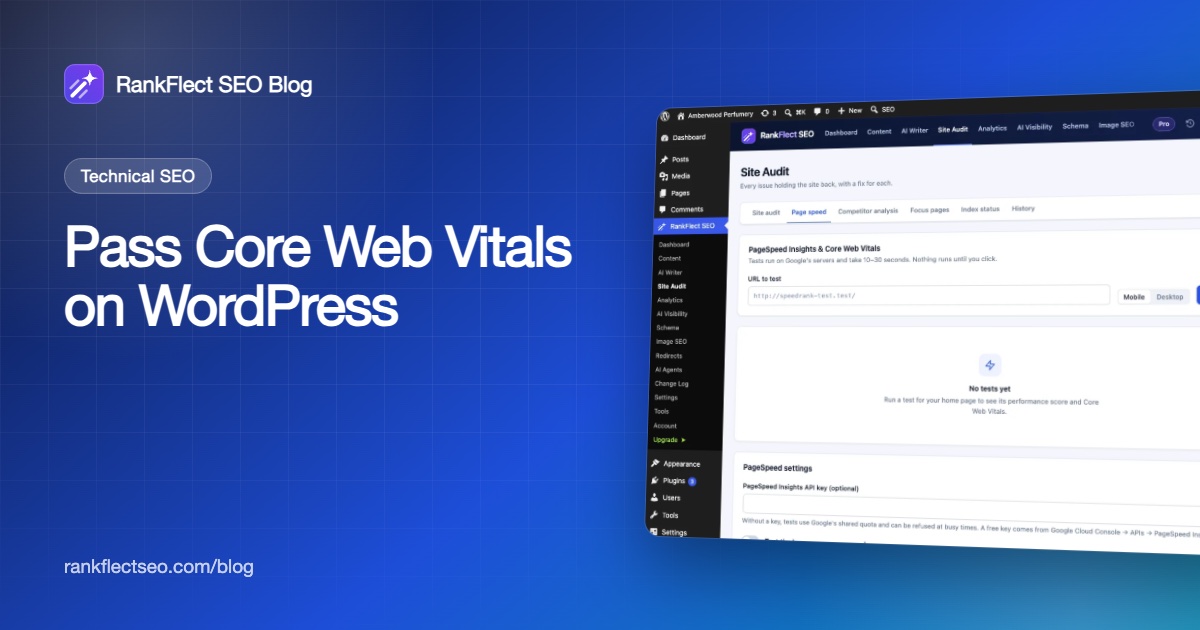
RankFlect SEO's free Page speed tab runs Google PageSpeed Insights on any page of your site without leaving WordPress. Go to RankFlect SEO → Site Audit → Page speed, enter a URL (or leave it empty for the home page), choose Mobile or Desktop and click Run test. Tests run on Google's servers and take 10 to 30 seconds.
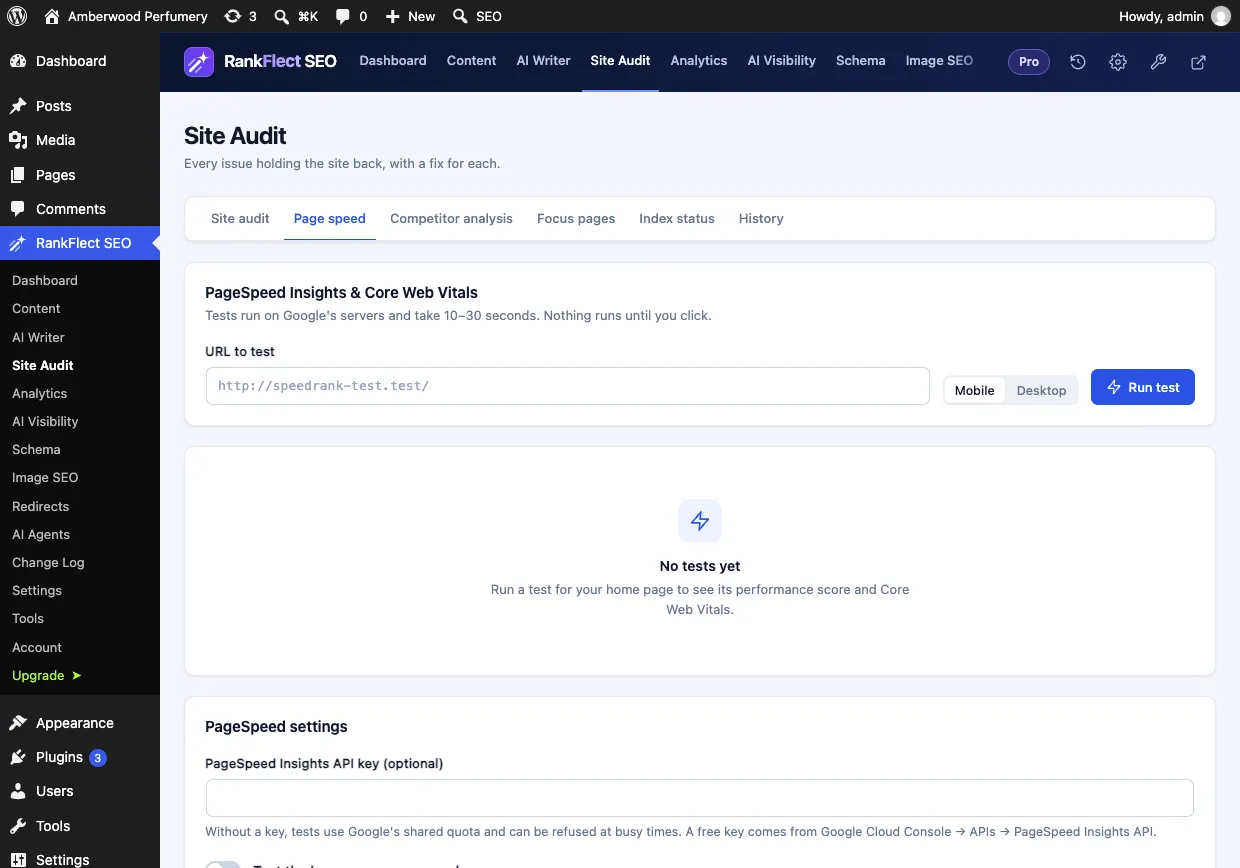
The results show:
- Whether the page passes or fails Core Web Vitals for real users, with LCP, INP, CLS and Time to First Byte from the Chrome UX Report. A "whole site" badge means Google only has data for the site as a whole.
- The lab test: LCP, Total Blocking Time, CLS, First Contentful Paint and Speed Index, each rated Good, Needs improvement or Poor.
- The biggest opportunities, with the estimated time saving.
- A score history for each page, so you can see whether a change helped. RankFlect SEO keeps history for up to 25 pages.
If tests are refused at busy times, add a free PageSpeed Insights API key in the PageSpeed settings at the bottom of the tab. You can also turn on a weekly test of your home page so the history fills in on its own; it is off by default.
The site audit has a separate Performance category that checks the setup behind those numbers: home page generation time, gzip or Brotli compression, page cache, page weight, render-blocking files, images without width and height, images that are not lazy-loaded below the fold, large image files, browser caching headers, object cache and autoloaded options. The full list with thresholds is in every site audit check explained. Use both together: the audit finds setup problems in seconds, and PageSpeed Insights measures what visitors experience.
RankFlect SEO itself adds no front-end JavaScript (apart from the optional Google Analytics tag) and loads a small stylesheet only on pages that use its FAQ, How-to or Table of contents blocks, so it does not add to your INP or LCP problems. For the image side of LCP and CLS, see the image SEO tools. You can download RankFlect SEO for free to run these tests from your dashboard.
A simple Core Web Vitals workflow for WordPress
- Check Search Console to see which metric fails and on which group of URLs.
- Test one URL from that group on mobile.
- Fix the biggest cause at the template level: caching, hero image, a heavy plugin or missing dimensions.
- Re-test in the lab to confirm the improvement.
- Wait for field data to catch up. It covers 28 days, so a fix takes up to four weeks to show fully.
- In Search Console, click Validate fix on the issue to have Google track it.
Frequently asked questions
Why does PageSpeed Insights give a high score but say my page fails Core Web Vitals?
The score comes from a single lab test, while the pass or fail comes from 28 days of real-user data. Real visitors may use slower phones and networks than the simulated test. Trust the field data for pass or fail, and use the lab report to find causes.
Why is there no Core Web Vitals data for my site?
Google only reports field data when enough Chrome users visited the page or site in the last 28 days. Small and new sites often have none. Use lab tests until traffic grows.
What is a good INP score for WordPress?
200 milliseconds or less at the 75th percentile is good, and above 500 milliseconds is poor. Heavy plugins, page builders and third-party scripts are the most common reasons WordPress sites miss it.
Which caching plugin is best for Core Web Vitals?
Any reliable page cache helps LCP far more than the choice between brands. Many managed hosts include server-level caching, in which case an extra caching plugin may be unnecessary. Test before and after rather than stacking several optimization plugins.
How long does it take for Core Web Vitals improvements to show in Search Console?
Field data uses a rolling 28-day window, so improvements appear gradually over about four weeks. After validation starts, Search Console monitors the affected URLs over that period before marking the issue as fixed.
- #core web vitals
- #page speed
- #wordpress performance
- #lcp
- #inp
- #cls
Written by
RankFlect SEO TeamThe people who build RankFlect SEO, the WordPress SEO plugin with a built-in MCP server. We write about what we learn shipping SEO tools for AI search.
All articles →Let AI agents fix your SEO. You keep the undo button.
RankFlect SEO is free for unlimited sites, with a built-in MCP server, approval for every change and no AI credits.