WordPress MCP Server: Connect Cursor, VS Code and Claude Desktop
How WordPress MCP servers work, which transport each client uses, and step-by-step config for Cursor, VS Code with Copilot and Claude Desktop.
In this article
- Key takeaways
- What is a WordPress MCP server?
- Three ways to run an MCP server for WordPress
- 1. A plugin with its own MCP endpoint
- 2. The WordPress MCP Adapter and the Abilities API
- 3. A local bridge to the REST API
- Transports: why each client's config looks different
- How to connect Cursor, VS Code and Claude Desktop to a WordPress MCP server
- Step 1: Turn on the server
- Step 2: Create one token per client
- Step 3: Connect Cursor
- Step 4: Connect VS Code
- Step 5: Connect Claude Desktop
- Step 6: Test the connection
- What an agent can and can't do through the server
- Troubleshooting a WordPress MCP server connection
- Frequently asked questions
- Does WordPress have a built-in MCP server?
- Can I connect a local WordPress site to Cursor or VS Code?
- Why does Claude Desktop need Node.js for a WordPress MCP server?
- Is it safe to connect an MCP client to my live site?
- Can I use the same token in Cursor, VS Code and Claude Desktop?
A WordPress MCP server is an endpoint that lets AI clients such as Cursor, VS Code with GitHub Copilot and Claude Desktop discover and run actions on your WordPress site through the Model Context Protocol. You add the server's URL and a credential to the client's config file, and the AI can then read and change what the server exposes. This guide explains how WordPress MCP servers work, the main ways to run one and the exact config for each of the three clients.
Key takeaways
- MCP is an open standard. A WordPress MCP server publishes "tools" an AI client can call, such as reading a post's SEO fields or running an audit.
- There are three common setups: a plugin with its own HTTP endpoint, the official WordPress MCP Adapter built on the Abilities API, or a local bridge that talks to the REST API.
- Cursor and VS Code connect to a remote HTTP server directly. The Claude Desktop config file uses a small local bridge,
mcp-remote, which needs Node.js. - Each client uses a slightly different JSON format. Most connection failures are a wrong key name, invalid JSON or a missing restart.
- Give every client its own scoped, expiring credential, and keep real tokens out of shared repositories.
What is a WordPress MCP server?
The Model Context Protocol describes itself as "an open-source standard for connecting AI applications to external systems", and compares itself to a USB-C port for AI applications. There are two sides:
- The client is the AI app you type into: Cursor, VS Code, Claude Desktop, Claude Code, claude.ai or ChatGPT.
- The server is the system that offers capabilities. It lists tools (actions with typed inputs), and can also offer resources and prompts (ready-made workflows).
A WordPress MCP server is the WordPress side of that conversation. When you ask Cursor "which posts are missing a meta description?", the model sees the tool list, picks a tool such as list_posts_missing_meta, calls it with arguments, and reads back the result. The model never touches your database directly. It can only do what the server's tools allow, and only with the permissions of the credential you gave it.
That last point is why the choice of server matters. The server decides what is exposed, how sign-in works and whether changes can be reviewed or undone.
Three ways to run an MCP server for WordPress
1. A plugin with its own MCP endpoint
Some plugins serve MCP directly from your site over HTTP, usually under /wp-json/. The client connects to that URL with a token. Nothing extra runs on your computer, and the plugin controls which tools exist, so they can be specific to one job, such as SEO.
2. The WordPress MCP Adapter and the Abilities API
WordPress 6.9 added the Abilities API, a standard way for plugins to describe what they can do. The official WordPress MCP Adapter "bridges WordPress's Abilities API with the MCP specification". According to its repository, it supports HTTP and STDIO transports, runs STDIO through WP-CLI, and keeps abilities private unless they are marked public for MCP. This route suits developers who want one server for abilities from several plugins.
3. A local bridge to the REST API
Community packages run on your computer with npx, take a site URL and a username with an Application Password, and translate tool calls into REST API requests. They can be flexible, but an Application Password carries the full permissions of that user. Read the source of any package before giving it credentials.
Transports: why each client's config looks different
MCP clients talk to servers over a transport. Two matter here:
- STDIO. The client starts a local program and talks to it through standard input and output. The config has a
commandandargs. - Streamable HTTP. The client sends JSON-RPC requests to a URL. The config has a
urland usuallyheadersfor authentication.
Cursor's MCP docs list STDIO, SSE and Streamable HTTP. VS Code supports HTTP servers with "type": "http". The Claude Desktop config file starts local commands, so a remote HTTP server is reached through mcp-remote, a bridge started with npx that forwards requests to the URL with your header. That is why Claude Desktop needs Node.js installed for this setup.
Because Cursor, VS Code and the bridge all run on your computer, they can reach a local or staging site that isn't on the public internet. Web apps such as claude.ai can only reach a public HTTPS site.
How to connect Cursor, VS Code and Claude Desktop to a WordPress MCP server
The steps below use RankFlect SEO, which has a built-in MCP server for SEO work. It is free, needs no account and no companion plugin, and offers 101 tools on a free site (128 with RankFlect SEO Pro), as listed in the MCP tool reference. The client config shapes are the same for any HTTP server; only the URL and token change.
Step 1: Turn on the server
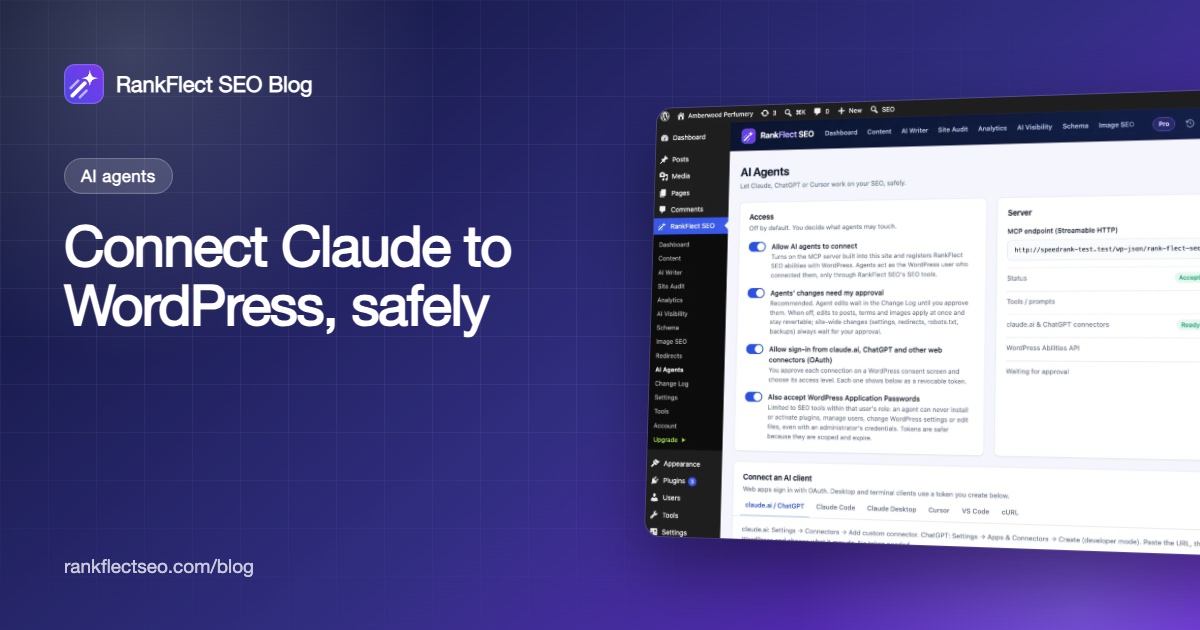
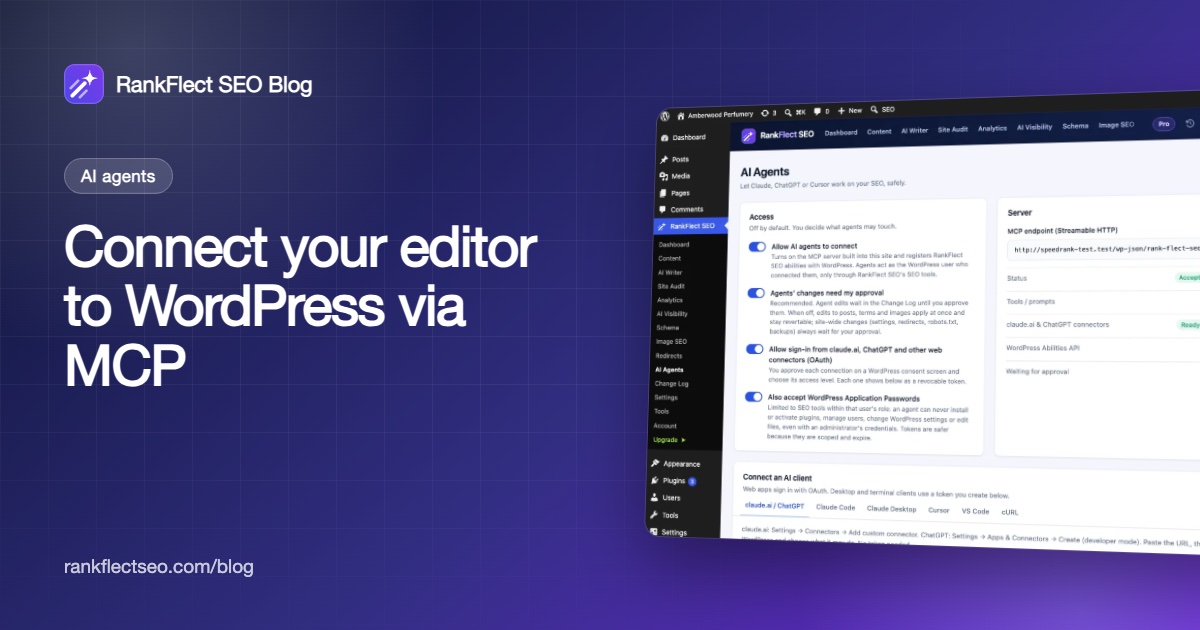
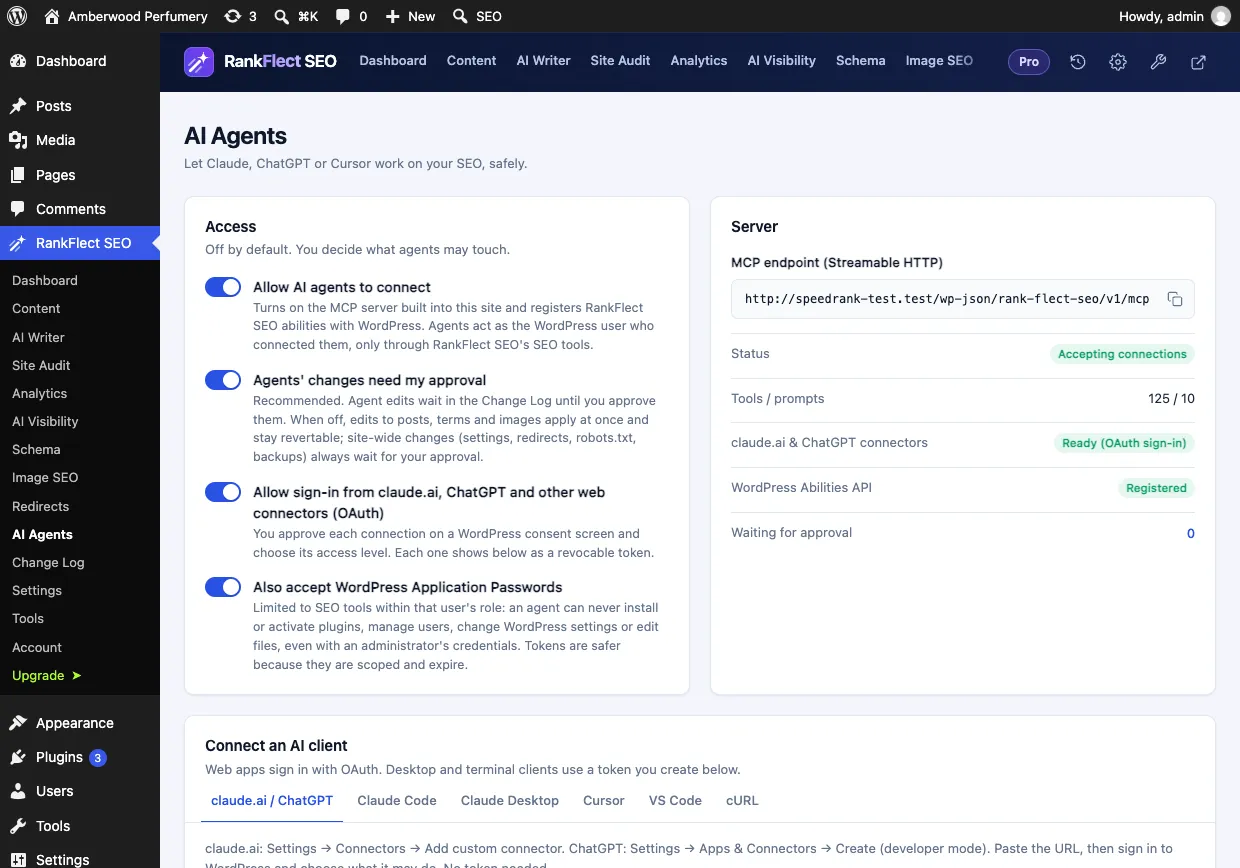
- Go to RankFlect SEO → AI Agents.
- In the Access card, turn on Allow AI agents to connect.
- Leave Agents' changes need my approval on, so edits wait for you in the Change Log.
The Server card then shows Accepting connections and your endpoint, which looks like https://example.com/wp-json/rank-flect-seo/v1/mcp.
Step 2: Create one token per client
In the Agent tokens card, click Create token. Name it after the client ("Cursor on my laptop"), pick an expiry (the default is 90 days) and a permissions preset: Read only, Content editor or Full. The token starts with sr_ and is shown once, and RankFlect SEO fills it into the ready-made snippet on each client's tab. One token per client means the Change Log shows which client made each edit, and you can revoke one without breaking the others. See agent tokens, scopes and access levels.
Step 3: Connect Cursor
Cursor reads ~/.cursor/mcp.json for every project, or .cursor/mcp.json inside one project. Add an entry under mcpServers:
{
  "mcpServers": {
    "rankflect": {
      "url": "https://example.com/wp-json/rank-flect-seo/v1/mcp",
      "headers": {
        "Authorization": "Bearer sr_your_token_here"
      }
    }
  }
}
Cursor supports ${env:NAME} in url and headers, so you can write "Bearer ${env:RANKFLECT_TOKEN}" and keep the token in your shell environment instead of the file. More detail: connect Cursor.
Step 4: Connect VS Code
VS Code uses a top-level servers key (not mcpServers) and needs "type": "http". Save this as .vscode/mcp.json in the open folder:
{
  "servers": {
    "rankflect": {
      "type": "http",
      "url": "https://example.com/wp-json/rank-flect-seo/v1/mcp",
      "headers": {
        "Authorization": "Bearer sr_your_token_here"
      }
    }
  }
}
Start the server from the MCP view, then use it in Copilot chat. To avoid a token in the file, VS Code's MCP configuration format supports an inputs entry of type promptString with "password": true, referenced as ${input:id}. VS Code asks for the value the first time the server starts. More detail: connect VS Code.
Step 5: Connect Claude Desktop
In Claude Desktop, open Settings → Developer → Edit config to open claude_desktop_config.json, then add:
{
  "mcpServers": {
    "rankflect": {
      "command": "npx",
      "args": [
        "-y",
        "mcp-remote",
        "https://example.com/wp-json/rank-flect-seo/v1/mcp",
        "--header",
        "Authorization: Bearer sr_your_token_here"
      ]
    }
  }
}
Save the file, then quit Claude Desktop completely and open it again. It reads the config only at start-up. If the file already has servers, add only the "rankflect" entry, separated by a comma. More detail: connect Claude Desktop. To connect claude.ai in the browser instead, see our guide to connecting Claude to WordPress.
Step 6: Test the connection
In any of the three clients, ask: "Run site_overview and summarise my site's SEO." A working connection answers with your site name, active modules, content counts and audit score. In wp-admin, the token's Last used column and the Activity card show the call.
What an agent can and can't do through the server
Every write tool accepts dry_run, which returns the old and new values without saving, so ask for a preview first. With approval mode on, edits wait in the Change Log until a person approves them, and every applied change can be undone. Site-wide changes such as settings and redirects always wait for an administrator, even with approval mode off.
Some actions are never offered to agents. Switching modules on or off, editing robots.txt, changing verification codes and restoring backups stay in wp-admin for administrators. An agent also can't install plugins, manage users or edit theme files: the tools work on SEO data only.
RankFlect SEO also registers its tools as WordPress abilities on WordPress 6.9 and later, so an MCP adapter can expose them too. For Cursor, VS Code and Claude Desktop, its own endpoint is the better fit, because it adds per-token permissions. See WordPress Abilities API support.
Troubleshooting a WordPress MCP server connection
- The server doesn't appear. Check the JSON for a missing comma or bracket. In VS Code, check the file uses
serversand sits in.vscode/of the open folder. Restart Claude Desktop fully. - Claude Desktop can't start the server. Install Node.js so
npxis available, then restart. - "Invalid or expired RankFlect SEO agent token." The token was mistyped, revoked or has expired. Create a new one and update the config.
- "Authentication required". The header didn't reach WordPress. Some web servers strip the
Authorizationheader; send the token asX-RankFlect-Tokeninstead. - Fewer tools than expected. The token's permissions hide tools it can't use. Create a token with the areas you need.
- Requests are blocked. A security plugin may block the REST API. Allow
/wp-json/rank-flect-seo/v1/.
Every error message is explained in fix MCP connection problems. If you want to try this on your own site, download RankFlect SEO for free; the MCP server is included.
Frequently asked questions
Does WordPress have a built-in MCP server?
WordPress core added the Abilities API in 6.9, and the official MCP Adapter package turns abilities into MCP tools. On a self-hosted site you still add the adapter or a plugin that provides an MCP endpoint. Some plugins, such as RankFlect SEO, include their own server.
Can I connect a local WordPress site to Cursor or VS Code?
Yes. Cursor, VS Code and Claude Desktop's mcp-remote bridge run on your computer, so they can reach a local or staging URL. Web apps such as claude.ai and ChatGPT need a public HTTPS site.
Why does Claude Desktop need Node.js for a WordPress MCP server?
The config uses npx to start mcp-remote, a small bridge that forwards Claude Desktop's requests to your site's HTTP endpoint with your token. npx comes with Node.js.
Is it safe to connect an MCP client to my live site?
It depends on the server. Look for scoped, expiring credentials, a preview or dry-run option, an approval queue and an undo log. Use a read-only token first, and avoid Application Passwords for agents, because they carry the user's full role.
Can I use the same token in Cursor, VS Code and Claude Desktop?
It works, but it is better not to. Separate tokens show which client made each change and let you revoke one without breaking the others.
- #mcp
- #wordpress mcp
- #cursor
- #vs code
- #claude desktop
- #ai agents
Written by
RankFlect SEO TeamThe people who build RankFlect SEO, the WordPress SEO plugin with a built-in MCP server. We write about what we learn shipping SEO tools for AI search.
All articles →Let AI agents fix your SEO. You keep the undo button.
RankFlect SEO is free for unlimited sites, with a built-in MCP server, approval for every change and no AI credits.