AI SEO Agent for WordPress: Let AI Make Changes Without Breaking It
AI agents can audit your site and fix meta descriptions, alt text and redirects. Here is how to let them work without risking your WordPress site.
In this article
- Key takeaways
- What an AI SEO agent can usefully do on WordPress
- The real risks of letting AI edit your site
- Wrong bulk edits
- Too much access
- Prompt mistakes and misunderstandings
- No way to see or undo what happened
- A safety model for an AI SEO agent on WordPress
- Practical workflows and example prompts
- 1. Health check (read only)
- 2. Missing meta descriptions
- 3. Alt text cleanup
- 4. One post, fully optimized
- How RankFlect SEO keeps AI agents in check
- Scoped tokens and connections
- Dry runs, approval and undo
- A Change Log for every edit
- What an agent can never do
- Activity you can watch
- Ready-made workflows
- A sensible way to start
- Frequently asked questions
- Can an AI agent break my WordPress site?
- Can an AI agent publish posts on its own?
- Which AI clients work with WordPress over MCP?
- Is it safe to let AI write meta descriptions in bulk?
- Do I need a paid plan to connect an AI agent?
An AI SEO agent on WordPress can audit your site, write missing meta descriptions, fix alt text, suggest internal links and set up redirects, often in minutes instead of an afternoon. The catch is that an agent with too much access can also make wrong bulk edits just as fast. This guide shows what an agent is good at, where the real risks are, and a simple safety model that lets AI make changes without breaking your site.
Key takeaways
- Give an AI agent narrow, SEO-only access. Never hand it an administrator login or the power to install plugins, manage users or edit files.
- Ask for a dry run first, so you see the old and new value of every field before anything is saved.
- Keep an approval queue on, so changes wait for a person to say yes.
- Make sure every change is logged with its old value and can be undone in one click.
- Start with small, reviewable tasks (ten posts, not your whole site) and widen access only when the results are good.
What an AI SEO agent can usefully do on WordPress
An AI agent is a language model that can call tools: read data, run a check, write a value. Over the Model Context Protocol (MCP), clients such as Claude, ChatGPT, Cursor or VS Code can connect to a WordPress site and use the tools it exposes. The agent reads, reasons and then proposes or makes changes.
The jobs that suit an agent best are repetitive, text-heavy and easy to check:
- Site audits. Run an audit, explain the issues in plain language and rank them by impact.
- Missing meta descriptions. Read each post and write a description that matches what the page actually says. Google's guidance on snippets and meta descriptions asks for unique, accurate descriptions per page, which is exactly the kind of tedious work an agent does well.
- Image alt text. Describe images that have no alt text, checked against the file name and the post they appear in.
- Internal links. Suggest links between related posts, with anchor text and where each link fits.
- Redirects. Match the most-hit 404 URLs to the best live page and propose 301 redirects.
- Keyword cannibalization. Find posts competing for the same query and suggest which one should be the main page.
What an agent should not do is just as clear: publish content on its own, change who can log in, install code or touch server files. Those jobs carry risk far beyond SEO.
The real risks of letting AI edit your site
Most AI mistakes on a WordPress site are not dramatic hacks. They are ordinary errors made at scale.
Wrong bulk edits
An agent asked to "fix all titles" may rewrite 200 titles in a style you dislike, drop brand names, or stuff the same keyword everywhere. One bad edit is easy to spot. Two hundred bad edits are not, and without a record of the old values you cannot put them back.
Too much access
Connecting an agent with an administrator account, or with a WordPress Application Password tied to an admin user, gives it everything that user can do. The OWASP project calls this excessive agency: too much functionality, too many permissions and too much autonomy. Its advice is to limit tools to the minimum, grant least privilege, and require human approval for high-impact actions.
Prompt mistakes and misunderstandings
"Noindex the thin pages" can mean five posts to you and fifty to the agent. Vague prompts lead to confident, wrong actions. Agents can also be steered by text they read on a page, so an agent that reads content should not have powers that content could abuse.
No way to see or undo what happened
If changes are not logged, you cannot answer two simple questions after a session: what did the agent change, and how do I reverse it?
A safety model for an AI SEO agent on WordPress
The MCP specification itself says that for trust and safety there should always be a human in the loop with the ability to deny tool calls. In practice, that means five layers.
- Least-privilege tokens. Give each agent its own token with access only to the areas it needs: for example, write access to post SEO fields and read access to everything else. Set an expiry date. One token per client or person lets you revoke one without breaking the others.
- Dry runs. Every write should support a preview that returns the old and new value without saving. Ask for it by default.
- An approval queue. Agent changes are stored as proposals. A person reviews the before and after values and approves or rejects them. The agent cannot approve its own work.
- A change log with undo. Every applied change is recorded with its old value, who made it and why, and can be reverted one at a time or as a batch.
- Hard limits. Some things stay off the table whatever the token says: plugins, themes, users, core WordPress settings, files and API keys.
Add one more habit: watch an activity feed of the agent's tool calls, reads included, for the first few sessions. It shows you how the agent works before you trust it with more.
Practical workflows and example prompts
Good prompts are specific, limited and ask for a preview. Here are four you can adapt.
1. Health check (read only)
Run an SEO audit of the site. Summarize the five issues with the biggest impact, how many pages each affects and the fix you would make. Do not change anything yet.
2. Missing meta descriptions
Find up to 10 published posts without a meta description. Read each post and write a 130 to 155 character description that is accurate to the content and includes the focus keyword if one is set. Show me a table, then preview the changes with a dry run. Wait for my go-ahead.
3. Alt text cleanup
List images with no alt text. For up to 20 of them, write short, literal alt text that describes the image and fits the post it appears in. Skip decorative images. Dry run first.
4. One post, fully optimized
Analyse post 42. Explain which on-page checks fail, then propose a new SEO title, meta description, focus keyword and 3 to 5 internal links with anchor text. Preview with a dry run and give me a reason for each change.
Two rules make these safer: cap the number of items per run, and ask the agent to give a reason with every change. The reason becomes your note when you review the queue later.
How RankFlect SEO keeps AI agents in check
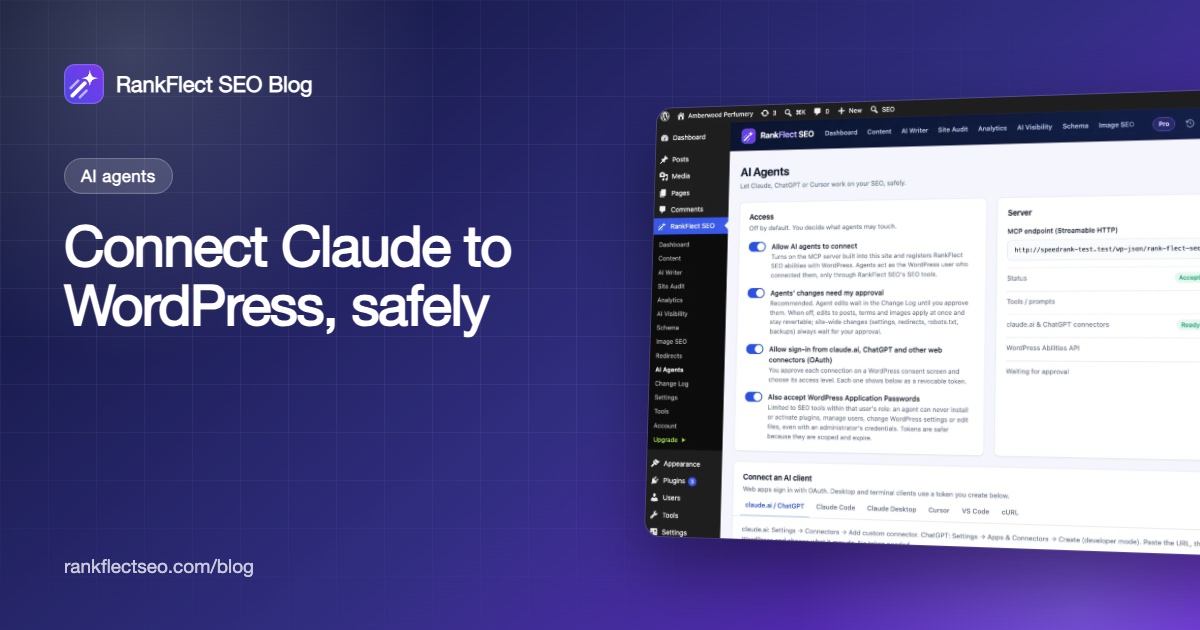
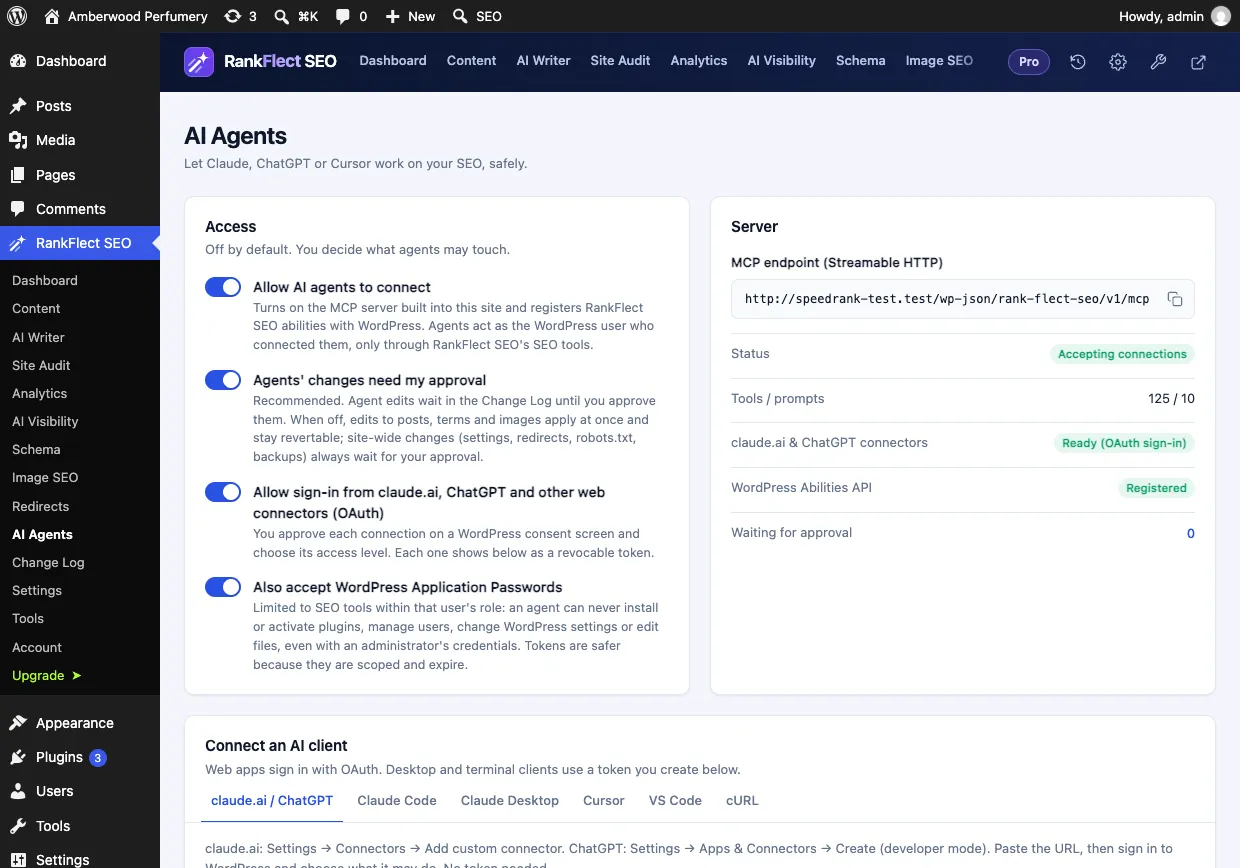
RankFlect SEO has a built-in MCP server, so an agent talks straight to your WordPress site with no companion plugin and no separate account. Agent access is off until you turn it on in RankFlect SEO → AI Agents, and the server, tokens and safety features are free. The steps are in connect an AI agent to WordPress over MCP.
Scoped tokens and connections
Desktop and terminal clients such as Claude Code, Claude Desktop, Cursor and VS Code use an agent token. claude.ai and ChatGPT connect by URL and you choose an access level on a WordPress consent screen. Each token has a name, an expiry (90 days by default) and per-area permissions set to None, Read or Write: content, redirects, audit, analytics, AI, settings and history. The default Content editor preset can write post SEO fields but has no access to settings. Tools outside a token's permissions are hidden from the agent, and a token never does more than the WordPress user who created it. See agent tokens, scopes and access levels.
Dry runs, approval and undo
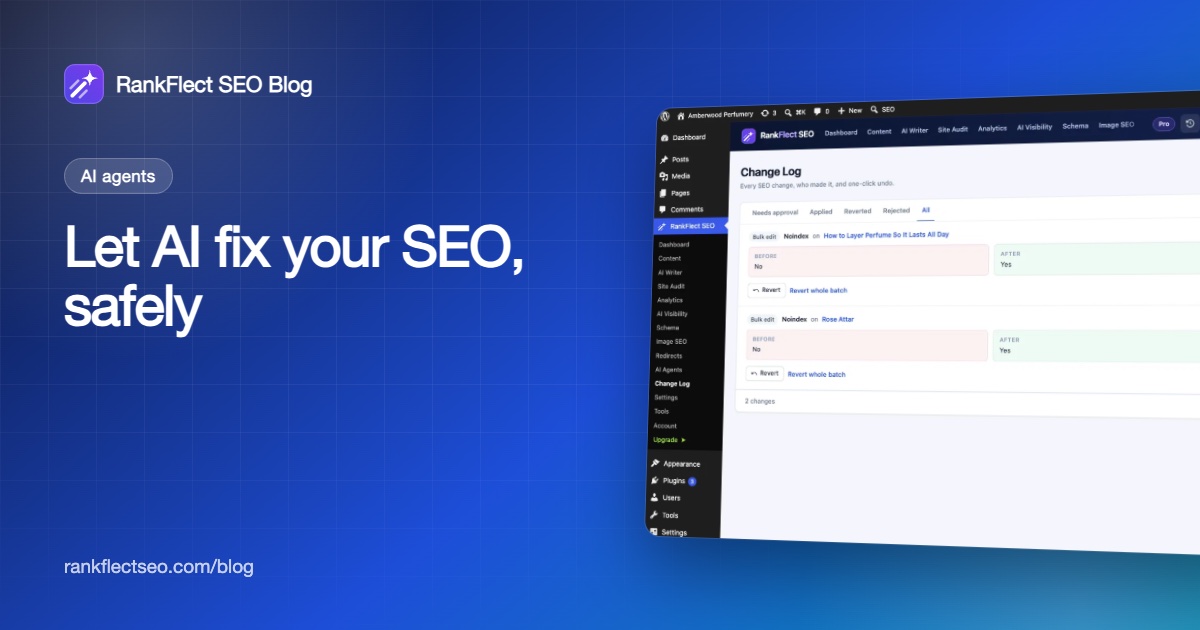
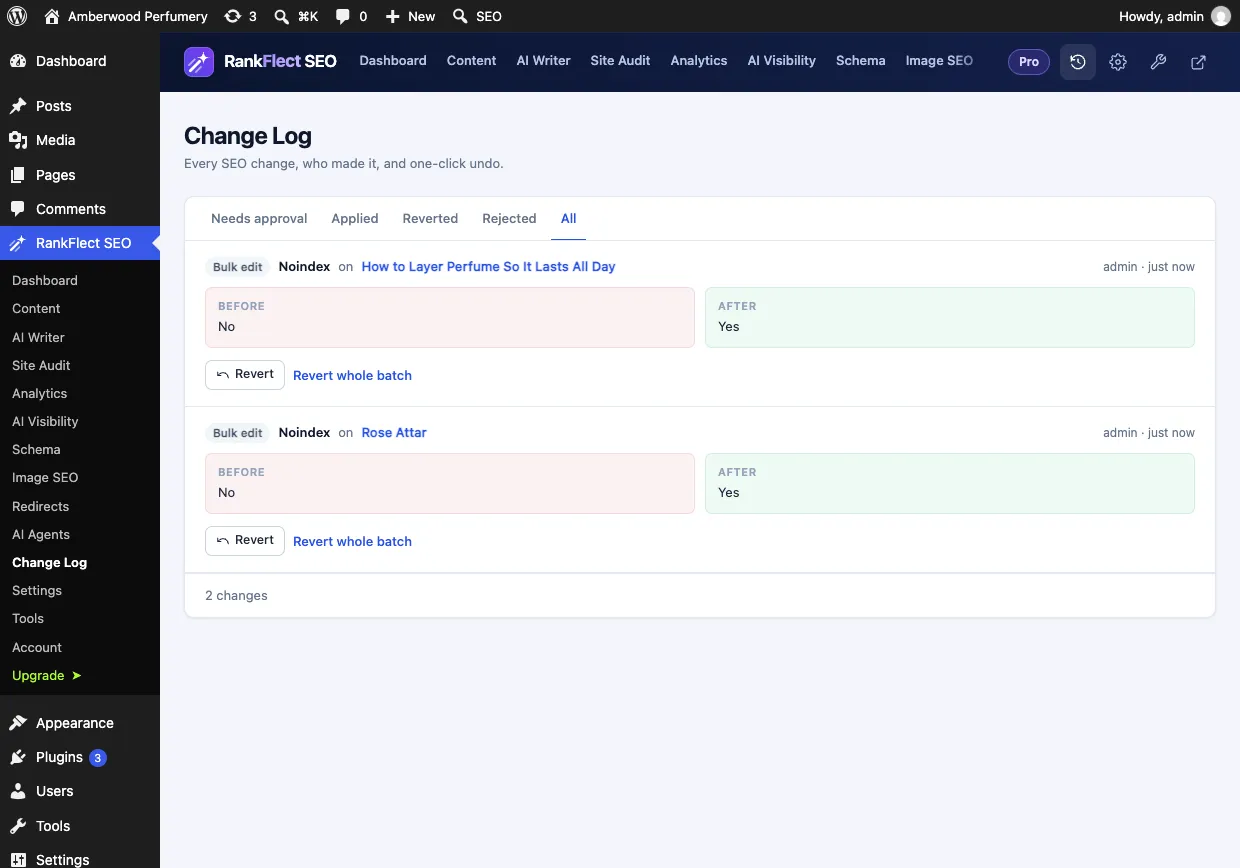
Every write tool accepts dry_run: true and returns the old and new values without saving. RankFlect SEO tells every connecting agent to dry-run before any write, so most do it on their own. Agents' changes need my approval is on by default: an agent's write becomes a pending change that waits in the Change Log until you click Approve or Reject. Changes from one call are grouped as a batch with Approve all and Reject all.
Site-wide SEO changes, such as SEO settings and redirects, always wait for an administrator's approval in wp-admin, even if you turn approval mode off. Some actions are not available to remote agents at all: switching modules, editing robots.txt, changing site verification codes and restoring backups stay in wp-admin. Before a real run of the Pro bulk tools, RankFlect SEO takes a backup of its data. Details are in approval mode, dry runs and undo.
A Change Log for every edit
Every SEO write goes through the same path, so the Change Log records edits from the editor, bulk tools, imports and AI agents alike. Each entry shows the field, the item, the before and after values, the agent's name and its note. Click Revert to undo one change or Revert whole batch to undo a whole run. If the same field changed again later, RankFlect SEO warns you before overwriting the newer edit.
What an agent can never do
RankFlect SEO's access only ever covers SEO work. An agent can never install, activate or update plugins or themes, manage users, change WordPress settings or edit files: those administrative capabilities are removed during an agent request, even when the token belongs to an administrator. Agent, AI and tracking settings can only be changed by a person in wp-admin, and API keys are never returned to agents.
Activity you can watch
The Activity card on RankFlect SEO → AI Agents lists the last 50 tool calls with the agent, the tool and the result, including reads. The tokens list shows when each token was last used, so you can revoke the ones you no longer need. See monitor what agents do.
Ready-made workflows
RankFlect SEO ships ready-made agent workflows that clients can run as slash commands, such as SEO health check, write missing meta descriptions, write missing alt text, optimise one post and fix audit issues. Each is written to preview first and wait for your go-ahead. The MCP tool reference lists every tool and the access it needs.
A sensible way to start
- Turn on agent access and leave approval mode on.
- Create a Read only token and ask for a health check. Read the answer and the Activity feed.
- Create a Content editor token that expires in 7 or 30 days.
- Run one small job, such as meta descriptions for 10 posts, and review every proposal in the Change Log.
- Revert anything you dislike, refine your prompt, and only then scale up.
If you want to try this on your own site, you can download RankFlect SEO free and connect an agent in a few minutes.
Frequently asked questions
Can an AI agent break my WordPress site?
It can if you give it administrator access through a general login or Application Password. With a scoped SEO tool like RankFlect SEO, agent access is off by default, limited to the areas you allow, and cannot touch plugins, themes, users, WordPress settings or files. With approval mode on, nothing an agent proposes goes live until you approve it, and applied changes can be undone.
Can an AI agent publish posts on its own?
Not in RankFlect SEO. No tool publishes posts: the article-writing tool saves a draft, and a person reviews and publishes it. That is a good rule for any AI setup, because facts in AI-written drafts need checking.
Which AI clients work with WordPress over MCP?
Any MCP client that supports the Streamable HTTP transport can connect to RankFlect SEO, including Claude Code, Claude Desktop, Cursor and VS Code. claude.ai and ChatGPT connect by URL, but they can only reach a site on public HTTPS.
Is it safe to let AI write meta descriptions in bulk?
It is safe if you can review and reverse the result. Cap each run, ask for a dry run, check a table of before and after values, and keep a change log with undo. Google may still choose its own snippet from your page content, so accuracy matters more than clever wording.
Do I need a paid plan to connect an AI agent?
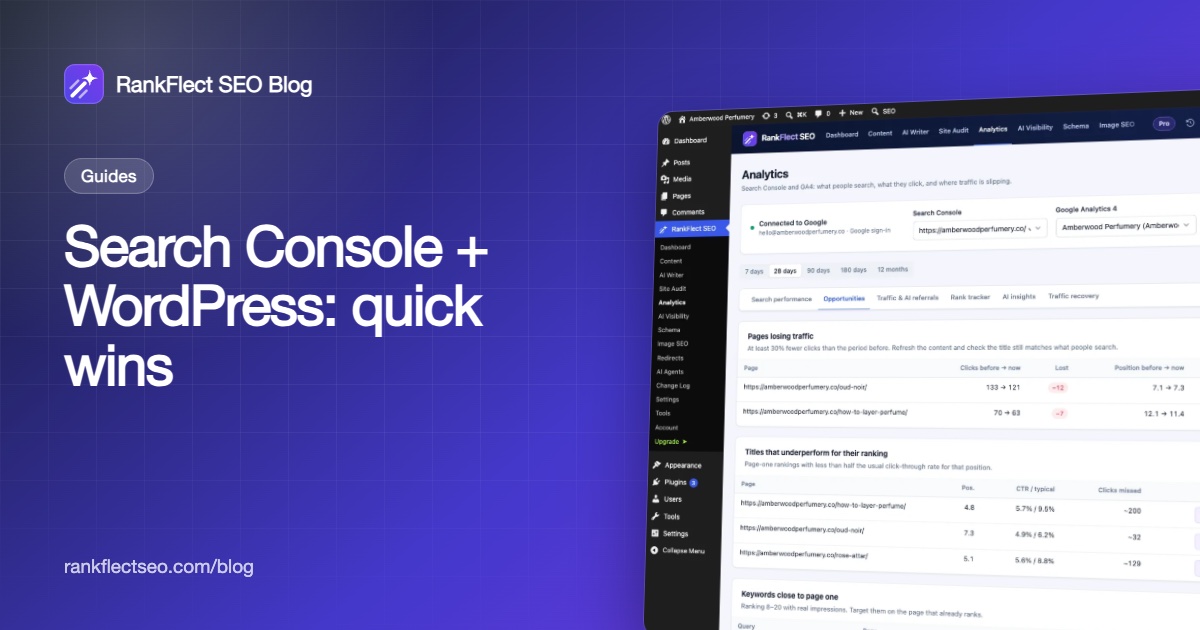
No. In RankFlect SEO, the MCP server, tokens, the claude.ai and ChatGPT connector, approval mode, the Change Log and the ready-made workflows are free. Pro adds more tools, such as bulk edits and Search Console reports.
- #ai agents
- #mcp
- #wordpress seo
- #ai safety
- #change log
Written by
RankFlect SEO TeamThe people who build RankFlect SEO, the WordPress SEO plugin with a built-in MCP server. We write about what we learn shipping SEO tools for AI search.
All articles →Let AI agents fix your SEO. You keep the undo button.
RankFlect SEO is free for unlimited sites, with a built-in MCP server, approval for every change and no AI credits.