SEOPress vs RankFlect SEO: Which Free SEO Plugin Does More?
A fair head-to-head of the free versions of SEOPress and RankFlect SEO, based on each vendor's docs: where each is stronger and which one fits your site.
In this article
- Key takeaways
- SEOPress vs RankFlect SEO at a glance
- On-page SEO and keywords
- Redirects and 404s
- Schema
- Sitemaps, indexing and analytics
- Site audit and settings
- AI features
- AI search: llms.txt and AI crawlers
- AI agents and MCP
- Local SEO, WooCommerce and migration
- Who should pick SEOPress, and who should pick RankFlect SEO
- Frequently asked questions
- Is SEOPress free version good enough?
- Does SEOPress have a free MCP server?
- Can RankFlect SEO import my SEOPress settings?
- Which is lighter, SEOPress or RankFlect SEO?
SEOPress vs RankFlect SEO comes down to what you need from the free version. SEOPress free is stronger on keywords (unlimited target keywords per post), analytics integrations and track record, while RankFlect SEO free includes more of what SEOPress keeps for PRO: a redirect manager, a site audit, a schema editor, llms.txt, AI with your own key and safer AI agent access. Here is a fair, feature-by-feature comparison of the two free plugins and who should pick which.
SEOPress details come from its WordPress.org page, features page and documentation, checked in November 2026 (SEOPress 10.4). RankFlect SEO details come from its own documentation (version 1.3.6). RankFlect SEO is our plugin, so we've tried to be especially careful to credit SEOPress where it leads.
Key takeaways
- SEOPress free leads on: unlimited target keywords, GA4, Matomo and Microsoft Clarity integration, Google Indexing API, a longer track record and a larger user base.
- RankFlect SEO free leads on: a full redirect manager, a site audit, a per-post schema manager, llms.txt, AI crawler switches, AI on your own key, local SEO and WooCommerce Product schema.
- Both have a free MCP server for AI assistants. SEOPress offers read-only connections; RankFlect SEO adds an approval queue, dry runs and undo.
- Both import from each other's main competitors, and RankFlect SEO imports SEOPress data directly.
SEOPress vs RankFlect SEO at a glance
SEOPress has been around since 2017 and lists more than 300,000 active installations on WordPress.org. It describes itself as fast and privacy-first and promises "no upsells in admin". SEOPress PRO and SEOPress Insights are its paid add-ons.
RankFlect SEO is a newer plugin with a much smaller user base. It is free for unlimited sites with no time or usage limit, and RankFlect SEO Pro is an optional separate download with a 14-day money-back guarantee. Its focus is AI with your own key and AI agents that work under your approval.
On-page SEO and keywords
Both plugins cover the basics on the free version: SEO titles and meta descriptions with variables, robots meta, custom canonicals, Open Graph and X cards, and a Google preview.
- SEOPress free: content analysis "with unlimited target keywords" and "no artificial limit per post", mobile and desktop Google previews, Facebook and X previews, and a universal SEO metabox that works in Gutenberg and many page builders, including Elementor, Divi, Bricks, Oxygen and Breakdance.
- RankFlect SEO free: live content analysis with an SEO score and a separate readability score, a headline analyzer, a keyword cannibalization warning and pixel-width bars for titles and descriptions. The free plugin has one focus keyword per post; unlimited related keywords with synonyms and word forms are in RankFlect SEO Pro. Gutenberg, the Classic Editor and Elementor get a native panel, and the analysis also reads Divi, Oxygen, Breakdance and Bricks content.
Who's stronger: SEOPress, if you want several keywords scored on every post for free.
Redirects and 404s
- SEOPress free: redirects at the post, page and custom post type level, with 301, 302 or 307 and an option to apply them only to logged-in or logged-out visitors. The site-wide redirect manager, regex, CSV import and export and 404 monitoring are SEOPress PRO features.
- RankFlect SEO free: a redirect manager for any path with 301, 302 and 307, automatic redirects when a slug changes, an offer to redirect deleted content, and CSV import and export. Prefix and regex matching, the 308, 410 and 451 types and the 404 monitor are in RankFlect SEO Pro.
Who's stronger: RankFlect SEO, for a free site-wide redirect manager. Neither logs 404s on the free version.
Schema
- SEOPress free: Organization data for Google's Knowledge Graph, including address and legal fields. The visual schema editor with types such as Article, FAQ, How-to, Product, Recipe and LocalBusiness, and automatic schemas with conditions, are SEOPress PRO.
- RankFlect SEO free: an automatic JSON-LD graph, a schema manager on every post with 16 types plus custom JSON-LD, a validator, import of schema from any URL, and FAQ, How-to and Table of contents blocks. Schema templates with display conditions are Pro.
Who's stronger: RankFlect SEO, for per-post schema on the free version.
Sitemaps, indexing and analytics
- SEOPress free: XML sitemaps for posts, pages, custom post types, taxonomies, images and authors, an HTML sitemap, the Google Indexing API and IndexNow, and GA4 and Matomo tracking with Microsoft Clarity integration. News and video sitemaps are PRO.
- RankFlect SEO free: XML sitemaps with images and a readable HTML view in the browser, an HTML sitemap block, IndexNow, and Search Console and GA4 reports, including visits from AI assistants such as ChatGPT and Perplexity. News and video sitemaps are Pro.
Who's stronger: SEOPress for tracking options and Google Indexing API support; RankFlect SEO for Search Console reports inside WordPress on the free version.
Site audit and settings
SEOPress's site audit is a PRO feature. RankFlect SEO's free plugin includes a site audit with a 0 to 100 score across indexing, metadata, content, technical, social, AI search, security and performance. It runs automatically every 7 days; running it on demand is in RankFlect SEO Pro.
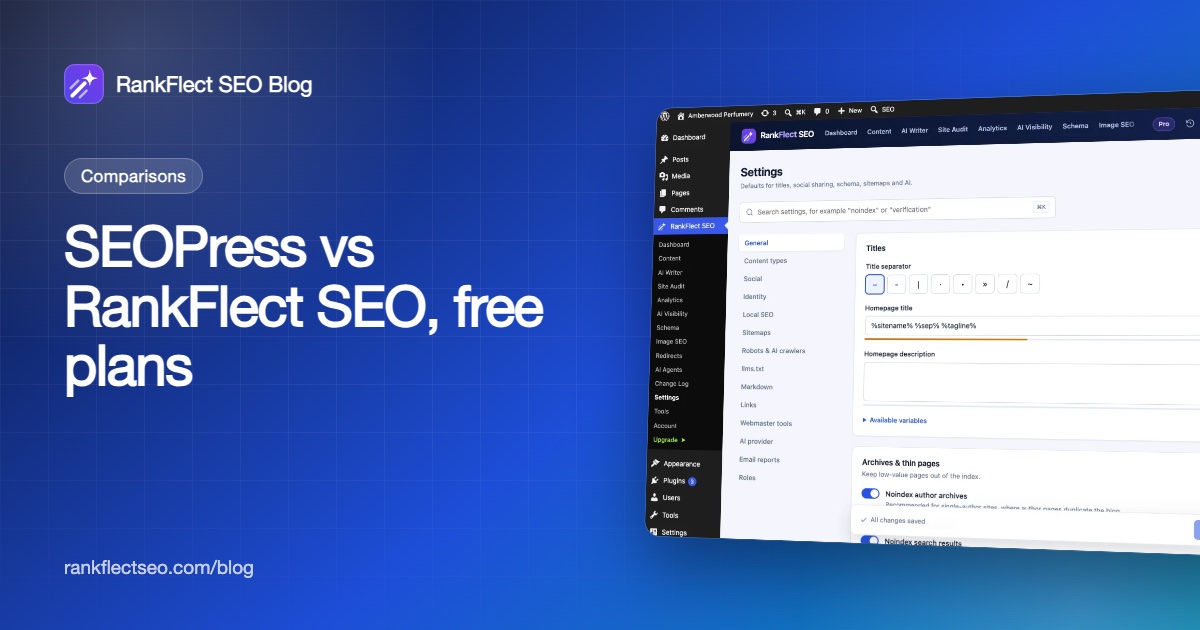
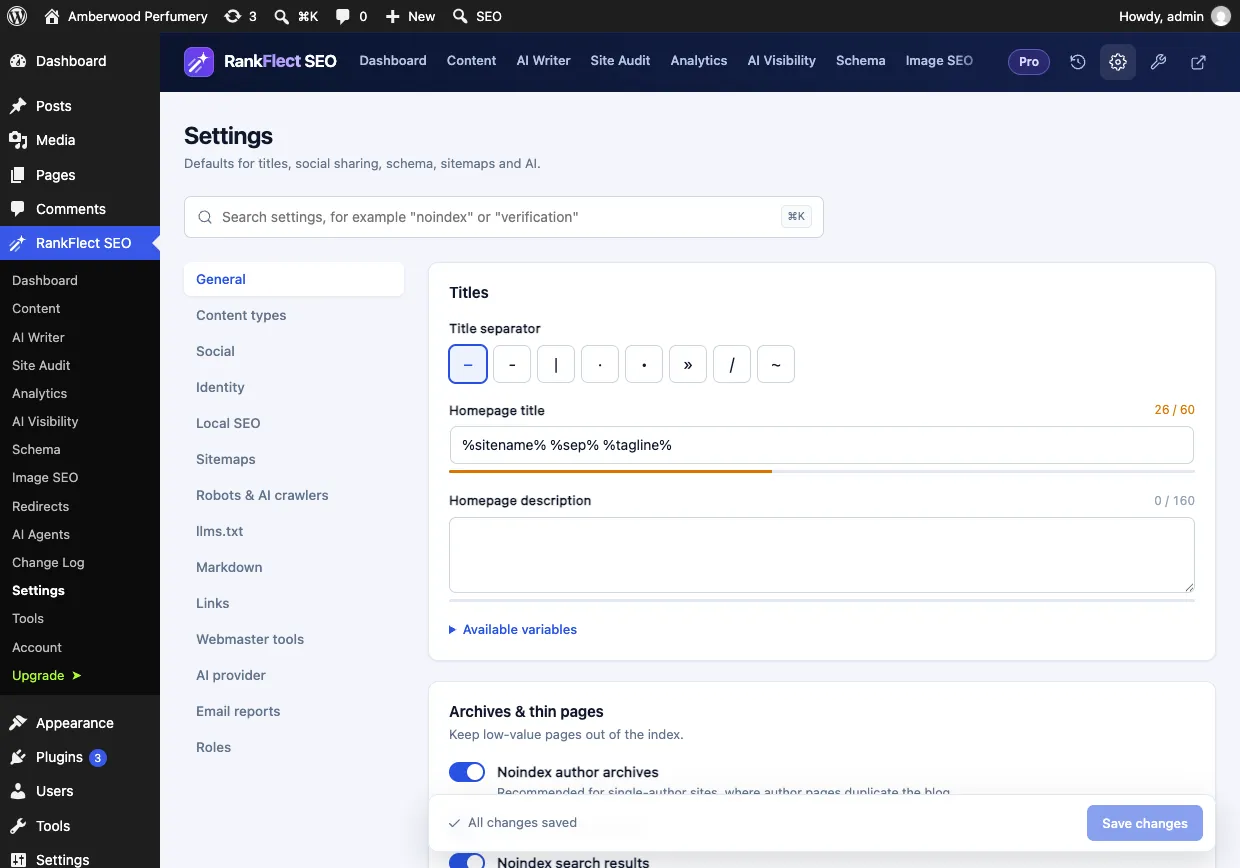
Both plugins have a searchable settings screen. SEOPress has a command palette on Cmd or Ctrl+K; RankFlect SEO's Settings has a search box you open with / or Ctrl+K.
AI features
- SEOPress: AI-generated titles, descriptions, Open Graph and X tags and image alt text, with OpenAI, Gemini, Claude, Mistral or DeepSeek, are listed under SEOPress PRO.
- RankFlect SEO free: AI title, description and keyword suggestions, "Explain with AI" on every check, alt text, content briefs and full article drafts with your own key for Anthropic, OpenAI, Gemini or OpenRouter, or a local model such as Ollama. Bulk AI and AI on publish are Pro.
Who's stronger: RankFlect SEO, if you want AI on the free version.
AI search: llms.txt and AI crawlers
SEOPress lists llms.txt and its "Agent Readiness" toggle under SEOPress PRO. RankFlect SEO's free plugin includes llms.txt, robots.txt switches for AI crawlers such as GPTBot, ClaudeBot, PerplexityBot and Google-Extended, and a 90-day report of which AI bots read which pages. Markdown versions of pages and llms-full.txt are Pro. One honest note: Google has said llms.txt does not affect Google Search, so treat it as help for AI tools, not a ranking boost.
AI agents and MCP
Both plugins ship a free MCP server, which lets Claude, ChatGPT or Cursor work on your SEO.
- SEOPress: its MCP guide says the server "ships in SEOPress Free" with 21 tools, and PRO adds 15 more. It needs WordPress 6.9 or later. When a client connects, you choose "Read only" or "Read and change", and you can switch off individual tools. The guide notes that change tools save to your live site, "exactly as if you had edited the post yourself".
- RankFlect SEO: 101 tools on the free plan (128 with Pro). claude.ai and ChatGPT connect by URL through a WordPress consent screen with read-only, content editor or full access. Edits wait for your approval by default, writes can be dry-run first, and every change can be undone one at a time or as a batch. Site-wide changes always need an administrator's approval, and agents can never change WordPress settings, restore backups or edit robots.txt. See approval, dry run and undo.
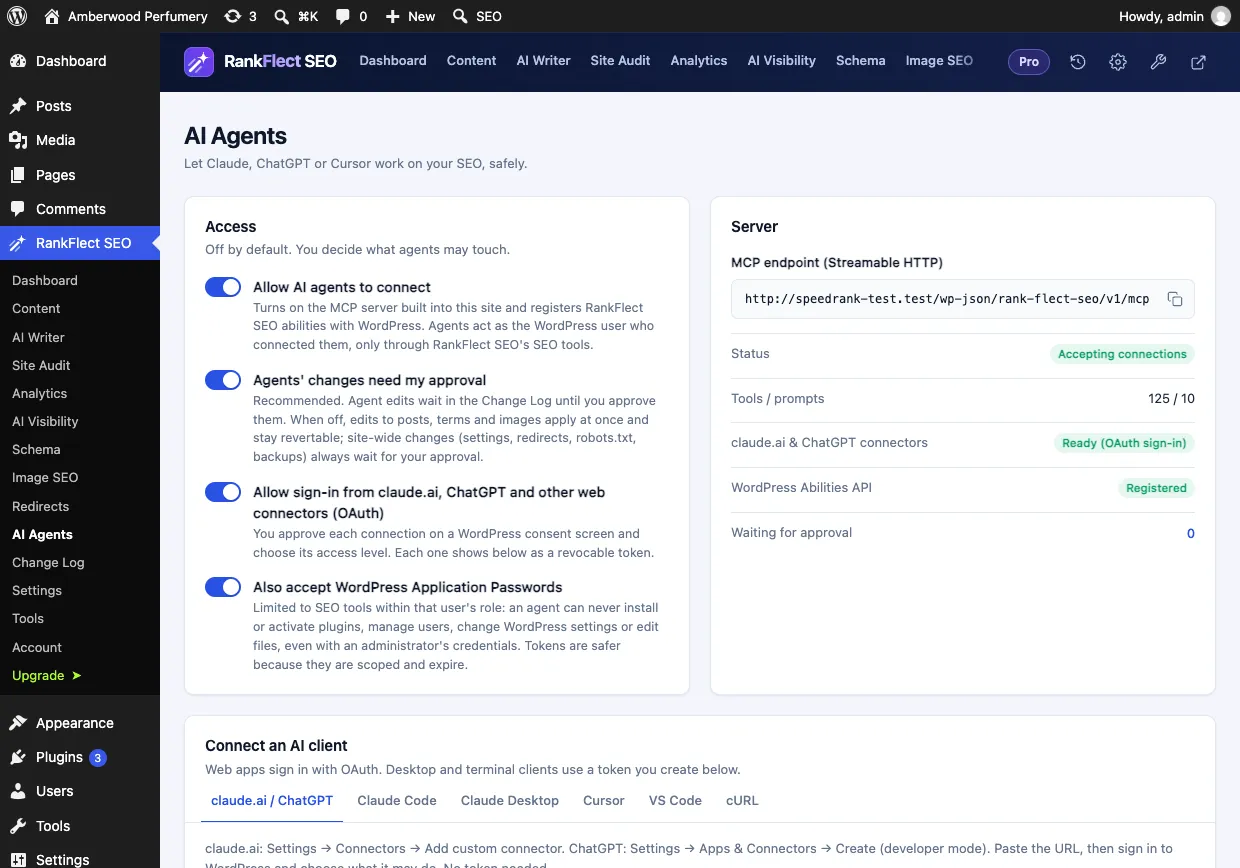
Who's stronger: RankFlect SEO, if you want agent edits reviewed before they go live and a one-click undo. SEOPress's read-only mode is a good, simple option for audits.
Local SEO, WooCommerce and migration
Local SEO is in SEOPress PRO. RankFlect SEO includes it free for one business, with opening hours and LocalBusiness schema; multiple locations are Pro.
WooCommerce product schema is in SEOPress PRO, though the free XML sitemaps include product images. RankFlect SEO's free plugin outputs full Product schema with price, availability, brand and reviews, and keeps cart and checkout out of search; its own GTIN, MPN and variation fields are Pro.
Migration: SEOPress imports from more plugins, including Yoast SEO, Rank Math, AIOSEO, The SEO Framework, Slim SEO, SmartCrawl and Squirrly. RankFlect SEO imports from seven SEO plugins, SEOPress among them, plus Redirection. From SEOPress it copies the title, description, target keyword, noindex, nofollow, canonical, Facebook title, description and image, primary category, and category and tag titles and descriptions. See import from another SEO plugin.
Who should pick SEOPress, and who should pick RankFlect SEO
Pick SEOPress if you want unlimited target keywords on the free version, use Matomo or Microsoft Clarity, want the Google Indexing API, value a long track record, or already plan to buy SEOPress PRO for its audit and redirect tools.
Pick RankFlect SEO if you want a free redirect manager, site audit, schema manager, llms.txt and local SEO, want AI without a paid plan, or want AI agents to work on your SEO with approval and undo.
Either way, run only one SEO plugin. If you want to try RankFlect SEO on a site that runs SEOPress today, download it free, import on a staging copy, and compare a few pages. Our guide to switching SEO plugins without losing rankings has the full checklist.
Frequently asked questions
Is SEOPress free version good enough?
For many sites, yes. SEOPress free covers titles, descriptions, sitemaps, social tags, per-post redirects and content analysis with unlimited keywords. You would add SEOPress PRO, or another plugin, for a site audit, a site-wide redirect manager, schema editing, local SEO or AI.
Does SEOPress have a free MCP server?
Yes. SEOPress's documentation says the MCP server ships in SEOPress Free with 21 tools, and SEOPress PRO adds 15 more. It needs SEOPress 10.3 or later and WordPress 6.9 or later.
Can RankFlect SEO import my SEOPress settings?
It imports SEOPress's post, page, category and tag SEO data, but not SEOPress's site-wide settings or redirects. After the import, set your title templates, social defaults and verification codes in RankFlect SEO's Settings, and add any redirects you need.
Which is lighter, SEOPress or RankFlect SEO?
Both are modular: you can turn off the features you don't use. RankFlect SEO adds no front-end JavaScript apart from an optional Google Analytics tag, and loads a small stylesheet only on pages that use its blocks. For your own site, test page speed with each plugin rather than relying on claims.
- #seopress
- #seopress alternative
- #seo plugins
- #wordpress seo
- #free seo plugin
Written by
RankFlect SEO TeamThe people who build RankFlect SEO, the WordPress SEO plugin with a built-in MCP server. We write about what we learn shipping SEO tools for AI search.
All articles →Let AI agents fix your SEO. You keep the undo button.
RankFlect SEO is free for unlimited sites, with a built-in MCP server, approval for every change and no AI credits.